If you think you’re missing something, try these steps first.
Check if the item was processed
1
Close your game completely, then restart it.
2
Once your game has restarted, check whether your Pack or currency has been used.
If it hasn’t been used, we might not have processed your purchase or Pack opening. You may need to buy the content again or reopen your Pack.
3
If your transaction was processed, check the item tab in the Loadout tab to see if your content is there.
Try basic troubleshooting
Check you’re logged into the right EA Account. You can see which EA Account you’re logged in to in the Account Informationsection.
Check the server status of Apex Legends and your platform.
An item you’ve earned may not come through until any issues are fixed.
Check @PlayApex to see if we’ve mentioned any issues.
Missing Packs and items
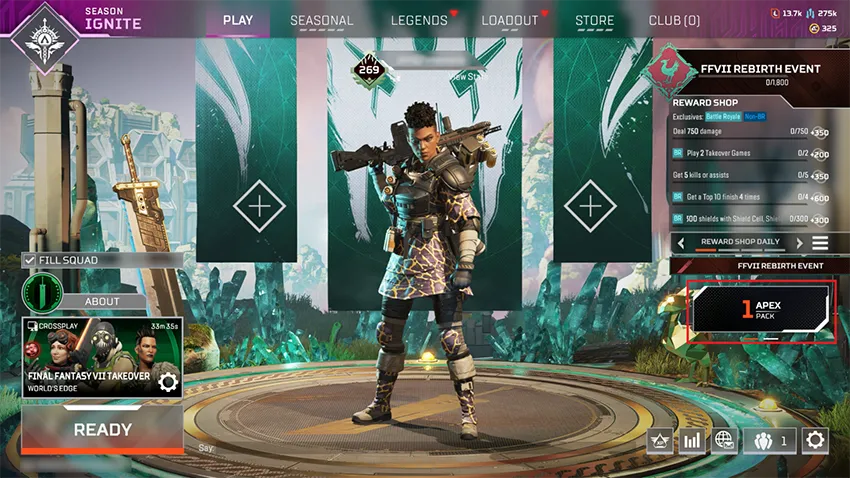
When you get a new Pack, it’ll appear on the main menu in the bottom-right corner. You can find everything you earned in Packs in the Loadout tab. New items will have a red dot next to them. If something is missing:
1
Restart your game.
2
Confirm you opened your Pack.
If your item is still missing, contact us.
You can’t get duplicate items in Apex Legends. Instead, you’ll get duplicate items as Crafting Metals.
Some content in Apex Legends is platform-exclusive, like platform-specific skins. You can only use the content on the platform where you earned it.
A chase item is the final item you get when completing a Collection Event. To get the chase item, you have to complete the Collection Event during the event time period. Event Packs that you open after the event finishes don’t count towards completing the Collection Event.If you completed the Collection Event during the event time period and didn’t get the chase item, contact us.
Missing Legends
When you unlock a Legend, they’ll appear in the Legends tab. If your Legend is missing:
1
Restart your game.
2
Confirm you spent your currency.
3
If you still can’t find your Legend, contact us.
Missing Mythics
1
Go to the Legend Locker tab.
2
Select a Legend.
3
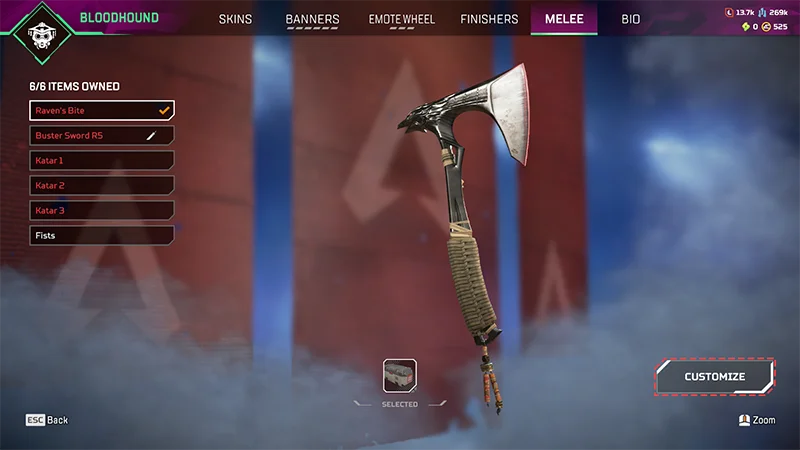
Select the Melee tab. If you have an Heirloom or Artifact, you’ll find it in Items Owned.
To customize your item, select Customize in the bottom right.
Select Save and Exit when you’re done customizing.
4
Check Equip to use your item in-game.
1
Go to the Legend Locker tab.
2
Select a Legend.
3
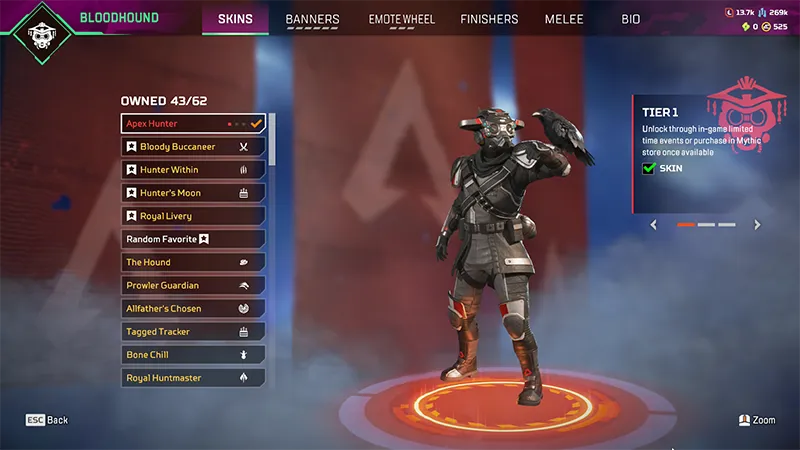
Select the Skins tab. If you have a Prestige item, you’ll find it at the top of the Skins menu.
In the example below, Apex Hunter is the Prestige item for Bloodhound.
Your skin’s tier is on the right of your screen. Once you unlock Tier 1 of a Prestige Skin, you can complete challenges to unlock Tier 2 and Tier 3.
4
Check Equip to use it in-game.
1
Go to the Legend Locker tab.
2
Go to the Banners tab.
3
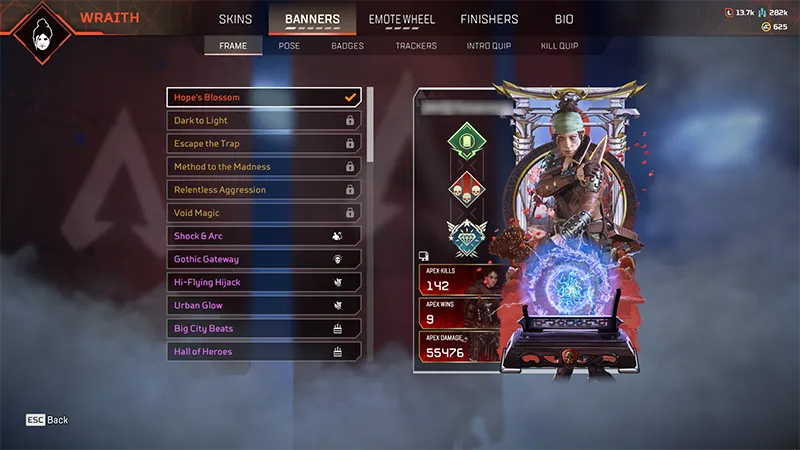
Select Intro Quip for Heirloom Quips and Frame for Heirloom Frames.
Collection Events offer event-limited cosmetics. To earn the Mythic item from a Collection Event, you need to complete the event within the event’s time frame.
If you buy event Packs during a Collection Event, make sure to open them during the event. If you open your event Packs after, you won’t complete the event in the time frame or get the event’s Mythic item. There’s no way to get an event’s Mythic item once it ends.
If you think you earned your Mythic but it’s missing, contact us. Remember, we can’t help you with items you haven’t earned.
If you think you lost a Mythic item after your account got Cross Progression, get help for lost game progress.
Still having issues?
Get in touch with our customer support team for more help.