Overview
You can change your username in EA SPORTS FC™ Mobile using a Rename Card.
Update your EAS FC Mobile username
- 1From the home page, select your current username to open your Player Profile.
- 2Select the pencil icon next to your username.
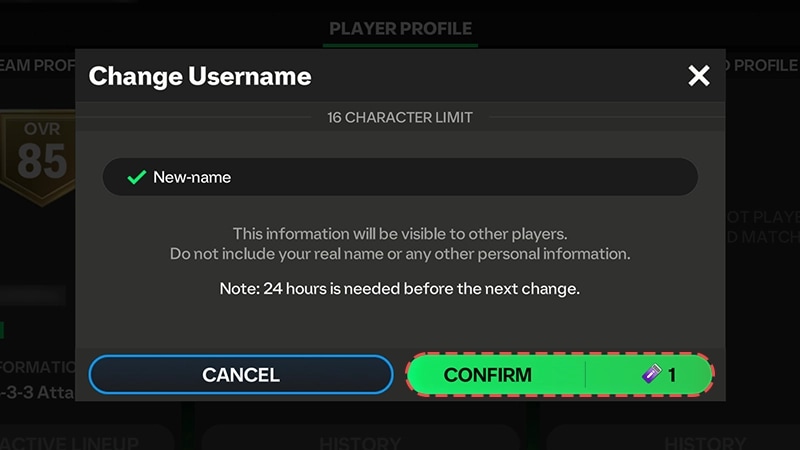
- 3Enter your new username in the Change Username popup box.
- Make sure you don’t include any personal information.
- 4Select Confirm.
- This will cost one Rename Card.
Your new username can take up to 30 minutes before it’s visible to other players.
How to get more Rename Cards
The first time you change your name, you’ll have a free Rename Card in your account.If you want more Rename Cards, you can buy them in the Store using FC Points. You can buy a new Rename card once every 30 days.
Why is the option to change username unavailable?
If you follow the steps to change your username but the option is grayed out or unavailable, it could be because:- you already used your free Rename Card and you need to buy a new one
- you recently changed your username.
- You can change your name every 30 days (using a Rename Card from the Store).
Can a username be changed without Rename Cards?
The only way to change your username is with a Rename Card. If you want a new username without another Rename Card, you’ll have to create a new EAS FC Mobile account. Your game progress and past purchases on your existing account won't transfer to your new account, even if you've linked your existing account to your EA Account, Facebook, Google Play, or Apple Account. To create a new account, you’ll need to delete and then reinstall the EAS FC Mobile app on your device.If you choose to delete EAS FC Mobile from your device and you haven’t linked your game to a personal account, your current account’s username, game progress, and past purchases will be lost.