Overview
Learn how to use the Madden NFL 26 Team Builder to customize and import your own team. Design uniforms, stadiums, and rosters, then bring your team into Franchise mode.
What is the Madden NFL 26 Team Builder?
In Team Builder, you can customize your Madden NFL 26 team's program, brand, uniforms, stadium, field, and roster. You can use premade designs, upload your own creations, and browse the download center to see teams created by the community.Here’s some important information to know before you access and use Team Builder.- You need to access the Madden NFL 26 Team Builder on ea.com using a desktop browser.
- Content created in Team Builder can be used in Franchise mode on PlayStation®5, Xbox Series X|S, Nintendo Switch™ 2, and PC versions of Madden NFL 26.
- You need an EA Account and an internet connection to use Team Builder.
- You might need an account on the console or service you play on.
- Age restrictions may apply.
- By using Team Builder, you’re agreeing to EA’s Rules of Conduct. Any content that violates our Terms of Service will be removed.
You can’t access Team Builder on a device that uses a mobile web browser, like a phone or a tablet. It’s only accessible using a desktop web browser on devices that have a desktop operating system, like a PC or laptop.
How to use Team Builder
- 1Go to the Madden NFL 26 Team Builder website using a desktop browser.
- Make sure you’re not logged in to the game and the Team Builder site at the same time.
- 2Select Get Started and sign in using your EA Account details.
- 3Select Create.
- 4Go through the Brand, Uniforms, Stadium and Field, and Franchise tabs to customize your team.
- 5When you’re finished choosing your preferences, select Save.
- 6Select Submit. All the customization choices you made will be summarized on-screen.
- 7To confirm your choices, choose Submit. To go back and customize again, select Cancel.
How to customize with the Madden NFL 26 Team Builder
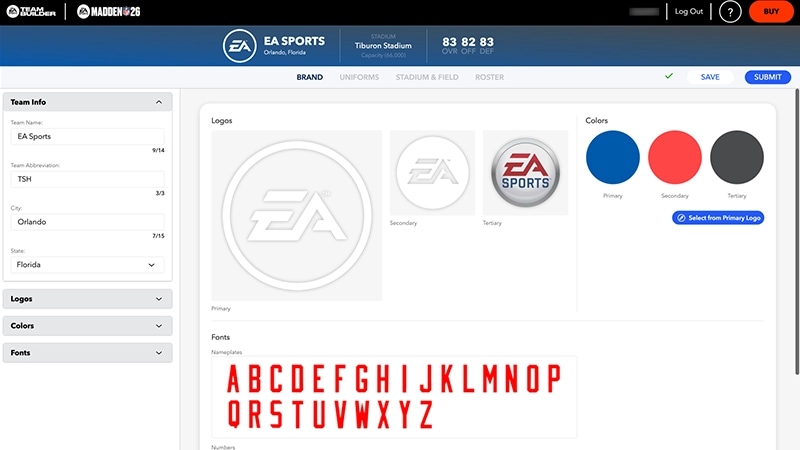
There are four customization tabs in Team Builder.- Brand: Customize your team info and choose your logos, color palette, and fonts.
- Uniform: Personalize uniforms for both home and away games, or select the plus symbol + to create a new uniform category. Choose from different styles, textures, and colors to design your helmet, jersey, pants, and socks.
- Stadium and Field: Design different aspects of your stadium, including the architecture, capacity, crowd, and on-field factors like surface type, logos, and numbers.
- Franchise: Get an overview of your entire team roster. You can customize each player's appearance, physical attributes, and skill ratings.
How to import a team from Team Builder into Madden NFL 26
Before you can import your customized team into Franchise mode, you need to download it to your platform’s local storage.- 1Launch Madden NFL 26.
- 2From the main menu, go to the Creation Center.
- 3Select Download Center.
- 4Make sure you’re in the Teams category. Search the name of the team you created and want to import.
- 5Select Download.
How to use your Team Builder team in Franchise mode
- 1Launch Madden NFL 26.
- 2From the main menu, choose Franchise and select Enter Franchise.
- 3Create or join an online league.
- If you choose to create a new league, select Play Online Solo or Multiplayer.
- If you select Play Offline, you won’t be able to import your Team Builder team.
- 4Choose from Weekly NFL Roster or Roster File.
- 5On the Choose Team screen, you’ll have the option to replace an existing NFL team with the team you customized in Team Builder.
- You can replace up to 32 teams.