Overview
Learn how to recover a past save of The Sims 4 on PC, Mac, or console.
Recover a save on your PC or Mac
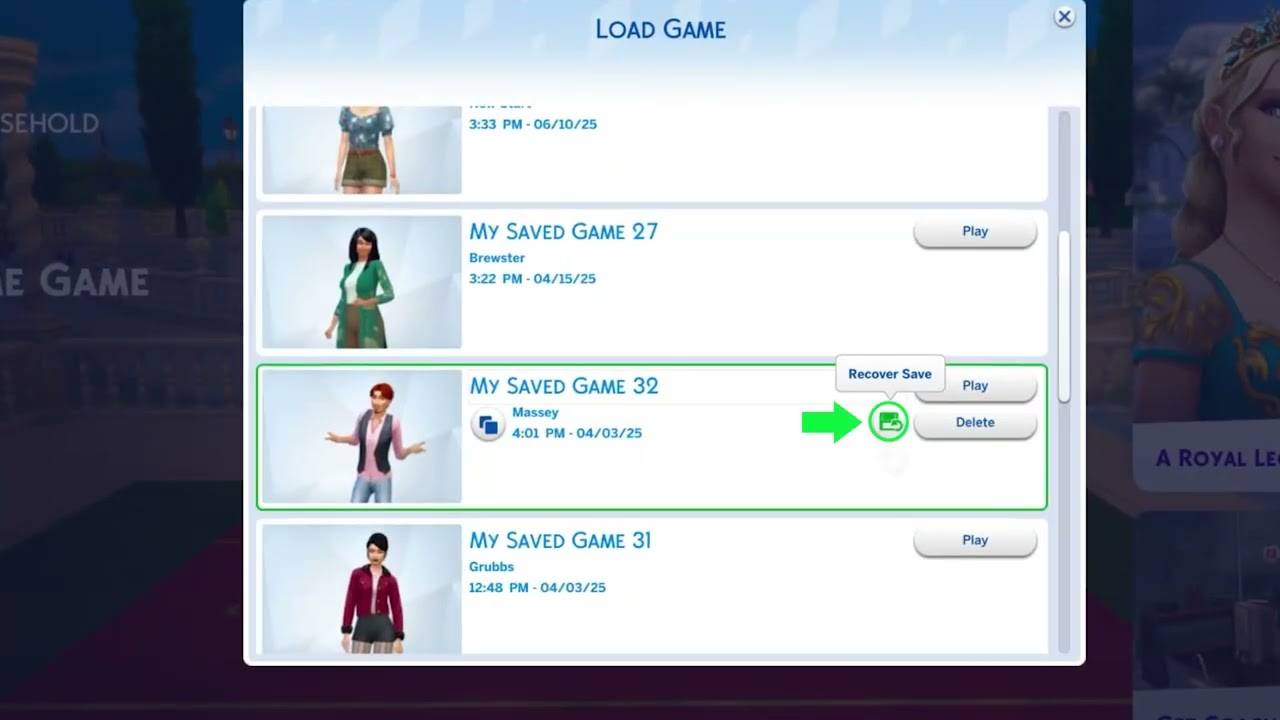
If your data is corrupted, or you want to revert to a previous save, The Sims 4 automatically stores saves for you to choose from.- 1Launch The Sims 4 and choose Load Game.
- 2Select Recover Save (floppy disk icon).
- 3Choose the save point you want to open by clicking Recover.
- 4Click Yes (checkmark icon) to confirm your choice.
Recover a save on your console
The Sims 4 on console saves automatically. You have 10 manual save slots available if you want to store a save at a certain point in the game. To recover your game using one of your 10 manual saves:- 1Go to the Main Menu.
- 2Click Load Game.
- 3Click Recover Game and choose the version you want to restore.