Overview
Learn more about the Freelancer career in The Sims 4, like how to fill out reports, promotion requirements, and career cheats.
About the Freelancer career in The Sims 4
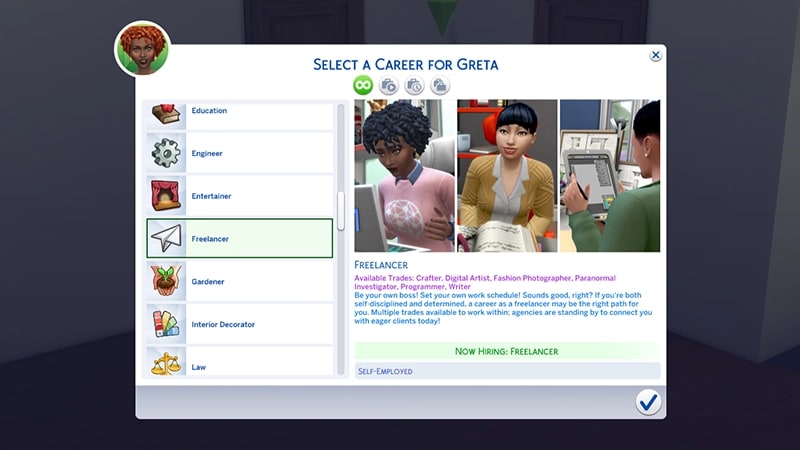
The Freelancer career comes with The Sims 4 Base Game and has multiple trades your Sim can pursue:- Crafter
- Digital Artist
- Fashion Photographer
- Paranormal Investigator
- Programmer
- Writer.
- Computer Experts: Freelance Programmer Trade
- Electrified Artists: Freelance Artist Trade
- Federal Bureau of Spooky Investigation: Freelance Paranormal Investigator Trade
- Your Sim will need to have a Paranormal Investigator Licence to join this trade. This can be bought from the Rewards Store in-game, or your Sim can talk to a Guidry (found on Haunted House Lots) for more info.
- Fighting Words: Freelance Writer Trade
- SIMply Crafted: Freelance Fabricator, Juice Fizzer, or Candle Maker Trades
- Tomorrow’s Style: Freelance Fashion Photographer Trade.
For more help with careers and promotions in The Sims 4, check out our careers guide.
Freelancer career promotion cheats
As a Freelancer, your Sim won’t get promoted in the same way as other careers. Instead, as they get better at their job and gain more skills, they’ll earn more money per gig. Using the below cheat will increase the amount your Sim earns in their chosen trade.PC and Mac
PlayStation®
Xbox
- 1Press Control + Shift + C to open the cheat dialogue box.
- 2Type testingcheats true and press Enter to turn on cheats.
- 3Type careers.promote [name of trade] into the cheat dialogue box and press Enter.
- Digital Artist: careers.promote adult_freelancer_artist
- Crafter: careers.promote
- Fashion Photographer: careers.promote
- Programmer: careers.promote adult_freelancer_agency_programmer
- Paranormal Investigator: careers.promote
- Writer: careers.promote adult_freelancer_agency_writer