Overview
The Veterinarian skill in The Sims 4 Cats & Dogs lets your Sim diagnose and treat sick pets, craft medical treats, and run their own Vet Clinic. Learn how to build the skill, what each skill level unlocks, and how to use cheats to level up quickly.
About the Veterinarian skill
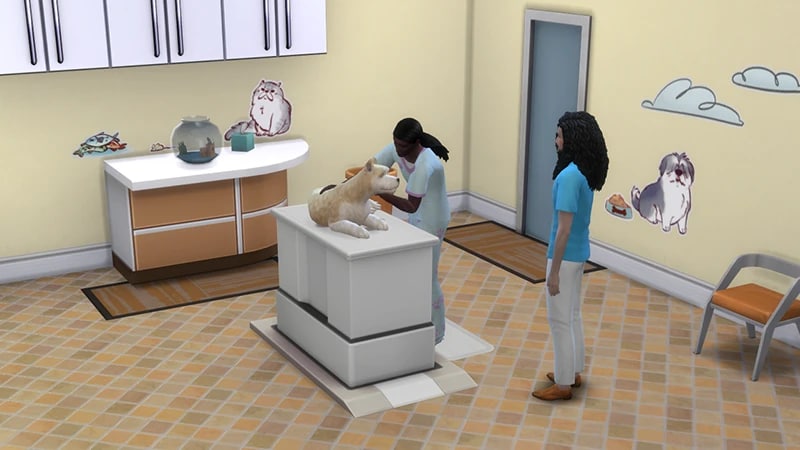
- The Veterinarian skill comes with The Sims 4 Cats & Dogs Expansion Pack, and is a 10 level skill.
- Elder, Adult, Young Adult, and Teen Sims can all build this skill.
- To set up your own Vet Clinic, your Sim will need to progress through this skill to treat sick pets effectively. Running a successful business will also make them Simoleons!
How to build the Veterinarian skill
There are multiple ways for your Sim to build the Veterinarian skill. Some interactions are only unlocked when your Sim reaches a certain level.Sims can build this skill by giving veterinary care to sick cats and dogs in a Vet Clinic. To open a Vet Clinic: The Venue Info pop-up lists the Items needed to run a Vet Clinic. Buy these from Build Mode so you to get started. Buy the following equipment to care for animals and build skill:
- 1From Live Mode, select the Owned Businesses tab (the cash register icon) in the Sim Panel.
- 2Choose Vet Clinic (the paw print icon).
- 3Select Buy a Vet Clinic.
- 4From the Residential Worlds menu, choose which world you want to open your Vet Clinic in.
- 5Choose a Lot to open your business on. You can’t choose your own home Lot.
- 6Follow the pop-up instructions to transfer funds to your new business to get started.
- Do Lab Work at Dr. Magi-Heal’s Medicine Craft-o-matic or at Dr. Budget-Bandage’s Medicine Craftidink.
- Examine animals at the Dr. Budget-Bandage’s Exam Table or Dr. Magi-Heal’s Get Better Table.
- Using the Dr. Budget-Bandage’s Surger-o-matic 1500 or the Dr. Magi-Heal’s Surger-o-matic 3000, your Sim can Examine or Spay animals.
If you own The Sims 4 Discover University Expansion Pack, your Sim can attend skill-building classes. These are rabbit-holes, so your Sim will leave the Lot for some time and then come back when the class is over. Note: Skill Classes are only available between 9 a.m.– 9 p.m.
- 1In Live Mode, select your Sim’s phone.
- 2Open the Business app (the briefcase icon).
- 3Choose Sit in on Skill Class (§250).
- 4In the pop-up menu, choose Veterinarian. Your Sim will leave the Lot and gain the Veterinarian skill while at the class.
If you own The Sims 4 Businesses & Hobbies Expansion Pack, your Sim can learn or teach the Veterinarian skill using the Sharing is Caring Whiteboard. You’ll find this in Build Mode.
Veterinarian skill levels
A green progress bar will appear above your Sim’s head and gradually fill up as they’re building a skill. You can also check their progress by:- 1Entering Live Mode.
- 2Selecting the Sim Panel (bottom left).
- 3Selecting the Skills tab.
At this level, your Sim can:
- Use an exam table or surgery station to Examine animals
- Craft Industrial Strength Relaxation Serum to use on the exam table
- Craft Belly Rub Simulation Gel and Catnip-Based Calming Agent to use at the surgery station
At this level, your Sim can craft the following treats at the Medicine Crafting Table:This level also unlocks the Meow Mailbox in Build Mode.
- Cooler than Liquid Nitrogen Nutrition Bar
- Swampwater Taffy
At this level, your Sim:
- Can craft Scorching Cinnamon Chew treat at the Medicine Crafting Table
- Unlocks the Raise Your Paws wall decal in Build Mode
At this level, your Sim:
- Can administer Feelgood Serum as a treatment at the exam table
- Can craft The Stinkinator treat at the Medicine Crafting Table
- Unlocks the I WANTS IT wall decal in Build Mode
At this level, your Sim:
- Earns Perk Points for their Vet Clinic
- Can Soothe Pets at the exam table
- Can craft Wellness Treats at the Medicine Crafting Table
- Unlocks the Jolly Day wall decal in Build Mode
At this level, your Sim can:
- Can craft Age-Up and Age-Down treats at the Medicine Crafting Table
- Unlocks the Run Pug Run wall decal in Build Mode
At this level, your Sim:
- Can craft the Poop Randomizer treat at the Medicine Crafting Table
- Unlocks the Everyone’s Best Friend wall decal in Build Mode
At this level, your Sim unlocks the Ode to Yarn wall decal in Build Mode
At this level, your Sim:
- Earns Perk Points for their Vet Clinic
- Can perform the Lubricate Tailwagger Joint surgery
At this level, your Sim:
- Can craft the Ambrosia treat at the Medicine Crafting Table
- Unlocks the Best Vet Door in Build Mode
Veterinarian skill cheats
When using skill cheats, enter the level number you want to reach. For example, putting stats.set_skill_level major_veterinarian 7 into the cheat bar will get your Sim’s Veterinarian skill up to level 7.PC and Mac
PlayStation®
Xbox
- 1Press Control + Shift + C to open the cheat dialogue box.
- 2Type testingcheats true and press Enter to turn on cheats.
- 3Type stats.set_skill_level major_veterinarian [skill level] and press Enter.