How to reset your expired EA Account password

Updated 2 weeks ago1 min read

Overview

If you haven’t logged in to your EA Account in a while, we might ask you to reset your password to help keep your account safe.

Reset your password

  1. 1
    Go to the EA login screen.
  2. 2
    Select Forgot your password, or need to create a new one?.
  3. 3
    Enter your email or EA ID
  4. 4
    Check your email for a link to create a new password, and follow the instructions.
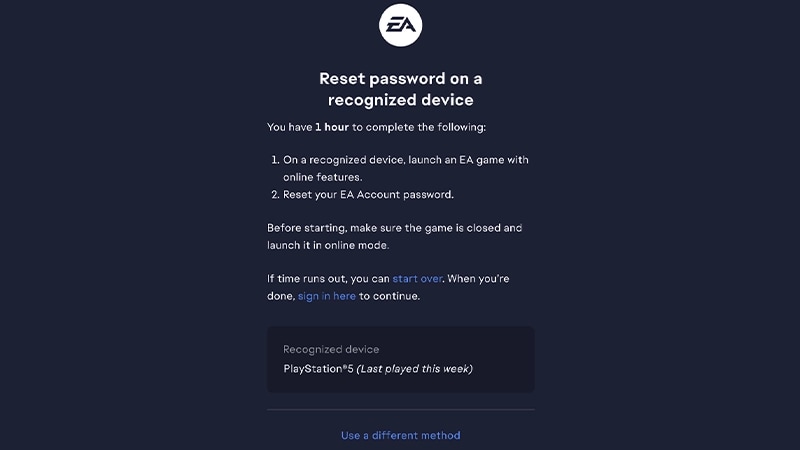
Don’t have access to the email address you used to create an EA Account? Follow our troubleshooting steps to get back into your account.You might be able to verify your identity by signing in through a recognized device (one that you use often). Follow the prompt to launch a game with online features and complete the steps to verify your identity using your recognized device. This step isn't available to everyone and may not appear every time. Reset password page showing instructions for a recognized device.
EA games with online features include elements that require an internet connection to access or play. These features can range from multiplayer modes and live services to online progression tracking and in-game purchases. 

Why some account info might be missing

For your security, we might have temporarily removed some of your personal information from your account. But don’t worry, all of your games, progress, and stats are still saved and waiting for you.Once you reset your password and log back in, you can get back in the game. You can also add or update any of your account information.
Still having issues?
Get in touch with our customer support team for more help.