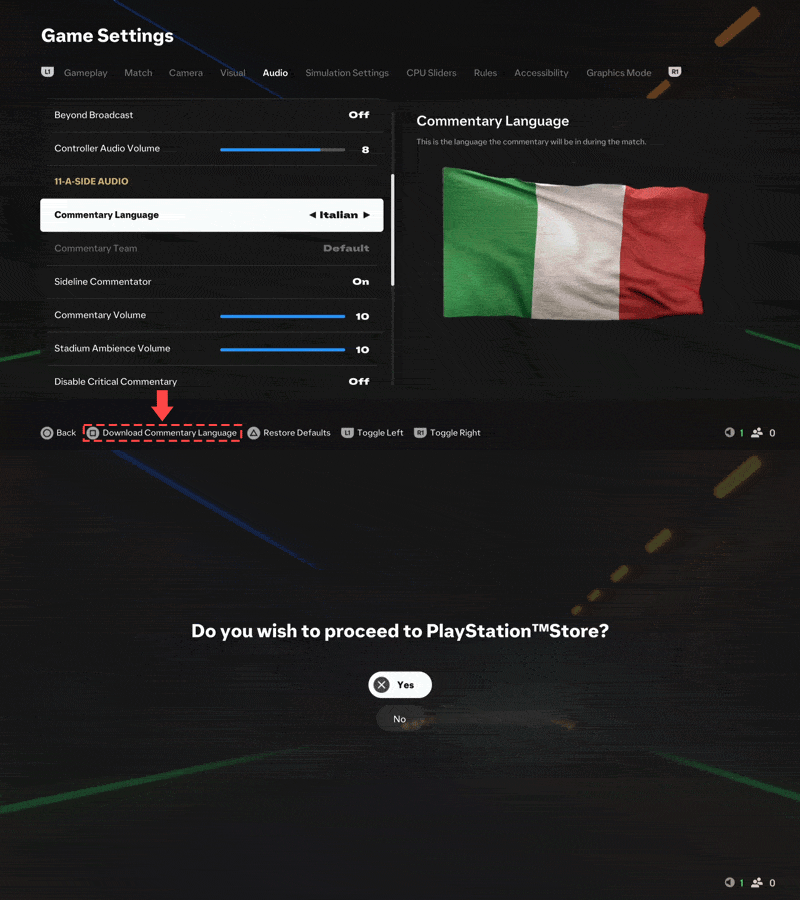
Overview
The commentary language is set to English by default in EA SPORTS FC™. Learn how to change it and how to download the audio downloadable content (DLC).
Change the commentary language in EA SPORTS FC™
- 1Launch EA SPORTS FC™.
- 2From the main menu, open Settings.
- 3Select Settings, then Game Settings.
- Use the right analog stick to go to Language Select, where you can change the language of the entire game. The commentary language will still be set to English.
- 4Go to Audio.
- 5Change the Commentary Language to your preferred language under 11-A-Side Audio and Rush Audio.
- You’ll get a prompt to download the commentary language. Select Download.
- If you don’t download the language, it will revert to English.