Overview
Learn how to get help in Madden NFL Mobile. While you’re at it, find and save your User ID. We’ll need your ID to help you if you’re ever locked out of your game.
Get help in your game
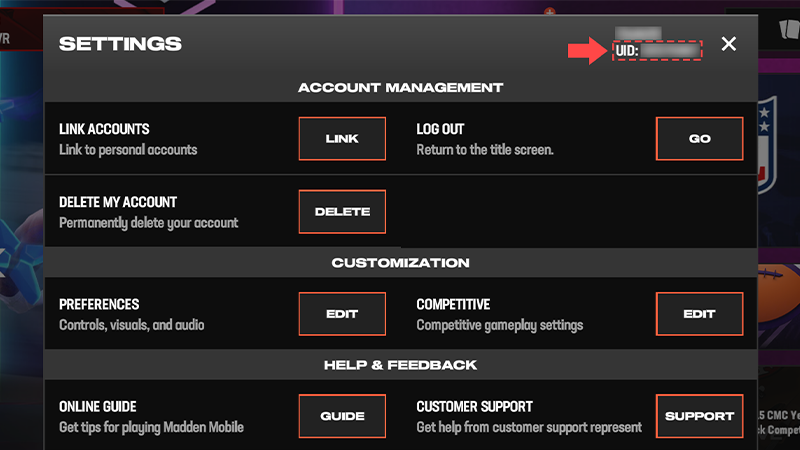
The fastest way to get help is by contacting us directly in your game.- 1From the main menu screen, tap the cogwheel on the top-right corner to open Settings.
- 2Tap Support next to the Customer Support to access our in-game help articles.
- 3If you need more help, contact us by tapping the chat button (it looks like a text bubble) in the top-right corner.
- Check if we have an answer or support for your issue on @EAHelp.
- Think you lost game progress? See if you can restore your progress.
Find your User ID
- 1From the main menu screen, tap the cogwheel on the top-right corner to open Settings.
- 2Find your username on the top-right corner of the Settings menu. Your User ID (UID) is below it.
Make sure to save your UID (a screenshot is an easy way to do this). You’ll need to have it ready if you’re ever locked out of the game and need to contact us.
Can’t access the game?
If you’re locked out of your game or lost your device, have your UID ready before you contact us. Without it, we can’t find your account.If you don’t know your UID, we may be able to help if you’ve linked your account to Facebook, Google Play, Game Center, Apple, or an EA Account. We can’t recover guest accounts.