Overview
The DJ Mixing skill in The Sims 4 lets your Sim hype up crowds, earn tips, and create custom mix tapes. This guide covers every way to build this skill, learn how to unlock new music genres, create mix tapes, and use cheats to reach level 10 faster.
About the DJ Mixing skill
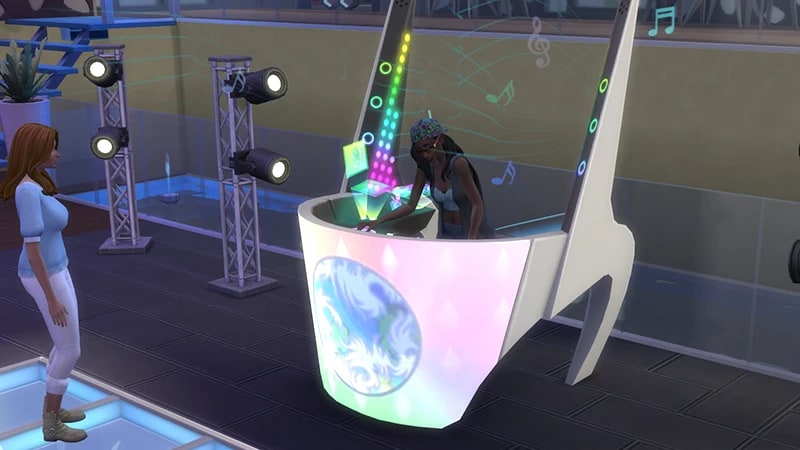
- The DJ Mixing skill comes with The Sims 4 Get Together Expansion Pack, and is a 10 level skill.
- Elder, Adult, Young Adult, and Teen Sims can all build this skill.
- Looking for a side hustle? If your Sim performs on non-residential Lots like a Bar, Nightclub, or Lounge, they can earn tips!
- Performing in public will also boost your Sim’s Fame level if you own The Sims 4 Get Famous Expansion Pack.
- The Great Acoustics Lot Trait increases how fast your Sim builds this skill.
How to build the DJ Mixing skill
There are multiple ways for your Sim to build the DJ Mixing skill. Some interactions are only unlocked when your Sim reaches a certain level.Sims can build this skill by selecting a DJ Booth and choosing Practice. As your Sim progresses through the levels, they’ll unlock more interactions.There are four DJ Booths that you can buy in Build Mode for your Sim to use:
- Turn-Table-Top Tote DJ Booth (§460)
- The Wub Tub Electromagic DJ Booth (§800)
- Low-Fi Mobile DJ Booth (§1,600)
- Quantum Retro DJ Booth (§2,400)
The Turn-Table-Top Tote DJ Booth and the Low-Fi Mobile DJ Booth can be placed in your Sim’s Personal Inventory, so they can set up a DJ set anywhere.
If you own The Sims 4 Discover University Expansion Pack, your Sim can attend skill-building classes. These are rabbit-holes, so your Sim will leave the Lot for some time and then come back when the class is over. Note: Skill Classes are only available between 9 a.m.– 9 p.m.
- 1In Live Mode, select your Sim’s phone.
- 2Open the Business app (the briefcase icon).
- 3Choose Sit in on Skill Class (§250).
- 4In the pop-up menu, choose DJ Mixing. Your Sim will leave the Lot and gain the DJ Mixing skill while in class.
If you own The Sims 4 Businesses & Hobbies Expansion Pack, your Sim can learn or teach the DJ Mixing skill using the Sharing is Caring Whiteboard. You’ll find this in Build Mode.
DJ Mixing skill levels
As your Sim builds the DJ Mixing skill, they’ll unlock new rewards, abilities, and interactions along the way. A green progress bar will appear above your Sim’s head and gradually fill up as they’re building a skill. You can also check their progress by:- 1Entering Live Mode.
- 2Selecting the Sim Panel (bottom left).
- 3Selecting the Skills tab.
At this level, your Sim can Practice on a DJ Booth.
At this level, your Sim can:
- Switch Music Genre on the DJ Booth
- Play two Music Genres: Machine and Groovin’
At this level, your Sim can:
- Discuss DJ Techniques with other Sims
- Play Chip-Tune music
At this level, your Sim can play Chill Out music.
At this level, your Sim can play Breakbeats music.
At this level, your Sim can:
- Get Hyped when playing to an audience
- Upgrade select DJ Booths with Dynamic Surge-Protection and Advanced Heat Sink
- Play Remixes
At this level, your Sim can:
- Upgrade select DJ Booths with Install Plasma Display and Equip Particle Generators
- Play House music
At this level, your Sim can:
- Upgrade DJ Booths with Wireless Display Override
- With this upgrade, Sims can add new screens to the performance by enabling Teleplosion through the Control Panel
- Create Custom Mix tape, Mix-o-lot, and play on the DJ Booth once completed
At this level, your Sim can:
- Create Custom Mix tapes Wiky Wiky, and Scratch n’Switch. These can be played on the DJ Booth once completed.
- Play Drum & Bass music
At this level, your Sim can:
- Feel the Crowd when playing to an audience and set the mood
- Create Custom Mix tapes Digital Era, Party Hardy, and Electrical Utsu. These can be played on the DJ Booth once completed.
- Play Noise music
- Unlock the Robo-Helmet to wear when performing. Find this in Create-a-Sim.
DJ Mixing skill cheats
When using skill cheats, type in the number of the level you want to reach. For example, putting stats.set_skill_level major_djmixing 7 into the cheat bar will get your Sim’s DJ Mixing skill up to level 7.PC and Mac
PlayStation®
Xbox
- 1Press Control + Shift + C to open the cheat dialogue box.
- 2Type testingcheats true and press Enter to turn on cheats.
- 3Type stats.set_skill_level major_djmixing [skill level] and press Enter.