Overview
The Photography skill in The Sims 4 lets your Sims capture moments, build creative careers, and even gain Fame with the right Packs installed. In this guide, you’ll learn every way to build the Photography skill, which tools and cameras help improve photo quality, and how to use features like Simstagram, studio lighting, and the Tripod. We’ll also walk through all skill-building methods like books, classes, and cheats, so you can help your Sims take their best shots.
About the Photography skill
- The Photography skill is a 5 level skill that originally came with The Sims 4 Get to Work Expansion Pack, but it’s since been added to The Sims 4 Base Game.
- If you own The Sims 4 Moschino Stuff Pack, this gives the Photography skill some gameplay upgrades.
- Elder, Adult, Young Adult, and Teen Sims can all build this skill.
- The Photography skill is needed to progress in the Freelancer career in the Fashion Photographer branch.
- Uploading photos to Simstagram and selling photos to a publication will increase your Sim’s Fame level if you own The Sims 4 Get Famous Expansion Pack.
- With the Photography skill, there are no specific unlocks as you level up; instead, the quality of the photos your Sim takes improves the higher their skill level.
- The Natural Light Lot Trait increases how fast your Sim builds this skill.
How to build the Photography skill
There are multiple ways for your Sim to build the Photography skill. Some interactions are only unlocked when your Sim reaches a certain level.A green progress bar will appear above your Sim’s head and gradually fill up as they’re building a skill. You can also check their progress by:- 1Entering Live Mode.
- 2Selecting the Sim Panel (bottom left).
- 3Selecting the Skills tab.
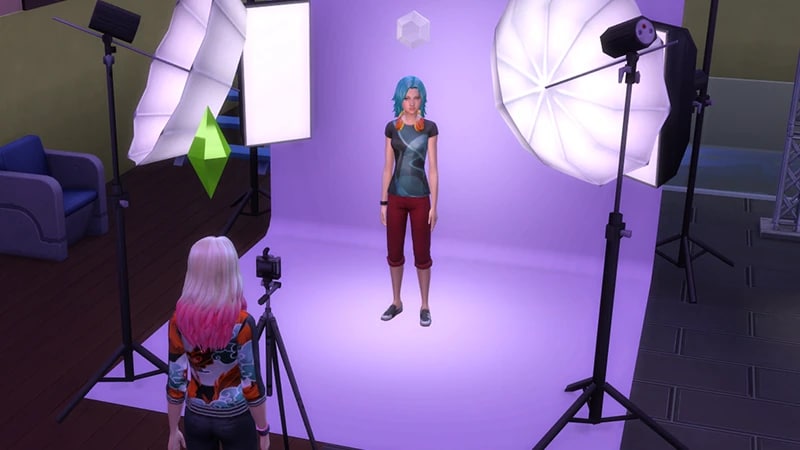
Your Sim can start taking photographs using their phone. The Sims 4 Base Game comes with a couple of cameras, and more cameras are added with other Packs. Find and buy these from Build Mode.To take a photo using a camera after you’ve bought one from Build Mode, you’ll need to add it to your Sim’s Personal Inventory. When your Sim takes a photo, it appears in their Personal Inventory. From here you can:To begin with, your Sim is more likely to take low-quality photos; sometimes they’ll be blurry, off-center, pixelated, or even include a photobombing gnome or a thumb in the photo! The higher their skill level (and the better quality their camera), the less this will happen.
- 1Open the phone.
- 2Select the Camera app.
- 3Choose between Simstagram Pet, Take Selfie, Take Photo with, Take Photo of, and Take Photo.
- Barely Better Digital Camera §85 comes with The Sims 4 Base Game.
- Appreciably Average Digital Camera §670 comes with The Sims 4 Base Game.
- Crystal Clear Digital Camera §2,015 comes with The Sims 4 Base Game.
- InstaSimsta Camera §1,350 comes with The Sims 4 Comfy Gamer Kit.
- “Can You See Me Now?” Camera §2,300 comes with The Sims 4 Island Living Expansion Pack. and unlocks at level 10 of the Conservationist career in the Environmental Manager branch.
- ClickShot P10 Mirrorless Camera §2,300 comes with The Sims 4 Moschino Stuff Pack.
- In a Flash Photo Studio §800 comes with The Sims 4 Get to Work Expansion Pack.
- sell them by dragging and dropping
- Sell to Publication
- Upload to Simstagram
- List on Plopsy if you own The Sims 4 Nifty Knitting Stuff Pack
- Set Filters
- Name.
The Sims 4 Moschino Stuff Pack comes with the Fashion Studio Photography Tripod. Your Sim can attach their camera to this to take studio shots and group shots.
Reading skill books will work towards building skills, but it is slower than other methods. Books will only get you as far as level 9 of a skill. The skill books for Photography are only available if you own The Sims 4 Moschino Stuff Pack. To buy skill books:The skill books are:
- 1Select a bookshelf and choose Purchase Books.
- 2In the pop-up, select the drop-down at the top-left that reads Show All.
- 3Choose Skill and scroll through to find the book you want to buy. These will be added to your Sim’s bookshelf.
- Photography Vol 1: Your First Exposure
- Photography Vol 2: Mastering Composition.
If you own The Sims 4 Jungle Adventure Game Pack, the Peace and Quiet Lot Trait helps your Sim build skill faster when reading skill books.
If you own The Sims 4 Discover University Expansion Pack, your Sim can attend skill-building classes. These are rabbit-holes, so your Sim will leave the Lot for some time and then come back when the class is over. Note: Skill Classes are only available between 9 a.m.– 9 p.m.
- 1In Live Mode, select your Sim’s phone.
- 2Open the Business app (the briefcase icon).
- 3Choose Sit in on Skill Class (§250).
- 4In the pop-up menu, choose Photography. Your Sim will leave the Lot and gain the Photography skill while at the class.
If you own The Sims 4 Businesses & Hobbies Expansion Pack, your Sim can learn or teach the Photography skill using the Sharing is Caring Whiteboard. You’ll find this in Build Mode.
Photography skill cheats
When using skill cheats, type in the number of the level you want to reach. For example, putting stats.set_skill_level major_photography 3 into the cheat bar will get your Sim’s Photography skill up to level 3.PC and Mac
PlayStation®
Xbox
- 1Press Control + Shift + C to open the cheat dialogue box.
- 2Type testingcheats true and press Enter to turn on cheats.
- 3Type stats.set_skill_level major_photography [skill level] and press Enter.