Overview
Master the Robotics skill in The Sims 4 Discover University to craft Utili-Bots, Robo-Arms, and fully playable Servos. Learn how to build the Robotics skill with books, classes, or the Robotics Workstation, and explains what each skill level unlocks. Whether your Sim wants to become an Inventor, Engineer, or simply tinker with tech, this guide has everything you need, including cheats to level up instantly.
About the Robotics skill
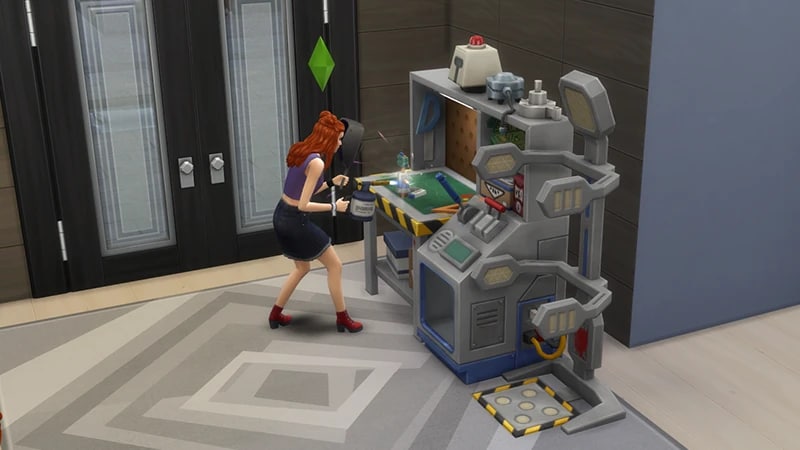
- The Robotics skill comes with The Sims 4 Discover University Expansion Pack, and is a 10 level skill.
- Elder, Adult, Young Adult, and Teen Sims can all build this skill.
- The Robotics skill is needed to progress in the Engineer career, in the Computer Engineer and Mechanical Engineer branches.
- Items your Sim creates using the Robotics skill can make your Sim some Simoleons! Open your Sim’s Personal Inventory to sell their creations.
- Be careful when using the robotics workstation, as it can give your Sim an electric shock. Too many shocks can cause your Sim to die by electrocution! Want more info? Check out our death guide.
How to build the Robotics skill
There are multiple ways for your Sim to build the Robotics skill. Some interactions are only unlocked when your Sim reaches a certain level.Buy the Dr. F’s Official Robotics Workstation from Build Mode for §1,100. To create robots, Sims need Robot Salvage Parts. These can be bought using the computer or scavenged from electronic waste. Sims can also get salvage parts from tinkering at the workstation. Using the workstation, Sims can build skill through Tinker at Robotics Workstation and by crafting Toys, Mechanisms, Cybernetics, Servos, and Utili-Bots.
To join the Bot Savants, your Sim must first be enrolled in a University. For tips on how to enroll, check out our video for help.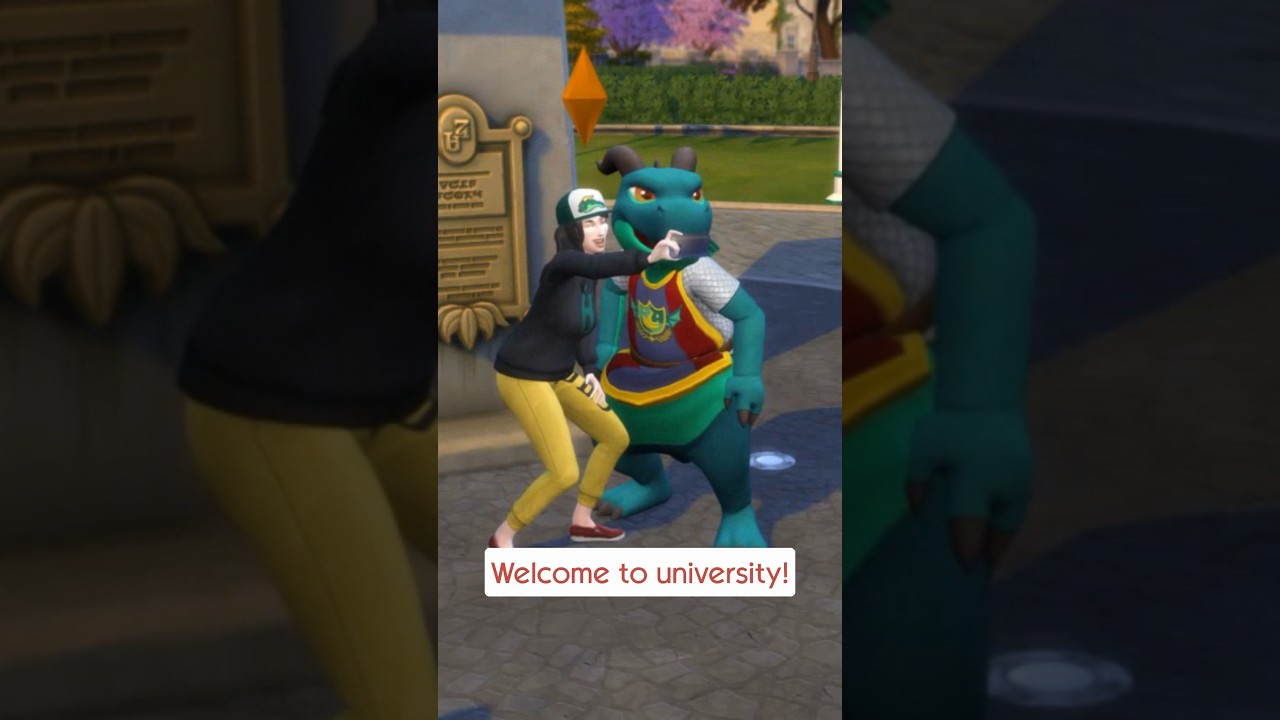 Once your Sim is enrolled in University, there are a few ways to sign up to join an Organization. The Organization Events will show upcoming Events, including their place and time. Select Go to Event once it’s not grayed out (the option becomes available once the Event is on) to travel to the Event. Once there, your Sim can ask another member if they can join the Organization.
- Select the University Kiosk—you’ll find these around campus outside the Commons. Then, choose Get University Info > Organization Events.
- Open the Social Groups Panel in the bottom right of Live Mode. Select Organizations, then select Organization Events.
Reading skill books will work towards building skills, but it is slower than other methods. Books will only get you as far as level 9 of a skill. To buy skill books:The skill books are:
- 1Select a bookshelf and choose Purchase Books.
- 2In the pop-up select the drop-down at the top-left that reads Show All.
- 3Choose Skill and scroll through to find the book you want to buy. These will be added to your Sim’s bookshelf.
- Robotics Vol 1: Getting to Know Circuits
- Robotics Vol 2: Building a Better Bot
- Robotics Vol 3: Inevitable Singularity.
If you own The Sims 4 Jungle Adventure Game Pack, the Peace and Quiet Lot Trait helps your Sim build skill faster when reading skill books.
If you own The Sims 4 Discover University Expansion Pack, your Sim can attend skill-building classes. These are rabbit-holes, so your Sim will leave the Lot for some time and then come back when the class is over. Note: Skill Classes are only available between 9a.m–9p.m.
- 1In Live Mode, select your Sim’s phone.
- 2Open the Business app (the briefcase icon).
- 3Choose Sit in on Skill Class (§250).
- 4In the pop-up menu, choose Robotics. Your Sim will leave the Lot and gain Robotics skill while in class.
If you own The Sims 4 Businesses & Hobbies Expansion Pack, your Sim can learn or teach the Robotics skill using the Sharing is Caring Whiteboard. You’ll find it in Build Mode.
Robotics skill levels
As your Sim builds the Robotics skill, they’ll unlock new rewards, abilities, and interactions along the way. A green progress bar will appear above your Sim’s head and gradually fill up as they’re building a skill. You can also check their progress by:- 1Entering Live Mode.
- 2Selecting the Sim Panel (bottom left).
- 3Selecting the Skills tab. Here, you can check how many skills your Sim has and what level they are in each skill.
At this level, your Sim can:
- Tinker at Robotics Workstation
- Craft Chatter Bot
At this level, your Sim can craft the following at the robotics workstation:
- Computer Chip
- Mechanism
- RC Quadcopter
At this level, your Sim can craft the Cleaner-Bot Utili-Bot at the workstation.
At this level, your Sim can craft the Party-Bot Utili-Bot at the workstation.
At this level, your Sim can:
- Craft the Gardener-Bot Utili-Bot at the workstation
- Mentor other Sims in this skill
At this level, your Sim can craft the Fixer-Bot Utili-Bot at the workstation.
At this level, your Sim can craft the Robo-Arm at the workstation.
At this level, your Sim can craft a Servo at the workstation.
At this level, your Sim can Enhance a Servo with the Sim Defense Matrix Behavior Module.
At this level, your Sim can Enhance a Servo with the RoboNanny Behavior Module.
Robotics skill cheats
When using skill cheats, type in the number of the level you want to reach. For example, putting stats.set_skill_level major_robotics 7 into the cheat bar will get your Sim’s Robotics skill up to level 7.PC and Mac
PlayStation®
Xbox
- 1Press Control + Shift + C to open the cheat dialogue box.
- 2Type testingcheats true and press Enter to turn on cheats.
- 3Type stats.set_skill_level major_robotics [skill level] and press Enter.