Overview
Summary: Find out what’s included in the 2024 Season Expansion Bundle and where you can find your cars, liveries, and customization options in WRC.
What’s included in the 2024 Season Expansion Bundle?
The EA SPORTS™ WRC 2024 Season Expansion Bundle adds exciting new content, including cars, locations, and liveries. Depending on whether or not you already own the latest WRC game, you might need to buy different bundles to get all of the 2024 Season Expansion DLC packs.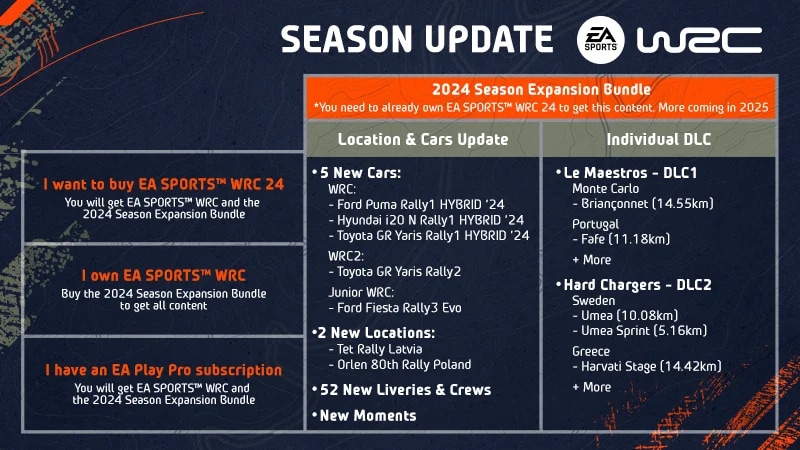
Note: the 2024 Season Expansion Bundle doesn’t include a Spanish voice-over. Spanish localization is available in text format only.
Finding your customization and cosmetic WRC content
If you can’t find your cosmetic content, like liveries or driver apparel, make sure the content is unlocked and that you’re looking for it in the right place.How to check if content is unlocked
- 1From the main game menu, choose Customization.
- 2Select Rally Pass. Scroll through the items to make sure your missing content has been unlocked.
- 3Take note of whether your missing content falls under the apparel or livery category before following the steps below.

Where to find driver apparel items
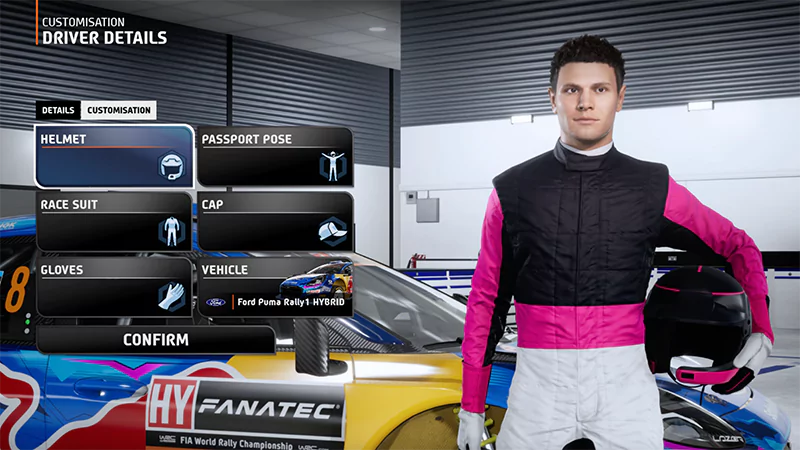
Check the Driver Details category for missing bought or earned driver apparel items ( like helmets, race suits, gloves, or caps).- 1From the main menu, choose Customization.
- 2Select Driver Details and choose the Customization tab.
- 3Scroll through the items to check for your missing content.
Where to find livery items
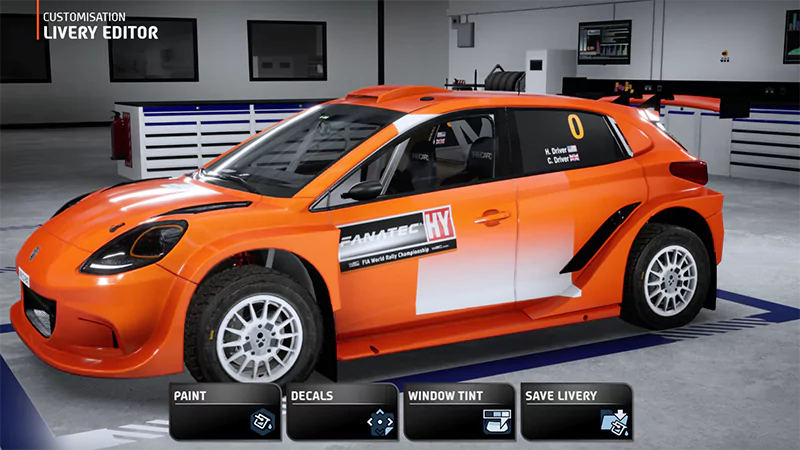
If you’re missing car liveries check the Livery Editor.- 1From the main WRC menu, choose Customization.
- 2Select Livery Editor.
- 3Select the vehicle class, then choose the vehicle you want to customize with your bought or earned livery.
- 4Select the category your missing content belongs to (paint, decals, or window tint).
- 5Scroll through the items to check for your missing content.
Still can’t find your content? Try our additional steps for finding missing content.Our advisors can only help with missing Rally Passes purchased on PC from the EA app. If you bought your Rally Pass on a different platform, such as PlayStation® or Xbox, you’ll need to contact them directly about your missing content.