Overview
Help your Sim find love with the Cupid’s Corner matchmaking app. Learn how to match with other Sims, set up a profile, and Create a Date.
What’s Cupid’s Corner?
Cupid’s Corner is a way to match and set up dates with other Sims. It comes with The Sims 4 Lovestruck Expansion Pack. Your Sim can access the app through the phone or computer. To use it on the phone, select the phone icon in the bottom-left corner of Live Mode and select the Cupid’s Corner app (it has a winged heart with an arrow through it). To use the app on the computer, select Open Cupid’s Corner.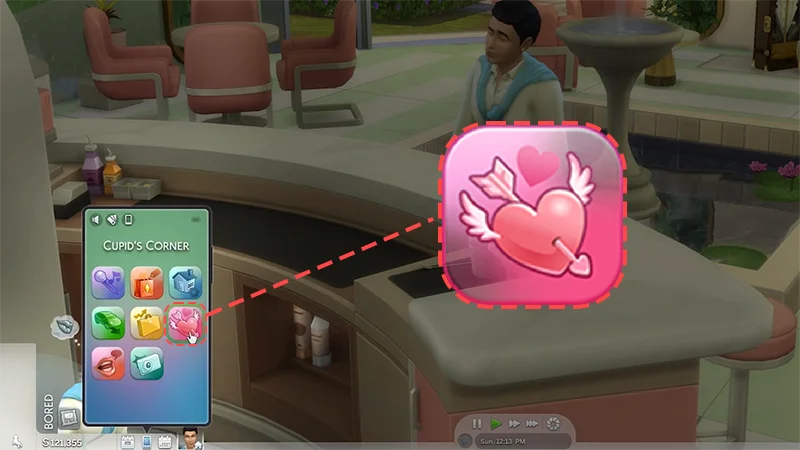
- My Bio: create and update your Sim’s profile.
- Matches: view and like other Sim’s profiles.
- Saved Profiles: view a list of already liked Sims that your Sim can add to contacts or invite on a date.
Setting up your Sim’s Cupid’s Corner profile
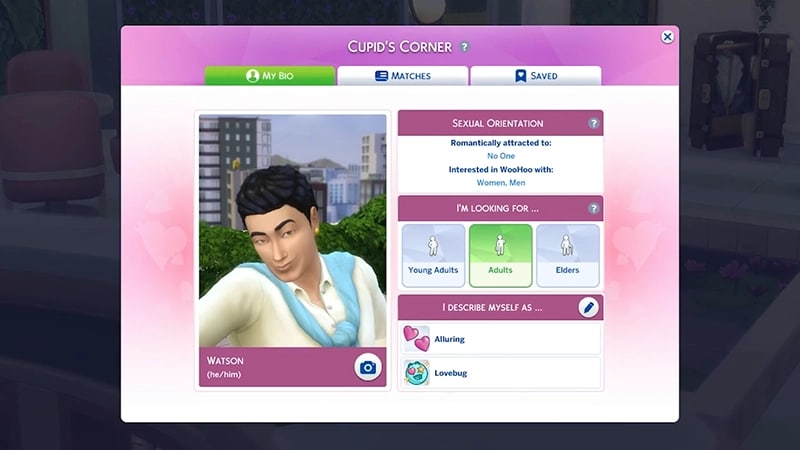
Only Young Adult, Adult, and Elder Sims can use Cupid’s Corner. Teen Sims can’t use the app. To create your Sim’s profile:- 1Click the camera icon in the My Bio section to take a selfie of your Sim. This will be their profile picture.
- When taking their profile picture, your Sim can move the camera around and try different poses before they choose the perfect shot.
- If your Sim has a low photography skill level, they could end up with a blurry photo, accidentally cover part of the lens with their finger, or even get photobombed by a garden gnome!
- 2Select two of your Sim’s traits to be displayed in the I describe myself as section.
- 3Select the age range your Sim wants to date in the I’m looking for section.
- 4The Sexual Orientation section shows which genders your Sim is romantically attracted to and interested in WooHoo with. These preferences can be set in Create a Sim.
- Read our WooHoo guide for help understanding and how to set up your Sim’s Sexual Orientation.
Matching with Sims in Cupid’s Corner
Sims show up in the Matches tab if they have basic compatibility with your Sim. Compatibility is based on Sexual Orientation, Romantic, and WooHoo preferences. Read our sexuality, romance, and attraction guide to learn more about customizing your Sim’s sexual orientation and romantic preferences.- Candidates include Sims that already exist in the game, newly game-generated Sims, and Sims from the Gallery. Sims from the Gallery are only created with content you currently have installed and don’t include custom content.
- If you only want to see Sims you’ve favorited on the Gallery, or Sims made by creators you’ve favorited, you can set that in the Game Options. You can also choose to see no Sims from the Gallery.
- The app highlights your Sim’s Attraction based on the other Sim’s traits. Remember that the other Sim may not feel the same.
- Your Sim can browse these matches, and like the ones they’re interested in. You’ll find these liked Sims in the Saved Profiles tab.
- If you reach the limit of how many Sims you can save in the app, remove some from the Saved Profiles tab to save other Sims.
You won’t see Sims appear that are in committed relationships, so a Sim that’s the romantic partner or spouse of another Sim won’t show up in the app. For example, Bob Pancakes won’t come up as a potential match in a new game as he’s married to Eliza Pancakes.
How to Create a Date
Create a Date is new to the Lovestruck Expansion Pack. Your Sims can use this to create dates with new matches they find through Cupid’s Corner, or with Sims they already have a relationship with. The original Base Game date is still available to use as before.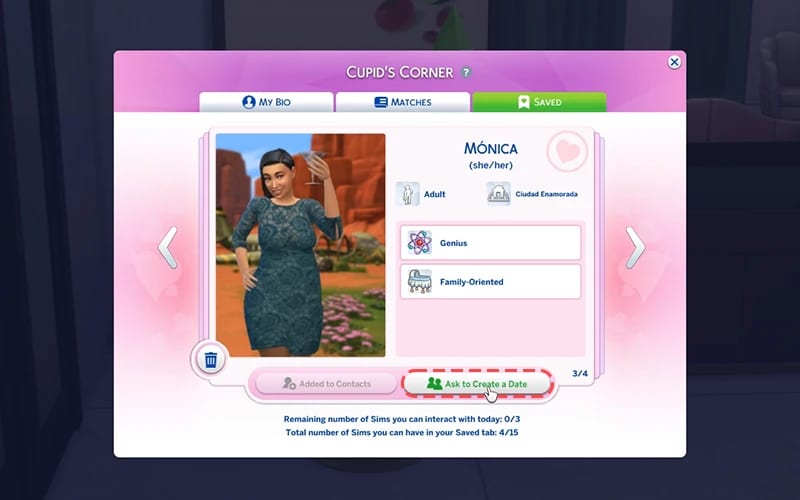
- Type of date
- Get to Know You Date
- Romantic Date
- Romantic Repair Date: these are recovery dates if your Sims have a low Relationship Satisfaction
- Friendly Hangout: these involve platonic activities.
- Goals and Rewards: These are optional, so you can also choose not to complete activities for rewards during the date. When choosing the date type, deselect the Goals and Rewards checkbox.
- Venue: Choose a starting location. You can switch venues throughout the date.
- Inviting other Sims: you can invite additional Sims on your date.
- Activities: Choose what your Sims do on their date. For example, choose to have drinks, dance the night away, or perhaps WooHoo is on the agenda for your Sims date!
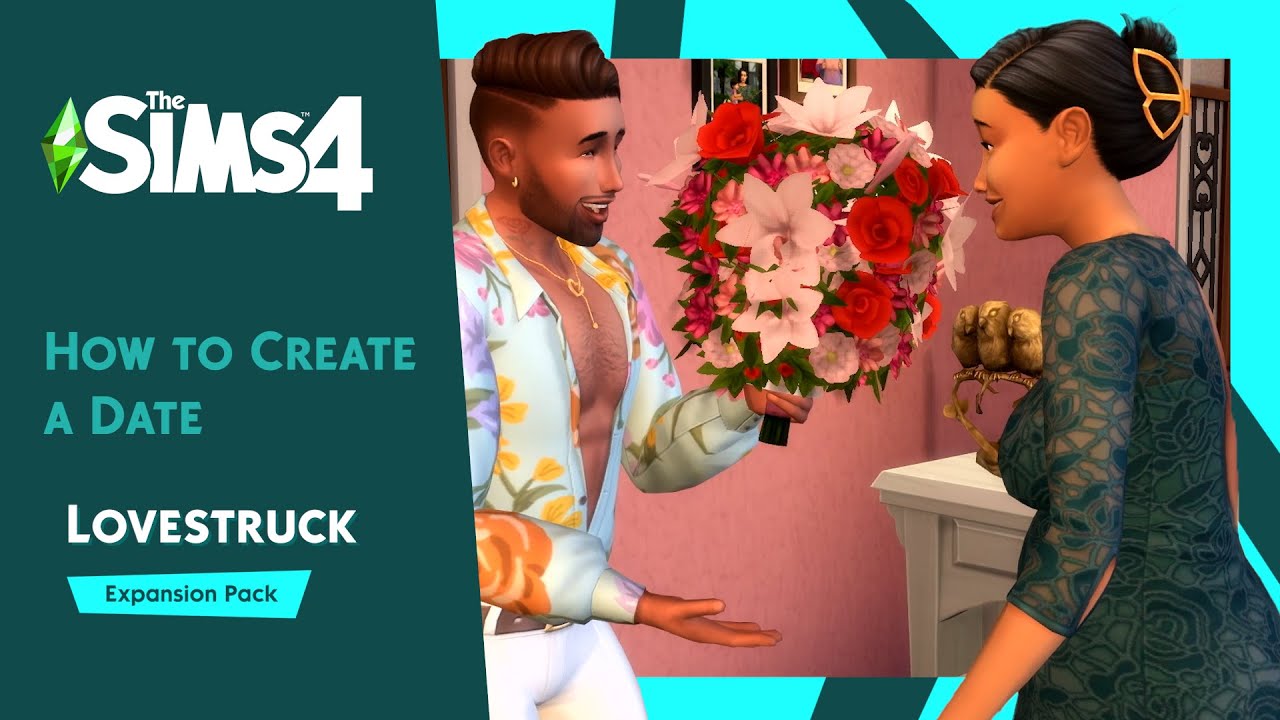
With the Create a Date system, there are multiple ways to ask a Sim out including by phone, the calendar, through the Relationship Panel, in a face-to-face interaction, or through the Cupid’s Corner app. How to ask a Sim on a date through Cupid’s Corner:You can also go to the Saved Profiles tab and add a Sim to your contacts. Once a Sim has been added to your contacts, you can ask them on a date using any of the other methods below. How to ask a Sim on a date through the phone:How to set up a date using the calendar:If you ask a Sim on a date using the calendar, they will automatically attend, unlike other methods of asking them out, where they can refuse. Using the calendar is the only way to plan a date in the future. Every other method of asking a Sim out will begin the date straight away. How to ask a Sim on a date in person:Your Sim can also do this through the Relationship Panel:Blind DatesYou can set your Sim up on a Blind Date, which means they won’t know who they’re meeting until they arrive at the venue. To do this:
- 1Open the Saved Profiles tab. Here you’ll find all the profiles your Sim has matched with and liked.
- 2Select the Sim you want to ask on a date.
- 3Select Ask to Create a Date.
- 1Open the phone in the bottom left of Live Mode.
- 2Choose the Social app, and select Ask to Create a Date… or Ask to Create a Hangout…
- 3A menu will appear that lets you choose which Sim to ask out.
- 1Open the Calendar by selecting the calendar icon in the bottom left of Live Mode.
- 2Select the + icon and choose a date from the list of events. The options are:
- Get to Know You Date
- Romantic Date
- Romantic Repair Date
- Friendly Hangout.
- 3Select the Sim you want to ask out on a date.
- 4Choose which type of date you want to set up, the venue, and the activities for the date.
- 5Choose when you want the date to be by selecting the day in the calendar, or by selecting Now in the Event Time window if you want to begin the date immediately.
- 1In Live Mode, select the Sim you want to ask on a date.
- 2Go to More Choices > Romance > Ask to Create a Date.
- 1Open the Relationship Panel in the bottom right of Live Mode.
- 2Choose the Sim, then select Ask On > Ask to Create a Date.
- 1Open your Sim’s phone menu by clicking the phone icon in the bottom-left corner of Live Mode.
- 2Select the Cupid’s Corner app and choose Go on Blind Date.
- 3The Start an Event screen will appear, with Start Blind Date as the option.
- 4From here, you set up the date as normal, but you won’t be able to see a picture of the Sim they’re going out with.
Date progression
If your date includes goals and rewards, it works the same way as the Base Game dating system once your date begins. You’ll only earn rewards if you check the Goals and Rewards checkbox when planning the event. The date progress appears in the top left of the screen in Live Mode which shows:- The completion meter: a timer showing how long is left on your date
- Main goal: this is the main goal your Sim needs to achieve to have a successful date
- Sub goal: smaller interactions or tasks for your Sim to complete to have a successful date
- Rewards: Your Sims score Bronze, Silver, or Gold on the date. The more goals they complete, the higher the date will score.
Date Actions
As well as customizing a date, there are new actions for your Sims to explore during the date itself. Under Date Actions, you can select the following during the date or friendly hangout:- Ask How Date’s Going
- Ask To Extend Date
- Ask To Change Venue
- End Date Cheerfully
- End Date Abruptly.
Date rewards
If you selected Goals and Rewards when planning the date, your Sim will earn a reward depending on how well their date goes. Romantic Events- Gold
- Date Photo. The Sim hosting the date will find this in their personal inventory.
- Silver: one of the following will appear in your Sims’ household inventory:
- Flowers in Vase
- “Lots of Love” Bear
- The Sweetheart’s Box.
- Bronze: randomly rewards one of the following which will appear in your Sims’ household inventory:
- Sequence of Love Candle Bunch
- Romance Vol 1: From Flirtation Disaster To Romance Master
- A Single Rose
- Softy Brand Tissues.
- Gold
- Hangout Photo
- Silver
- Charisma Vol 2: The Science Of Diplomacy
- Bronze
- Charisma Vol 1: Diplomacy For Dummies