Overview
Find out how to permanently delete your EA Account via your EA Account portal and request data deletion. Learn what happens to your data and what can’t be recovered when your account is deleted.
How do I delete my EA Account?
Deleting your EA Account won't remove a ban. Learn how to appeal your ban.
- 1
- 2Go to the Security and Privacy page.
- 3Select Delete your EA Account.
- 4Follow the instructions to delete your EA Account. You’ll have 5 days to cancel the request if you change your mind.
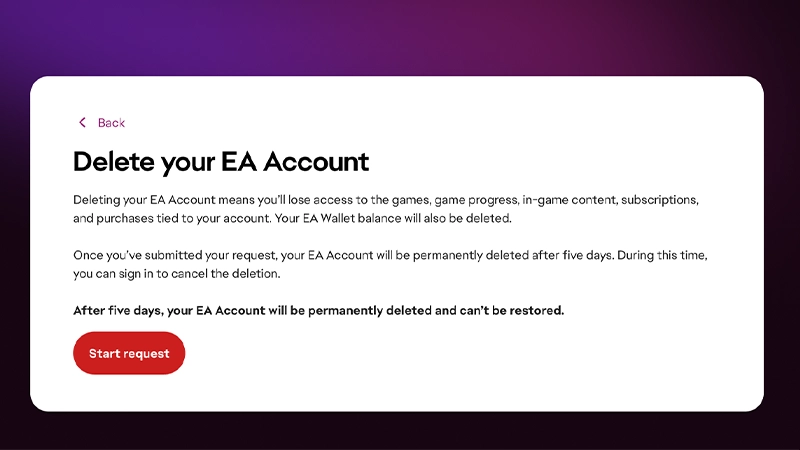
- You’ll lose access to your games.
- You won’t be able to use any platform accounts that you’ve connected to your EA Account on another account.
- If this is why you’re requesting a deletion, reach out to us so we can help you another way.
- You’ll lose access to entitlements, games, subscriptions, and in-game purchases associated with your account.
- You won’t be able to access any EA games downloaded or purchased on Steam or Epic, since they’re connected to your EA Account.
- If you’re playing an EA game on Facebook, you'll need to go to Apps and Websites in your Facebook Settings to remove any EA apps.
- Any Terms of Service violations associated with your account or any games will remain.
Deleting your EA Account will permanently disable your Pogo or SW:TOR account. We can’t restore Pogo or SW:TOR accounts when this happens.If you still want to use these accounts, we suggest you keep your EA Account active or temporarily deactivate it.If you want to delete your SW:TOR account, please contact SW:TOR support.
How do I cancel an EA Account deletion request?
- 1
- 2Select Cancel deletion.
How do I delete a mobile account?
If you play our mobile games on an iOS or Android device, learn how to close your mobile game account or make a request to delete your data.Pogo and STAR WARS™: The Old Republic accounts
Deleting your EA Account will permanently deactivate your Pogo or SW:TOR account. We can’t restore Pogo or SW:TOR accounts when this happens.If you still want to use these accounts, we suggest you keep your EA Account active or temporarily deactivate it.If you want to delete your SW:TOR account, please contact SW:TOR support.How do I delete an EA Forums account?
You can't delete your EA Forums account yourself from your account settings. You'll need to contact EA Help to delete your EA Forums account. An advisor will verify your request before your EA Forums account is removed. Select Contact us at the bottom of the page to begin.When your EA Forums account is deleted: We can’t restore deleted EA Forums accounts.
- all of your personally identifiable information will be deleted
- your remaining data will be anonymized, and all your EA Forums content will be attributed to an anonymous user with a standard username and default avatar.