Overview
Ready to squad up? Learn how to add friends and play together with cross-play.
Is Apex Legends cross-play?
Apex Legends supports cross-play on all platforms: EA app, Steam, Xbox, PlayStation®, and Nintendo Switch™. Cross-play is turned on automatically. You can use cross-play to play Apex Legends with friends on other platforms after you’ve added them to your in-game friends list.New to Apex Legends? Check out our beginner’s guide to get started.
How to cross-play with friends
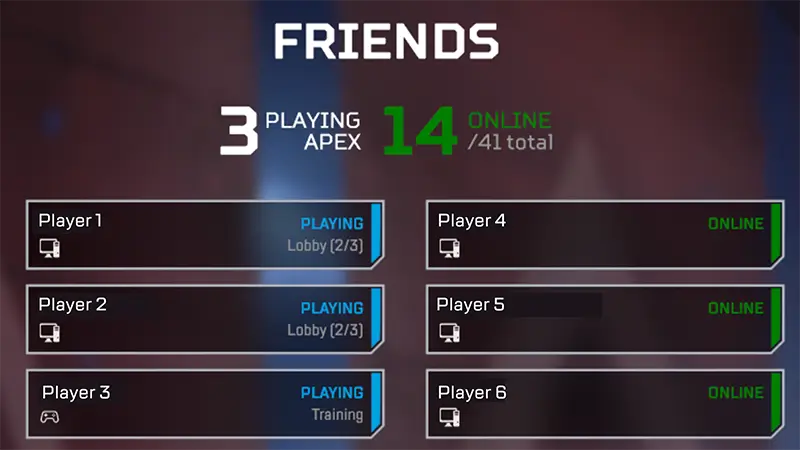
- 1Go to the Friends menu.
- 2Select Find Friend.
- 3Type in their EA Public ID. You can also go to your Privacy Settings and change how players can search you by going to Allow users to search for me by and checking any of the below options:
- Email address
- PSN™ Online ID for PlayStation® 4 and 5
- Xbox Live® gamertag for Xbox One and X|S
- Nintendo Nickname for Nintendo Switch™.
- 4Your friend will get an invite to accept, reject, or block your request. Once they accept, you can play together.

How to turn off cross-play
If you disable cross-play, you’ll only be able to play with other players on the same platform as you who’ve also disabled cross-play. We don’t recommend disabling cross-play as it increases queue times.
- 1Go to the lobby.
- 2Select the cogwheel (Game Menu) in the bottom-right corner of the screen.
- 3Select Settings.
- 4Scroll down to Cross Platform Play.
- 5Choose Disabled to turn it off. If you want to turn cross-play back on, choose Enabled.
