Overview
Learn how to get and use the Master's Datacron from the Cartel Market to boost your character to level 80 in STAR WARS™: The Old Republic™.
What’s the Master’s Datacron?
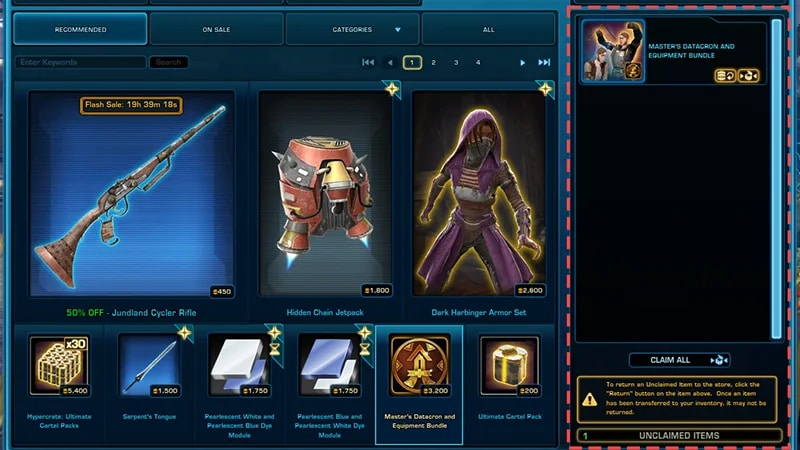
The Master’s Datacron is an item you can buy from the Cartel Market or other players on the Galactic Trade Network (GTN). It boosts your existing character to the max level of 80.It also gives you the Eternal Commander Equipment bundle, which is a set of level 80 gear tailored to your character’s chosen Discipline.Using the Master’s Datacron won’t impact your story progress in the game. You can pick up right where you left off or play other storylines. Using the Master’s Datacron is irreversible.
How to get the Master’s Datacron
- 1Log in using the character you want to boost to level 80.
- 2Select the Cartel Market icon to go to the Cartel Market.
- 3Find and select the Master’s Datacron and Equipment Bundle.
- 4Click Buy Now and claim it into the inventory of the character you want to boost to level 80.
- If you bought the item through the Galactic Trade Network (GTN) on a different character, use your Legacy bank or in-game mail to pass the Master’s Datacron to the character you want to use it on.
- 5Click on the item in your inventory, and confirm you want to use it.
- When the casting animation finishes, you’ll see a notification asking you to confirm this is the character you want to boost to level 80.
- Before clicking OK to confirm, double-check that you’re playing as the character you want to boost to level 80. If you click OK and use the Master’s Datacron on the wrong character, you can’t undo it.
- Click OK to confirm.
- 6Once you confirm the character you want to boost, you’ll be transported to their Personal Starship. The Master’s Datacron mission will be completed automatically.
- 7Then choose a Discipline for your character, if you haven’t already. To open your Discipline window, press K.
- 8Open your inventory and select the Eternal Commander’s Equipment box.
- 9Right-click on the box to collect your new gear, tailored for your chosen Discipline.