Overview
The Fabrication skill comes with The Sims 4 Eco Lifestyle Expansion Pack. Use it to craft furniture and candles, earn Simoleons, and complete the Master Maker Aspiration. Learn how to level up, use the Fabricator, and unlock rewards, including cheats to speed up progress.
About the Fabrication skill
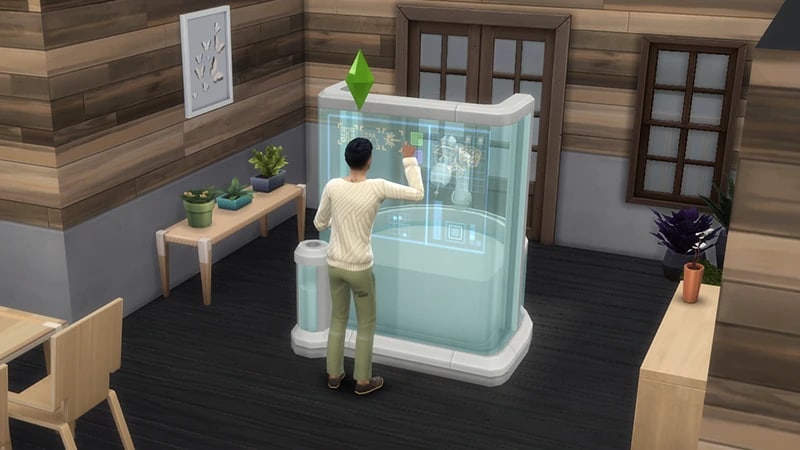
- The Fabrication skill comes with The Sims 4 Eco Lifestyle Expansion Pack, and is a 10 level skill.
- Elder, Adult, Young Adult, and Teen Sims can all build this skill.
- Child Sims can’t build this skill, but they can make candles at the Candle Making Table.
- The Fabrication skill is needed to complete the Master Maker Aspiration.
- Use the Fabrication skill to earn some extra Simoleons! Sell your Sim’s crafts they make at the Candle Making Table or Fabricator.
How to build the Fabrication skill
There are multiple ways for your Sim to build the Fabrication skill. Some interactions are only unlocked when your Sim reaches a certain level.Buy the Store No More Home Fabricator (§1,800) or the Von Wick & Co. Candle Making Table (§550) from Build Mode to start crafting items. Using the Fabricator, your Sim can craft different types of furniture, and create candles using the Candle Making Table. The higher your Sim’s skill level, the more furniture and candle options will unlock. Your Sim will need to have Bits & Pieces, as well as some other ingredients like Dyes and Wax, to craft some items. To gather Bits & Pieces:To buy Dyes and Wax:
- Buy a Guntdach Home Recycler (§845) from Build Mode to start recycling.
- Recycle items in your Sim’s Personal Inventory using a Recycler to create Bits & Pieces, which can then be used to craft new objects.
- Unsure what items can be recycled? Have your Sim rummage through trash piles, dumpster dive, and even use food to recycle.
- To see how many Bits & Pieces your Sim has, hover over their Household Funds or the Recycler.
- 1Select either the Fabricator or Candle Making Table.
- 2Choose Purchase Dyes.
- 3In the picker menu, select which dye or wax and how many.
- 4Select the tick icon in the bottom left, and the items ordered will appear in your Sim’s Personal Inventory.
If you don’t want to buy a Recycler for your home Lot, have your Sim travel to one of the Community Spaces in Evergreen Harbor, where they can use this equipment for free. The Community Space Lots are The Waterfront, Sprucewood Square, and The Quarry Building.
Reading skill books will work towards building skills, but it is slower than other methods. Books will only get you as far as level 9 of a skill. To buy skill books:The skill books are:
- 1Select a bookshelf and choose Purchase Books.
- 2In the pop-up, select the drop-down at the top-left that reads Show All.
- 3Choose Skill and scroll through to find the book you want to buy. These will be added to your Sim’s bookshelf.
- Fabrication Vol 1: Thermoplastics and You
- Fabrication Vol 2: Additive Manufacturing
- Fabrication Vol 3: Postprocessing and Finishing
If you own The Sims 4 Jungle Adventure Game Pack, the Peace and Quiet Lot Trait helps your Sim build skill faster when reading skill books.
If you own The Sims 4 Discover University Expansion Pack, your Sim can attend skill-building classes. These are rabbit-holes, so your Sim will leave the Lot for some time and then come back when the class is over. Note: Skill Classes are only available between 9 a.m.– 9 p.m.
- 1In Live Mode, select your Sim’s phone.
- 2Open the Business app (the briefcase icon).
- 3Choose Sit in on Skill Class (§250).
- 4In the pop-up menu, choose Fabrication. Your Sim will leave the Lot and gain the Fabrication skill while at the class.
If you own The Sims 4 Businesses & Hobbies Expansion Pack, your Sim can learn or teach the Fabrication skill using the Sharing is Caring Whiteboard. You’ll find this in Build Mode.
Fabrication skill levels
As your Sim builds the Fabrication skill, they’ll unlock new items to craft along the way. A green progress bar will appear above your Sim’s head and gradually fill up as they’re building a skill. You can also check their progress by:- 1Entering Live Mode.
- 2Selecting the Sim Panel (bottom left).
- 3Selecting the Skills tab.
At this level, your Sim can make a Dipped Candle at the Candle Making Table.They can also make the following using the Fabricator:
- Fabricated Voodoo Doll
- Fabricated Eco-Upgrade Part
- Fabricated Rug
- Fabricated End Table
- Fabricated Bookshelf
- Fabricated Table Light
At this level, your Sim can give crafted items as gifts. They can also make the following using the Fabricator:
- Fabricated Outdoor Chair
- Fabricated Living Chair
At this level, your Sim can craft:
- The Fabricated Dresser at Fabricator
- The Cylindrical Candle at the Candle Making Station
At this level, your Sim can craft the following using the Fabricator:
- Fabricated Dining Table
- Fabricated Dining Chair
- Fabricated Kitchen Upgrade Part
- Fabricated Common Upgrade Parts
At this level, your Sim can:
- Craft the Fabricated Floor Light on the Fabricator
- Craft the Rectangular Candle at the Candle Making Station
- Mentor other Sims in this skill
At this level, your Sim can craft the Fabricated Single Bed on the Fabricator.
At this level, your Sim can:
- Craft the Fabricated Double Bed on the Fabricator
- Craft the Carved Candle at the Candle Making Station
At this level, your Sim can craft the Fabricated Kid’s Bed on the Fabricator.
At this level, your Sim can:
- Craft the Fabricated Outdoor Couch on the Fabricator
- Craft the Fabricated Outdoor Trellis on the Fabricator
- Craft the Emotional Aura Candle at the Candle Making Station
At this level, your Sim can craft the Fabricated Fine Wall Decor on the Fabricator.
Fabrication skill cheats
When using skill cheats, type in the number of the level you want to reach. For example, putting stats.set_skill_level major_fabrication 7 into the cheat bar will get your Sim’s Fabrication skill up to level 7.PC and Mac
PlayStation®
Xbox
- 1Press Control + Shift + C to open the cheat dialogue box.
- 2Type testingcheats true and press Enter to turn on cheats.
- 3Type stats.set_skill_level major_fabrication [skill level] and press Enter.