Overview
Find out how to report, block, or mute Battlefield 6 players in-game or through EA connect.
Report a player
In-game
EA connect
- 1Pause your game.
- 2Select Squad and Players.
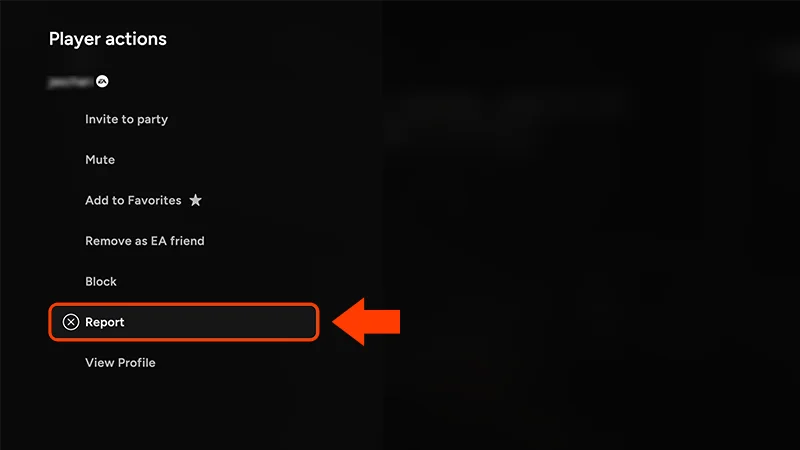
- 3Choose the player’s name from the list.
- 4Select Report.
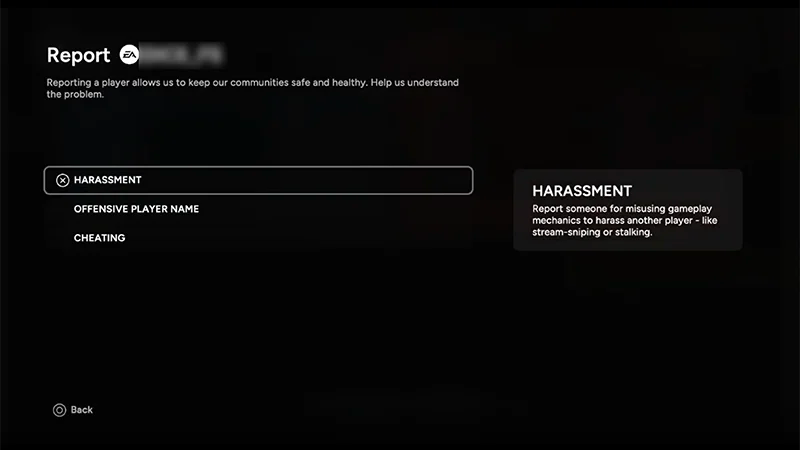
- 5Choose the option that matches what you need to report.
- 6Add information about what you’re reporting in the box, then select Send Report.
Make sure you choose the right option when you send a report.For example, if someone acts offensively through the in-game chat, make sure you choose Harassment. You can see a description beside each option.
How to report voice chat
You can only report players in your own squad or party, as voice chat is only available with them.- 1Open the Scoreboard by pressing Tab or holding the Menu button.
- 2Select a player to open Player actions.
- 3Choose Report.
- 4Choose Abusive Voice Chat.
- 5Select Confirm.
Voice chat moderation helps our support team review reports of harmful or offensive voice chats so they can take the right action. When you report a player, the support team will automatically get a recording of the session you want to report. After evaluating the recording, the support team will make a decision according to EA’s Positive Play Charter and enforce a solution.
To protect players, voice chat moderation can’t be turned off in-game, but you can choose not to use voice chat.
What happens after a player is reported
When you report a player, we’ll investigate and take action based on our Positive Play Charter.Want to learn more about our rules? Check out our article on EA rules to know and follow.Find out how to report players or illegal content in other EA games and services.