Overview
Learn how to rank up your Players in EA SPORTS FC™ FC Mobile and create your best Team.
Rank up Players in EA SPORTS FC™ Mobile
To train or rank up Players:- 1Select Club from the home page.
- 2Select a Player.
- 3Choose Training or Rank Up.
- You can use other Players from the same position group (ATT, MID, DEF, and GK) to use as Training XP. You’ll then be able to rank up your Player.
- Every five Levels, Rank Up your Player by using a position-specific Rank Item to get a +1 OVR boost.
Ranking up your Player increases their OVR, while training your Player increases their stats. Ranking up a Player lets you train them more.
Transfer training
To transfer your training XP to a player, select the player you want to train, and select Training. If your player isn’t in a lineup or in the Transfer Market, you’ll see them there. Using reserve Players for training will discard them from the Club.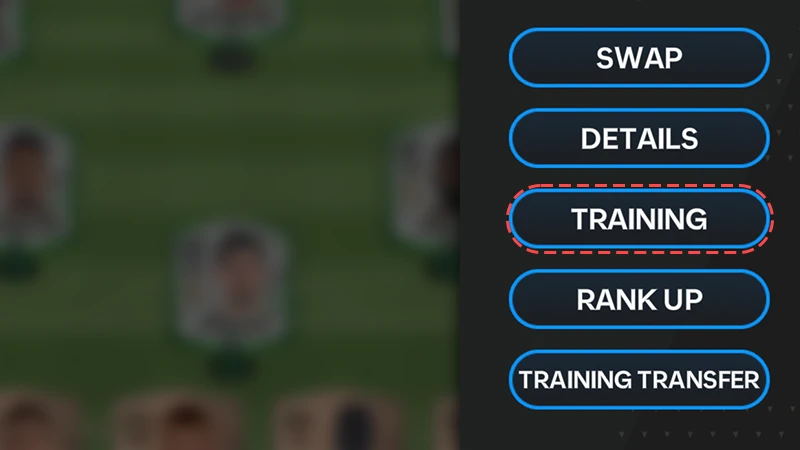
How to improve your Team
Raise your Team OVR
Your Team OVR is the average of ranks, Boosts, and the OVR of the Players on your Team.The AUTO BUILD button swaps your lower-rated Players with the highest OVR reserve Players.
Get new Players
Earn new Players by opening Packs in the Store and completing Campaigns and Events.You can also buy and sell Players from the Market.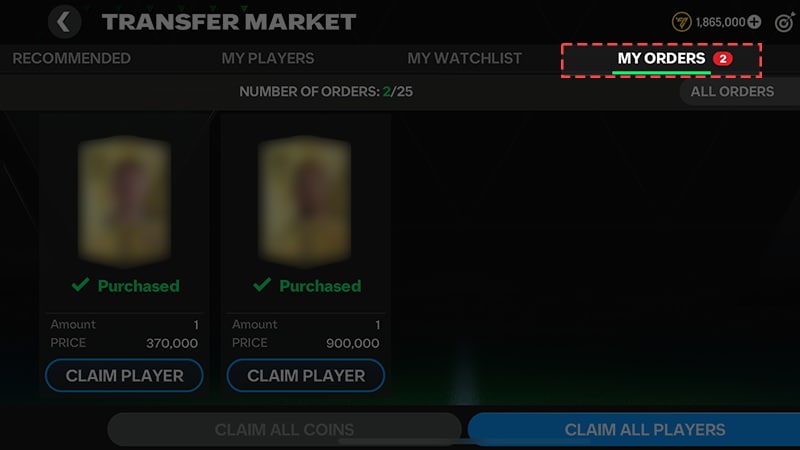
Swap Players
Bring on a pacey winger to threaten your opponent’s tired defenders or swap out your exhausted box-to-box midfielder with new substitutions.- Select any Player on your lineup to show their attributes and display your replacement Players.
- Drag Players from your reserve into the starting position.
- Set up to seven subs in your My Team. You can also toggle the Suggested Sub option to get automatic subs suggestions during your match.
- A timer will begin in the top-right corner with the suggested sub, which you can cancel if you don't want to make the change.
- Make on-the-fly substitutions by pulling up the Substitutes menu. Set your bench of seven subs before kickoff, and make up to three subs during a match.
Change your Players’ positions
By using the same in-game substitution menu, move Players to different positions within your formation. For example, bring your towering Center Back up to Striker for a final stoppage-time goal push. You can move all Players around your formation, except Goalkeepers.
Choose your Set Piece Takers and Captain
Choose the right Players to take your set pieces and take full advantage of any dead ball situation. In the My Team menu, choose your set piece takers and your Captain. You can choose your:
- Penalty Taker
- Short Free Kick
- Long Free Kick
- Left Corner Taker
- Right Corner Taker
- Captain.
Compare attributes
Drag and hold a Player over the Drag & Drop slot to compare the attributes of two Players.- Green attributes indicate the reserve Player has higher attributes in an area.
- Red attributes indicate the reserve Player has lower attributes.
Choose the best formations
Change your Team's formation inside the My Team screen. The active formation determines the positions of your starting 11. Each formation has a unique set of Playstyles, so try them all to see which one suits your Team.Formations also impact your Boosts. If you don’t have the right Players, Boosts won’t work to their full potential.You’ll unlock more formations as you Level Up.