Overview
Learn how to complete Squad Building Challenges in EA SPORTS FC™ and earn in-game rewards. Play on console, PC, or the EAS FC Web and Companion Apps.
How to complete Squad Building Challenges
Squad Building Challenges (SBCs) let you build unique Squads using your Player Items based on different Challenge requirements. You can then submit your completed Squad to earn rewards.Here’s how:- 1Go to the main EAS FC menu and select Ultimate Team™.
- 2Navigate to the Squad Building Challenges tab.
- 3Select the Challenge you want to complete. They’re grouped by category.
- 4Build a Squad.
- Use Items from your Club, SBC Storage, or get them from the Transfer Market to build a Squad that meets the Challenge requirements.
- Requirements can be a mix of Player Quality, Squad Chemistry and Rating, Nationalities, Leagues, Clubs, and more.
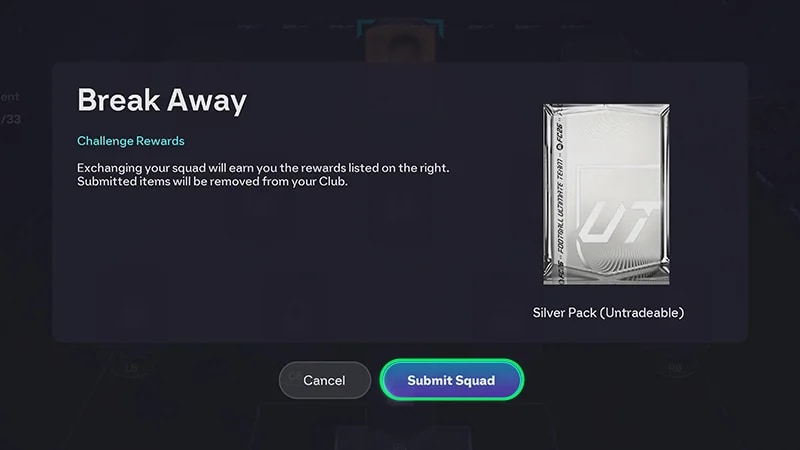
- 5Complete the Challenge to submit your Squad and get rewards.
- Some SBCs have a limited time to complete. Once a Challenge expires, you can’t submit a Squad.
All SBC submissions are final. Once you complete an SBC, the Items you submit are permanently removed from your Club in exchange for rewards. Our advisors can’t restore Items you’ve submitted.
What’s the SBC Storage?
If you get a duplicate untradeable Player Item after opening a Pack, you can put them in your SBC Storage. When you need to complete your Squad and meet its requirements, you can pull Players from Storage by going into an SBC and navigating to the Storage tab. If you don’t see the Storage tab, it means you don’t have any Players stored there.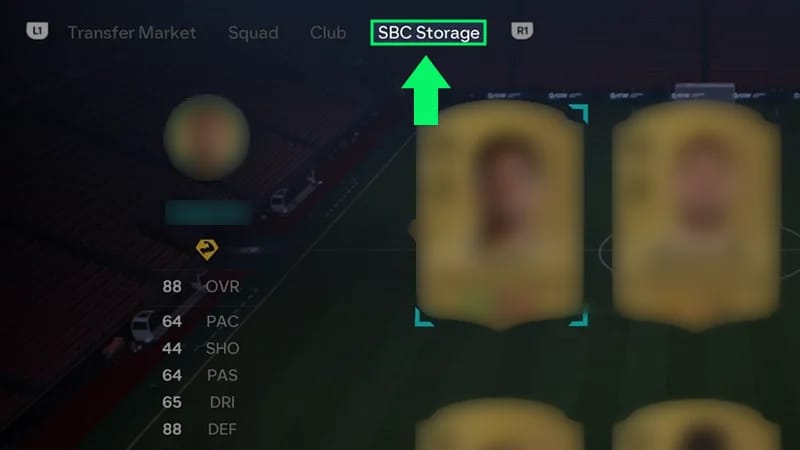
How SBCs work
- Some SBCs have multiple Challenges with individual rewards, plus a larger group reward for completing them all. Others are just a single Challenge.
- Some SBCs are repeatable. While you'll have a chance at getting different rewards each time you submit the Squad, there’s a possibility of getting a repeat reward.