Overview
Learn to manage your F1® 25 cross-play settings and compete with other players on the track.
What’s cross-play?
Cross-play lets you compete with friends and other players, even if they’re playing on a different platform.For example, if you’re playing F1® 25 on PlayStation® 5, turning on cross-play lets you race against players using Xbox X|S.Learn more about cross-play and how to set it up in our video guide.
What platforms support cross-play?
You can use cross-play in F1® 25 on:- PC
- PlayStation®5
- Xbox Series X|S.
What F1® 25 modes have cross-play?
Cross-play is available in F1® 25 across all competitive online modes, including:- F1® World
- Ranked Mode
- Unranked Mode
- Local Multiplayer
- Leagues
- Custom Lobbies.
How to turn cross-play on or off
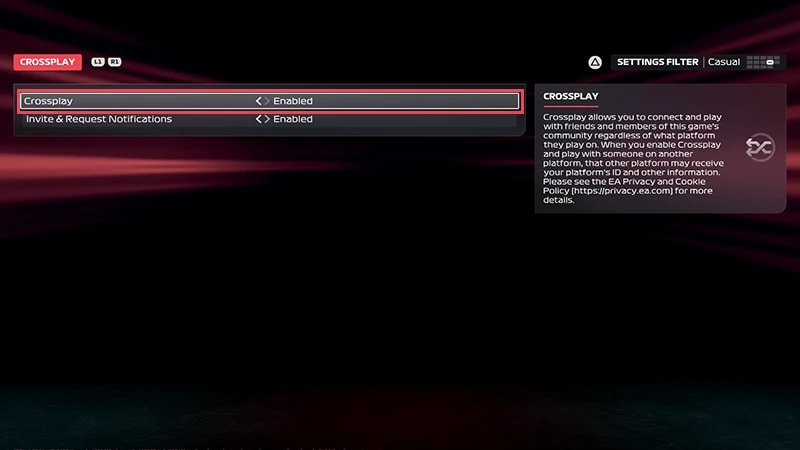
When you launch F1® 25 for the first time, you can turn cross-play on or off during the initial setup. Toggle cross-play to Enabled or Disabled, then select Confirm.You can change your cross-play settings at any time:- 1From the main F1® 25 menu, choose Settings.
- 2Select Crossplay.
- 3Toggle cross-play to Enabled or Disabled.
When F1® 25 cross-play is set to Enabled, you can race players from other platforms in online modes. When cross-play is set to Disabled, you’ll only match with players using the same platform as you.