Overview
The Cross-stitch skill in The Sims 4: Cottage Living lets your Sims create colorful designs, level up their crafting ability, and even stitch from reference photos. In this guide, learn how to unlock patterns, build the skill faster, use cheats, and discover all available patterns to create.
About the Cross-stitch skill
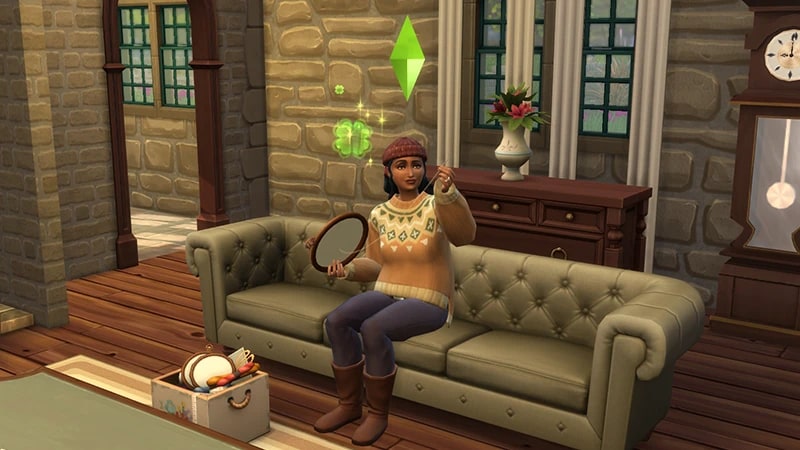
- The Cross-stitch skill comes with The Sims 4 Cottage Living Expansion Pack, and is a 5 level skill. Use this skill to craft cross-stitch designs, where you can mount them on the wall as decor, sell them, or gift them to other Sims!
- Elder, Adult, Young Adult, Teen, and Child Sims can all build this skill.
- If you own The Sims 4 Growing Together Expansion Pack, you can also use the Cross-stitch Kit to make Friendship Bracelets.
How to build Cross-stitch skill
There are multiple ways for your Sim to build the Cross-stitch skill. Some interactions are only unlocked when your Sim reaches a certain level.Buy the Make it Sew Cross-stitch Kit from Build Mode. You can place this on your Sim’s Lot, or add it to their Personal Inventory so your Sim can Cross-stitch anywhere!Sims can stitch their patterns onto three hoop sizes: Small, Medium, and Large. The higher their skill level, the more patterns they unlock. Sims can also buy individual cross-stitching hoops from Build Mode or from the Garden Shop stall in Henford-on-Bagley.
If you own The Sims 4 Discover University Expansion Pack, your Sim can attend skill-building classes. These are rabbit-holes, so your Sim will leave the Lot for some time and then come back when the class is over. Your Sim will leave the Lot and gain the Cross-stitch skill while at the class.Note: Skill Classes are only available between 9 a.m.–9 p.m.
- 1In Live Mode, select your Sim’s phone.
- 2Open the Business app (the briefcase icon).
- 3Choose Sit in on Skill Class (§250).
- 4In the pop-up menu, choose Cross-stitch.
If you own The Sims 4 Businesses & Hobbies Expansion Pack, your Sim can learn or teach the Cross-stitch skill using the Sharing is Caring Whiteboard. You’ll find it in Build Mode.
Cross-stitch skill levels
As your Sim builds the Cross-stitch skill, they’ll unlock new patterns along the way. A green progress bar will appear above your Sim’s head and gradually fill up as they’re building a skill. You can also check their progress by:- 1Entering Live Mode.
- 2Selecting the Sim Panel (bottom left).
- 3Selecting the Skills tab. Here, you can check how many skills your Sim has and what level they are in each.
There are other ways to unlock extra Cross-stitch patterns. Complete Errands for other Sims in Henford-on-Bagley, or befriend animals who can gift them to your Sim. There are 11 more patterns to unlock.
At this level, your Sim can stitch these Simple patterns in Small, Medium, or Large:
- Rainbow
- Shapes
- Stick Figures.
At this level, your Sim can stitch these Phrases & Mascots patterns in Small, Medium, or Large:
- When Opportunity Knocks, Open the Door
- Into Fitness
- Yamachan
- This Took Forever
- Live Every Day Like It’s Taco Tuesday
- You are More than Who You Were
- Dogs Welcome, Sims Tolerated
- Llama
- Laugh, Love, Get To Know
- Larry the Lobster
- Keep Calm, Keep Simming
- Darby.
At this level, your Sim can stitch Nature patterns:
- Blueberries and Raspberries
- Mushrooms
- Pumpkin.
At this level, your Sim can stitch Food patterns: They can also stitch Sims & Animals patterns:
- Cheese
- Eggs and Milk.
- Chicken
- Fox
- Gnome.
Your Sim can stitch from reference by taking a picture and then cross-stitching the image.
- 1Select the Make it Sew Cross-stitch Kit.
- 2Choose Stitch from Reference.
- 3When the camera opens, snap a picture of what you want to stitch.
Cross-stitch skill cheats
When using skill cheats, type in the number of the level you want to reach. For example, putting stats.set_skill_level skill_crossstitch 3 into the cheat bar will get your Sim’s Cross-stitch skill up to level 3.PC and Mac
PlayStation®
Xbox
- 1Press Control + Shift + C to open the cheat dialogue box.
- 2Type testingcheats true and press Enter to turn on cheats.
- 3Type stats.set_skill_level skill_crossstitch [skill level] and press Enter.