Overview
The Sims 4 For Rent Expansion Pack comes with a new lot type: Residential Rentals.
How to create and edit a Residential Rental
The Sims 4 For Rent lets you own, manage, or live in a multi-unit home with neighbors by turning a lot into a Residential Rental.The Household occupying a Residential lot will automatically become the Property Owner Household when you change it to a Residential Rental.
- Enter Build Mode on any lot and change its Lot Type to Residential Rental.
- Purchase a Residential Rental using the Phone.
- Open the Owned Businesses panel at the bottom right of your screen while in Live Mode.
How to assign and edit units
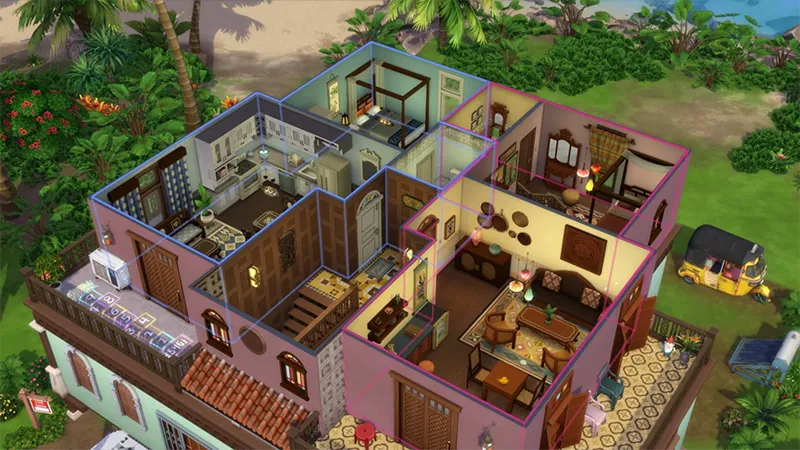
Once a lot is converted to a Residential Rental, you're ready to start creating and assigning units. Residential Rental unit assignments are handled by room. To assign a room to a unit, select the room in Build Mode and open the dropdown menu. You can assign that room to an existing unit, create a new unit to assign it to, or assign it as a shared space.To create more units, there must be at least one room assigned to the first unit.Once you've created a unit, you can edit it through the Unit Configuration panel under the Venue Info menu. You’ll find this in the top left of your screen in Build Mode. Each unit will have two tabs:- Unit Info:
- rename your units
- check the value or dimensions of the unit
- update the bedroom and bathroom count
- hide, unhide, and delete the unit
- select which unit belongs to the current active Household by checking the Home Unit box.
- Unit Traits and Challenges: customize the unique living experiences of each unit within the same Residential Rental.
Tip: toggle on Unit Outlines while in Build Mode to see which rooms are assigned to which unit more easily. The color of each unit's outline can be customized in the Unit Info tab of the Unit Configuration panel.

What is a Tenant Agreement?
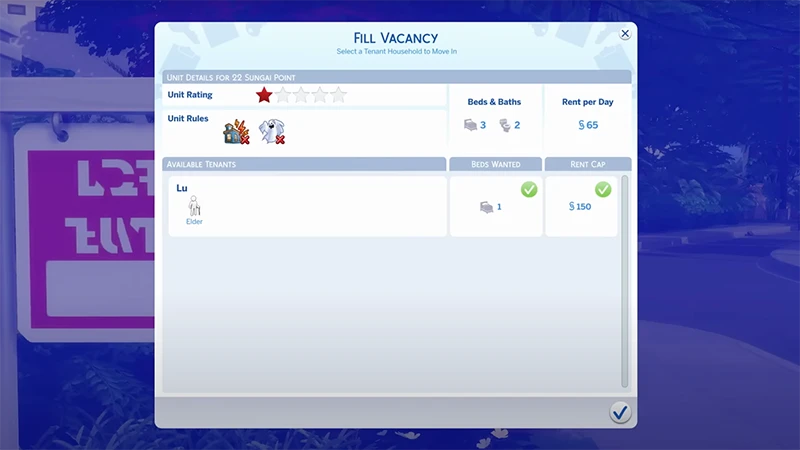
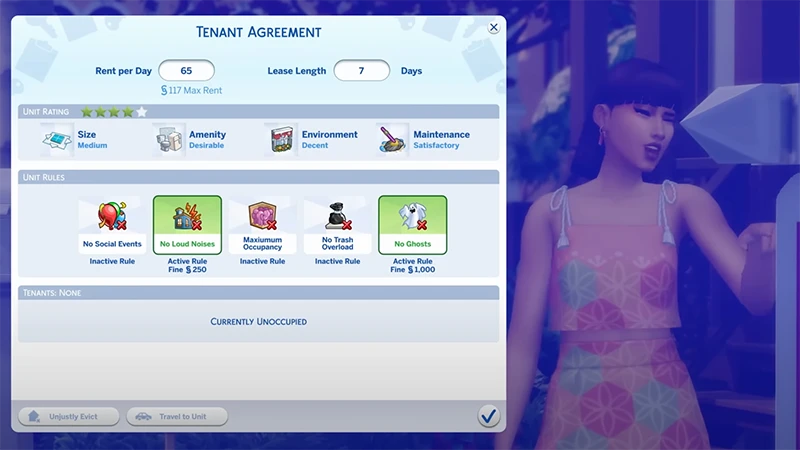
Each Residential Rental starts with a Tenant Agreement set by the Property Owner that defines the terms of your lease.- Rent Per Day: this figure represents your daily rent amount. The total rent due is calculated weekly on payday.
- Lease Length: the duration of a Tenant’s lease before the Grace Period becomes active. During this Grace Period, Tenants can move out without facing any consequences.
- Unit Rules: all active rules for the unit are listed here, outlining the guidelines Tenants must adhere to. Any infractions and associated fines are also displayed in this section.
- Unit Rating: the unit's rating is displayed.
How to be a Property Owner in The Sims 4 For Rent
As a Property Owner Sim, you can live among your Tenants or live on a separate lot while generating income from multiple property investments. You can find all of your owned units and your home unit in the Owned Businesses Panel and manage your Tenants either over the Phone or by traveling to their unit.Unit Rating is a five-star ranking system for rental properties in The Sims 4. The higher a Unit’s ranking, the more rent a Property Owner can charge. If Property Owners don’t keep their Unit Ratings high, they could face a Tenant Revolt. Watch our video guide on how to manage multiple properties in The Sims 4 For Rent.How to improve your Unit Rating
- Set the Tenant Agreement before you move your Tenant Household into a unit.
- Increase the size of the unit in Build Mode.
- Improve the shared space in your Residential Rental by adding objects from Build Mode like activities, appliances, and furniture.
- Keep your unit well-decorated with décor objects.
- Host Social Events with a gold medal reward.
- Contribute to Community Events and interact positively with your Tenants.

How to damage your Unit Rating
- Changing the details of your Tenant Agreement after Tenants move in could result in an unsatisfied Tenant Household.
- Maintenance and Emergency Events can happen in Residential Rental units. It's important to address these events when they happen—failing to take action will cause your Unit Rating to fall.
- If you'd like to turn off events, untoggle Rental Unit Events under Pack Settings in the Options menu.
- Evicting your Tenant even if they haven’t broken the Tenant Agreement.