Overview
Learn how to master the Mixology skill in The Sims 4. Whether you’re pouring your first drink or perfecting your craft behind the bar, this guide covers how to level up, discover new drink recipes, and use cheats to boost your progress. Shake, stir, and serve your way to becoming a Mix Master!
About the Mixology skill
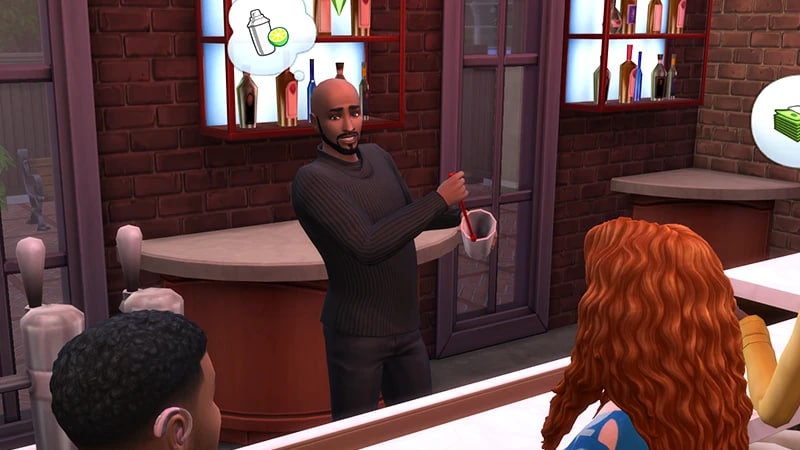
- The Mixology skill comes with The Sims 4 Base Game, and is a 10 level skill.
- Elder, Adult, Young Adult, and Teen Sims can all build this skill.
- The Mixology skill is needed to progress in the Culinary career, specifically the Mixology branch.
- The Mixology skill is needed to complete the Master Mixologist Aspiration.
- The Homey Lot Trait will build a Sim’s Mixology skill faster, and they’ll get a Happy Moodlet.
How to build Mixology skill
There are multiple ways for your Sim to build the Mixology skill. Some interactions are only unlocked when your Sim reaches a certain level.Buy a Bar from Build Mode, or use one in a Public Lot if it's unattended. To build skill, you can Tend Bar, Practice Making Drinks, or Make Drinks, where you can select from a list of drinks to make or choose Make Favorite Drink.
Reading skill books will work towards building skills, but is slower than other methods. Books will only get you as far as level 9 of a skill. To buy skill books:The skill books are:
- 1Select a bookshelf and choose Purchase Books.
- 2In the pop-up, select the drop-down at the top-left that reads Show All.
- 3Choose Skill and scroll through to find the book you want to buy. These will be added to your Sim’s bookshelf.
- Mixology Vol 1: Beverage Basics
- Mixology Vol 2: A Twist of Lime
- Mixology Vol 3: The Mixologist’s Bible.
If you own The Sims 4 Jungle Adventure Game Pack, the Peace and Quiet Lot Trait helps your Sim build skill faster when reading skill books.
If you own The Sims 4 Discover University Expansion Pack, your Sim can attend skill-building classes. These are rabbit-holes, so your Sim will leave the Lot for some time and then come back when the class is over. Note: Skill Classes are only available between 9 a.m.– 9 p.m.
- 1In Live Mode, select your Sim’s phone.
- 2Open the Business app (the briefcase icon).
- 3Choose Sit in on Skill Class (§250).
- 4In the pop-up menu, choose Mixology. Your Sim will leave the Lot and gain the Mixology skill while at the class.
If you own The Sims 4 Businesses & Hobbies Expansion Pack, your Sim can learn or teach the Mixology skill using the Sharing is Caring Whiteboard. You’ll find this in Build Mode.
Mixology skill levels
As your Sim builds the Mixology skill, they’ll unlock new abilities, drink recipes, and interactions along the way. A green progress bar will appear above your Sim’s head and gradually fill up as they’re building a skill. You can also check their progress by:- 1Entering Live Mode.
- 2Selecting the Sim Panel (bottom left).
- 3Selecting the Skills tab.
At this level, your Sim can do the following at the bar:
- Make Drinks and Make Favorite Drink
- Practice Making Drinks
- Tend Bar.
At this level, your Sim can:
- make the Tang and Zing and Wrench recipes
- perform the Behind the Back trick move
- Talk to Others about Drink Making social interaction.
This level unlocks the Ridgeport recipe.
This level unlocks:
- the Dim & Gusty recipe
- Juggle Trick
- drinks made by your Sim can now give strong Moodlets to Sims that drink them.
This level unlocks:
- the Salty Llama recipe
- Make Prank Dyed Cocktail ability
- your Sim will get the Talented Tender Moodlet after making a drink
- mentor other Sims in the Mixology skill.
This level unlocks:
- the Sea Splash recipe
- Practice Bar Tricks ability.
This level unlocks:
- the Sour Punch recipe
- Bottle Stack trick move
- drinks made by your Sim will now give stronger Moodlets to Sims that drink them.
This level unlocks:
- the Silent Film recipe
- Share Mixology Secrets social interaction.
This level unlocks:
- the Simsapolitan recipe
- Bottle Fireball trick.
This level unlocks:
- the Sunset Valley, Granny Smash, and Shadow Realm recipes
- Freshen Drink ability
- your Sim will now get the Mix Master Moodlet after making a drink.
Mixology skill cheats
When using skill cheats, type in the number of the level you want to reach. For example, putting stats.set_skill_level major_bartending 7 into the cheat bar will get your Sim’s Mixology skill up to level 7.PC and Mac
PlayStation®
Xbox
- 1Press Control + Shift + C to open the cheat dialogue box.
- 2Type testingcheats true and press Enter to turn on cheats.
- 3Type stats.set_skill_level major_bartending [skill level] and press Enter.