Overview
Learn the best ways to build the Parenting skill in The Sims 4, what each level unlocks, how to impact character values, and the cheats to level up instantly. This guide covers Parenting interactions, tips, and everything you need to help your Sims raise confident, well-rounded kids.
About the Parenting skill
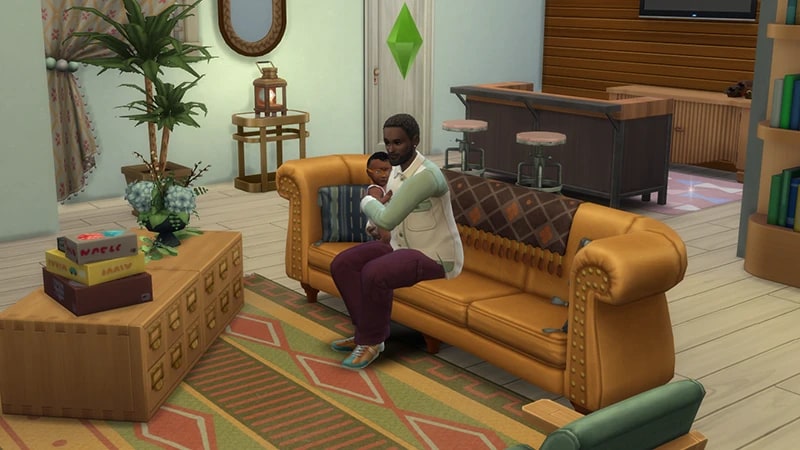
- The Parenting skill comes with The Sims 4 Parenthood Game Pack, and is a 10 level skill.
- Elder, Adult, and Young Adult Sims can all build this skill.
- The Parenting skill is needed to complete the Super Parent Aspiration.
How to build the Parenting skill
There are multiple ways for your Sim to build the Parenting skill. Some interactions are only unlocked when your Sim reaches a certain level of skill.The best way to build this skill is for your Sim to through interacting with a Teen, Child, Toddler, Infant, or Newborn Sim. You can also do more specific interactions by selecting a kid and choosing Parenting.The higher a Sim’s Parenting skill, the more interactions become available. These interactions include things like:Other interactions that involve caring for a child, like bathing Infants, helping Child or Teen Sims with their homework, or potty training a Toddler will all build Parenting skill. Chance cards will often appear with a dilemma or situation where a parent can offer advice. The outcomes of these impact a kid's character values. These values include Manners, Responsibility, Conflict Resolution, Empathy, and Emotional Control.
- teaching a kid to Say Please and Thank You
- influencing them to perform an action like Clean up Toys, Take Out Trash, and Do Homework
- helping them to take care of their needs, like Tell to Eat Something, Ask to Clean Self Off, and Encourage Holding Bladder.
Reading skill books will work towards building skills, but is slower than other methods. Books will only get you as far as level 9 of a skill. To buy skill books:The skill books are:
- 1Select a bookshelf and choose Purchase Books.
- 2In the pop-up, select the drop-down at the top-left that reads Show All.
- 3Choose Skill and scroll through to find the book you want to buy. These will be added to your Sim’s bookshelf.
- Parenting Vol 1: Learning to Crawl
- Parenting Vol 2: First Steps
- Parenting Vol 3: Removing the Training Wheels.
If you own The Sims 4 Jungle Adventure Game Pack, the Peace and Quiet Lot Trait helps your Sim build skill faster when reading skill books.
If you own The Sims 4 Discover University Expansion Pack, your Sim can attend skill-building classes. These are rabbit-holes, so your Sim will leave the Lot for some time and then come back when the class is over. Note: Skill Classes are only available between 9 a.m.– 9 p.m.
- 1In Live Mode, select your Sim’s phone.
- 2Open the Business app (the briefcase icon).
- 3Choose Sit in on Skill Class (§250).
- 4In the pop-up menu, choose Parenting. Your Sim will leave the Lot and gain Parenting skill while at the class.
If you own The Sims 4 Businesses & Hobbies Expansion Pack, your Sim can learn or teach the Parenting skill using the Sharing is Caring Whiteboard. You’ll find this in Build Mode.
Parenting skill levels
As your Sim builds the Parenting skill, they’ll unlock new rewards, abilities, and interactions along the way. A green progress bar will appear above your Sim’s head and gradually fill up as they’re building a skill. You can also check their progress by:- 1Entering Live Mode.
- 2Selecting the Sim Panel (bottom left).
- 3Selecting the Skills tab.
At this level, your Sim can:
- encourage kids’ behaviour
- influence kids to clean
- reprimand bad behavior.
At this level, your Sim can:
- influence kids to do their homework
- firmly tell kids not to do bad behaviors
- more options in teaching moments.
At this level, your Sim can:
- help kids solve basic needs (Bladder, Hygiene, Fun)
- Give Parenting Tips to other parents.
At this level, your Sim can Give Time Outs.
At this level, your Sim can:
- ground kids who misbehave
- Hug it Out
- unlock more ways to solve a kid’s needs.
At this level, your Sim can:
- make other parents feel better when parenting gets tough
- instantly see what Newborns and Infants need.
At this level, your Sim can:
- more effectively solve kids’ motives
- more effectively influence kids to perform certain actions.
At this level, your Sim can:
- more effectively perform discipline socials
- unlock a third option for all teaching moments.
At this level, your Sim can:
- always successful when influencing a kid to perform an action like cleaning
- predict teaching moment outcomes.
At this level, your Sim can:
- perform Super Efficient Care on Newborns and Infants—this solves all their needs at once!
- enter Full Parent Mode, where their own needs decay more slowly.
Parenting skill cheats
When using skill cheats, type in the number of the level you want to reach. For example, putting stats.set_skill_level major_parenting 7 into the cheat bar will get your Sim’s Parenting skill up to level 7.PC and Mac
PlayStation®
Xbox
- 1Press Control + Shift + C to open the cheat dialogue box.
- 2Type testingcheats true and press Enter to turn on cheats.
- 3Type stats.set_skill_level major_parenting [skill level] and press Enter.