Overview
The Noble career in The Sims 4 lets your Sim rule the Kingdom, shape the lives of other Sims, and rise through the royal ranks. As an active career included with The Sims 4 Royalty & Legacy Expansion Pack, Noble Sims are never truly off-duty. From holding court to enacting Kingdom-wide decrees, this guide covers everything you need to know about Noble career tasks, promotions, Favor alignment, and rewards.
About the Noble career in The Sims 4
- Find a high-ranking Noble and Request Knighthood.
- Select The Duchess Diaries: A History of Nobility book found in the bookcase and Research Noble Legacy.
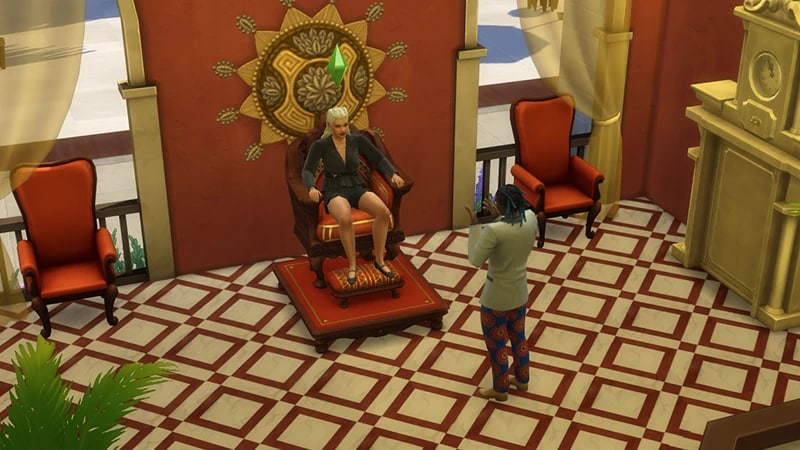
- Buy the Majestic Throne or Ornate Throne from Build Mode and choose Join Noble Career.
If a Sim is married to, or is the child of, a Noble, they inherit the Noble title without needing to join the Noble career.
Getting promoted
Unlike other careers in The Sims 4, the Noble career differs in how Sims progress through the levels. When your Sim has completed the Noble Duties required, has a high enough career performance, and has achieved the skill level needed for a promotion, they won’t be promoted automatically on the next working day. Instead, select the throne and choose Noble Promotion > Claim Noble Promotion. If this option is grayed out, then your Sim is not eligible yet. Also, your Sim’s noble rank depends on more than just completing tasks and leveling up skills. Rising through the ranks is also tied to gaining favor, increasing wealth, and favor alignment. Once your Sim reaches level 3 of this career, they can select Noble Promotion and choose between Receive Promotion through Coronation Speech or Receive Promotion through Coronation Ceremony.Automatic promotion (like other Sims careers) can be turned on. To do this:
- 1Open the Options menu (the three dots in the top right of the screen).
- 2Select Game Options.
- 3Open Pack Settings.
- 4Tick or untick the box beside Enable Noble Career Auto Promotion.
- 5Select Apply Changes to save these changes.
- Encourage Sim to Abdicate
- Duel for Noble Rivalry
- Pressure to Abdicate
- Seduce to Abdicate
- Extort to Abdicate
- If the Sim dies or is demoted from their position.
Favor alignment
A Noble Sim’s Favor alignment reflects the choices a Sim makes when ruling a Kingdom. It’s influenced by Noble Ventures, Events, and Powershifts. There are three states of Favor:- Neutral: Nobles who are just starting out will usually have Neutral Favor.
- Commoner: Nobles who engage in behaviors and actions that align with commoners (non-Noble Sims) generally have this Favor. These actions include lowering taxes, making generous donations to the Kingdom Fund, and joining Noble Ventures. Specifically, the following ventures: Visit and Present at Local School, Cut Ribbon at Local Business Opening, and Give Interview for Local Newspaper.
- Royal: Nobles who are generally favored by the Noble class. Actions include anything that focuses on privilege and power, like raising taxes or Noble Ventures like Visit Kingdom Heritage Sites and Attend Political Conference for Nobles.
Noble career tasks
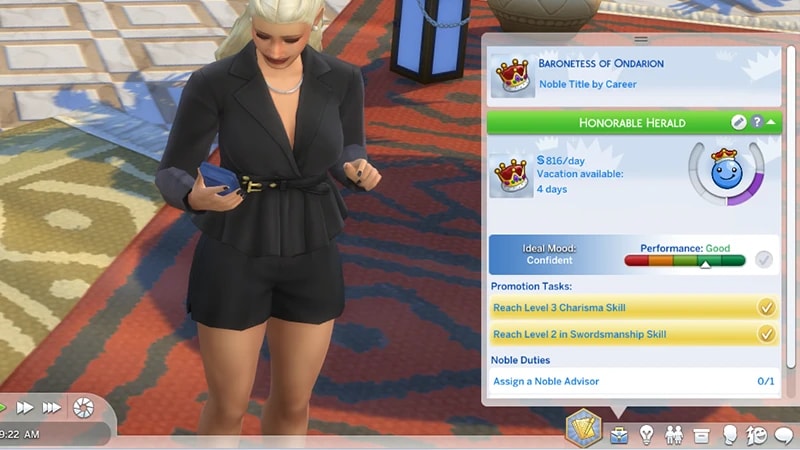
Daily Duties differ depending on which rank of the career your Sim is at. Many royal tasks can be completed using a throne. To check your Sim’s Noble Duties, open the Career panel (the briefcase icon in the bottom right of the screen) in Live Mode.These can be small things like:- Discuss Noble Life: Select another Sim and choose Friendly > Small Talk > Discuss Noble Life.
- Ask Noble Advisor for Advice: Ask a Sim to become a Noble Advisor, then select Friendly > Ask for Noble Advice.
- Hold Court: Hold court so your Noble Sim can do things like Listen to Visitor Concerns, Hold Welcome Speech, and Perform Coronation Duties. Using the throne, select Hold Court to start a Courtly Event.
- Hold a Press Conference: A press conference is your Sim’s chance to address the public, respond to scandals, and make speeches to inspire the kingdom. To start a press conference, select a podium (you’ll find one of these in each Neighborhood of Ondarion, or buy one in Build Mode) and choose Hold Press Conference.
Self-select your Noble Sim or select the throne and choose Noble Venture. You can also do this through the phone through the Business app. To begin with, you’ll have the option to Visit Kingdom Heritage Sites or Visit and Present at Local School. The higher up your Sim is in this career, the more Noble Ventures will unlock.Sims can only go on one Noble Venture per day.
Impact the lives of Sims across the kingdom by setting laws and lowering taxes. Using the throne, select Enact Noble Decree. In the pop-up, select up to three decrees. These include:
- The Cradle Accord: Higher chances for a pregnancy to result in twins/triplets, skill gain for Infants and Toddlers, and Try for Baby interaction has an increased chance of resulting in pregnancy.
- The Artisan’s Proclamation: Skill gain for Painting, Photography, Guitar, Piano, Violin, and Writing. Busking earns more Simoleons and a Career Performance increase for Entertainer, Painter, and Writer.
- If you own The Sims 4 City Living Expansion Pack, Sims will have skill gain for Singing, and Career Performance will increase for the Art Critic career.
- If you own The Sims 4 Get Famous Expansion Pack, Career Performance will increase for the Actor career.
- If you own The Sims 4 Cottage Living Expansion Pack, Sims will have skill gain for Cross-stitch.
- If you own The Sims 4 Businesses & Hobbies Expansion Pack, Sims will have skill gain for Pottery and Tattooing.
- If you own The Sims 4 Vampires Game Pack, Sims will have skill gain for Pipe Organ.
- If you own The Sims 4 Nifty Knitting Stuff Pack, Sims will have skill gain for Knitting
- The Silver Charter: Elders have increased skill gain, and Elders WooHoo-ing have no chance of death by overexertion.
- The Verdant Accord: Increased rate of plant growth, and bigger, rarer fish when Fishing. An increased chance to find rarer frogs, crystals, metals, and fossils.
- The Doctrine of Vitality: Sims in the Kingdom will gradually increase their Fitness skill, Career Performance will increase for the Athlete career.
- If you own The Sims 4 Get to Work Expansion Pack, Career Performance will increase for the Doctor career.
- The Edict of Enlightenment: Sims will finish homework and school projects faster, easier to achieve good grades in school.
- If you own The Sims 4 Discover University Expansion Pack, Sims will complete Presentations and Papers faster. It’s also easier to achieve good grades at University.
- The Culinary Edict: Food and Drink created in the kingdom will be of higher quality, including food sold at market stalls. Career Performance will increase for the Culinary career.
- If you own The Sims 4 City Living Expansion Pack, Career Performance will increase for the Food Critic career.
- The Technocrats Mandate: Skill gain for Handiness, Logic, Rocket Science, and Programming. Career Performance will increase for the Tech Guru and Astronaut careers.
- If you own The Sims 4 Get to Work Expansion Pack, Career Performance will increase for the Scientist career.
- If you own The Sims 4 Discover University Expansion Pack, Sims will have skill gain for Robotics, and Career Performance will increase for the Engineer career.
Read through the mail sent in by subjects across the kingdom. Sims can respond with kindness or cruelty.Select the Mailbox and choose Request Noble Mail. Soon after, a mailperson will deliver mail, select the Mailbox, and choose Get Mail. It will then appear in your Sim’s Personal Inventory. Select it and choose Open Noble Mail. The contents of the letter will appear in the Notification Wall in the top-right of Live Mode. To respond, select the letter again in your Sim’s Personal Inventory and choose Reply to Noble Mail. Your Sim’ll have two options: Reply with Friendly Words or Reply with Mean Words.
Donating to the Kingdom Fund can build favor with your subjects and other nobles, as well as show off your wealth. Use the computer or select the throne and choose Donate to Kingdom Funds. Sims can donate:
- Small Donation §100
- Medium Donation §1,000
- Large Donation §5,000
- Huge Donation §10,000
Noble career ranks
Each level of the Noble career also comes with a promotion in noble title. These can be customized:- 1Open the Career Panel (the briefcase icon in the bottom right of the screen) in Live Mode.
- 2In the green bar, where it says the name of your Sim’s current career level, select the edit icon.
- 3In the pop-up, you can choose between Masculine, Feminine, or Neutral titles for Sims at each level of the Noble career.
- Select any of these to edit them further.
- Noble Title: Dame/Knight/Knightum
- Pay Per Day: §672
- Promotion Requirements: Reach level 2 in the Charisma skill
- Career Rewards and New Interactions: None
- Noble Title: Baronetess/Baronet/Baronetum
- Pay Per Day: §816
- Promotion Requirements: Reach level 4 in the Charisma skill
- Career Rewards and New Interactions:
- §350
- Signet Ring in Create a Sim
- Unlocks the Donate to Kingdom Funds ability
- Noble Title: Baroness/Baron/Baronum
- Pay Per Day: §1,008
- Promotion Requirements: Reach level 4 in the Charisma skill
- Career Rewards and New Interactions:
- §420
- Royal Golden Sword
- Unlocks the Hold Court ability
- Can now Receive Promotion through Coronation Ceremony or Receive Promotion through Coronation Speech
- Unlocks the Give Interview for Local Newspaper Noble Venture
- Noble Title: Viscountess/Viscount/Viscountum
- Pay Per Day: §1,152
- Promotion Requirements: Reach level 5 in the Charisma skill and level 3 in the Swordsmanship skill
- Career Rewards and New Interactions:
- §510
- Plain Crown in Create a Sim
- Unlocks the Hold Press Conference ability
- Unlocks the Bestow Knighthood ability
- Noble Title: Countess/Count/Countum
- Pay Per Day: §1,416
- Promotion Requirements: Reach level 6 in the Charisma skill
- Career Rewards and New Interactions:
- §650
- Regal Romancer Reward Trait
- Unlocks the Enact Noble Decree ability
- Noble Title: Margravine/Margrave/Margravum
- Pay Per Day: §1,824
- Promotion Requirements: Reach level 7 in the Charisma skill and level 4 in the Swordsmanship skill
- Career Rewards and New Interactions:
- §780
- Chain Necklace in Create a Sim
- Unlocks the Attend Political Conference Noble Venture
- Noble Title: Marchioness/Marquess/Marquem
- Pay Per Day: §1,992
- Promotion Requirements: Reach level 8 in the Charisma skill
- Career Rewards and New Interactions:
- §880
- Unlocks the Set Kingdom Taxes ability
- Noble Title: Duchess/Duke/Duchum
- Pay Per Day: §1,968
- Promotion Requirements: Reach level 9 in the Charisma skill
- Career Rewards and New Interactions:
- §1,050
- Jeweled Crown in Create a Sim
- Unlocks the Cut Ribbon at Local Business Opening Noble Venture
- Noble Title: Grand Duchess/Grand Duke/Grand Duchum
- Pay Per Day: §2,400
- Promotion Requirements: Reach level 10 in the Charisma skill and level 5 in the Swordsmanship skill
- Career Rewards and New Interactions:
- §1,345
- Regal Crown Display
- Noble Title: Queen/King/Monarch
- Pay Per Day: §2,712
- Promotion Requirements: None
- Career Rewards and New Interactions:
- §1,980
- Unlocks the Grant Noble Title ability
- Blue Blood Reward Trait
Noble career promotion cheats
Use this cheat to promote your Sim one rank at a time—all the way to Kingdom Leader.PC and Mac
PlayStation®
Xbox
- 1Press Control + Shift + C to open the cheat dialogue box.
- 2Type testingcheats true and press Enter to turn on cheats.
- 3Type careers.promote noble into the cheat dialogue box and press Enter.