Overview
The Video Gaming skill in The Sims 4 lets your Sims earn Simoleons, join tournaments, and unlock new interactions as they level up. Whether you're building the skill through gameplay, books, or cheats, this guide covers everything you need to get your Sims to level 10 and dominate the digital world.
About the Video Gaming skill
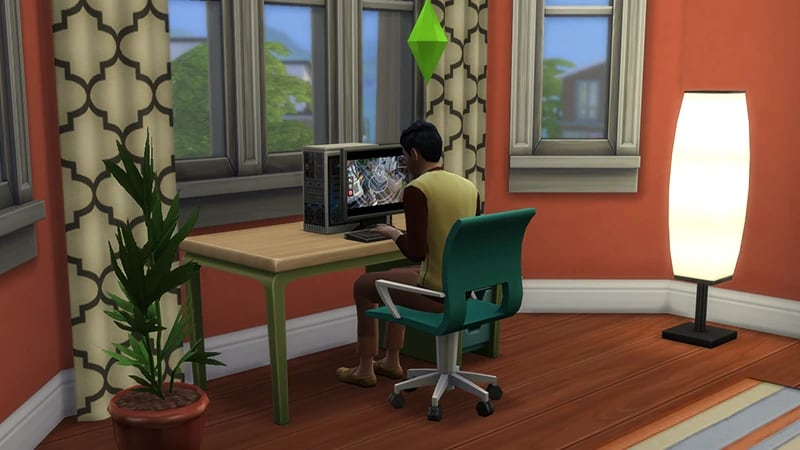
- The Video Gaming skill comes with The Sims 4 City Living Expansion Pack, and is a 10 level skill.
- Elder, Adult, Young Adult, Teen, and Child Sims can all build this skill.
- The Video Gaming skill is needed to progress in the Tech Guru career and the Video Game Streamer career.
- The Video Gaming skill is needed to complete the Computer Whiz Aspiration.
- Your Sims can earn Simoleons by taking part in Video Game Tournaments. There are two levels to compete in: Novice and Professional. These unlock as you progress through the skill.
- The Fast Internet Trait increases how fast your Sim builds this skill.
To enter a Game Tournament, select the computer and choose Play Game > Enter Tournament.
How to build the Video Gaming skill
There are multiple ways for your Sim to build the Video Gaming skill. Some interactions are only unlocked when your Sim reaches a certain level.Select the computer and choose Play Game. There’s a selection of games for Sims to play like Blicblock, Sims, and SimScuffle. More games become available as your Sim’s skill level increases.Sims can also play video games on consoles, there’s lots of them available across different Packs:There are other Electronic Items Sims can use to build this skill:Sims can also use their phone to play Video Games. Open the Phone and choose the Entertainment app, then Play Game.
- UnorthoBox Gaming Console (§800) comes with The Sims 4 City Living Expansion Pack
- GoldiBox Gaming Console (§400) comes with The Sims 4 City Living Expansion Pack
- Nostalgic Entertainment System (§300) comes with The Sims 4 Adventure Await Expansion Pack
- The MotionMonitor Gaming Mat (§3,750) comes with The Sims 4 Base Game
- The Button Masher 9001 (§1,069) comes with The Sims 4 Get Together Expansion Pack
- The Elite Jamming Tablet (§895) comes with The Sims 4 High School Years Expansion Pack
- The Slablet (§1,000) comes with The Sims 4 Base Game
Reading skill books will work towards building skills, but it is slower than other methods. Books will only get you as far as level 9 of a skill. To buy skill books:The skill books are:
- 1Select a bookshelf and choose Purchase Books.
- 2In the pop-up, select the drop-down at the top-left that reads Show All.
- 3Choose Skill and scroll through to find the book you want to buy. These will be added to your Sim’s bookshelf.
- Video Gaming Vol 1: Trolling for n00bs
- Video Gaming Vol 2: The Official Guide to Gaming
- Video Gaming Vol 3: The Game of Life
If you own The Sims 4 Jungle Adventure Game Pack, the Peace and Quiet Lot Trait helps your Sim build skill faster when reading skill books.
If you own The Sims 4 Discover University Expansion Pack, your Sim can attend skill-building classes. These are rabbit-holes, so your Sim will leave the Lot for some time and then come back when the class is over. Note: Skill Classes are only available between 9 a.m.– 9 p.m.
- 1In Live Mode, select your Sim’s phone.
- 2Open the Business app (the briefcase icon).
- 3Choose Sit in on Skill Class (§250).
- 4In the pop-up menu, choose Video Gaming. Your Sim will leave the Lot and gain Video Gaming skill while in class.
If you own The Sims 4 Businesses & Hobbies Expansion Pack, your Sim can learn or teach the Video Gaming skill using the Sharing is Caring Whiteboard. You’ll find this in Build Mode.
Video Gaming skill levels
As your Sim builds the Video Gaming skill, they’ll unlock new rewards, abilities, and interactions along the way. A green progress bar will appear above your Sim’s head and gradually fill up as they’re building a skill. You can also check their progress by:- 1Entering Live Mode.
- 2Selecting the Sim Panel (bottom left).
- 3Selecting the Skills tab.
At this level, your Sim can play games on the computer, tablet, console, and their phone.
At this level, your Sim can:
- Discuss Game Strategy with other Sims
- Play Incredible Sports on the computer
At this level, your Sim can:
- Enter Novice Game Tournaments
- Play The R.E.F.U.G.E. Tap! on a tablet
- Play MySims Racing on a console
At this level, your Sim can play MySims Go! on the computer.
At this level, your Sim can:
- Research Advanced Game Strategy on the computer.
- Impress other Sims With Video Fame Prowess
- Mentor other Sims in the Video Gaming skill
At this level, your Sim can:
- Play The R.E.F.U.G.E on the computer
- Play Density Effect on console
- Enter Professional Gaming Tournaments.
At this level, your Sim can:
- Gossip about Video Game Pros with other Sims
- Watch a Gaming Livestream on the computer
- Play Genie’s Curse on the console
At this level, your Sim can Make Fun of Noobs.
At this level, your Sim can play Road Rival Alpha on the computer.
At this level, your Sim can play Hillock II on the computer.
Video Gaming skill cheats
When using skill cheats, type in the number of the level you want to reach. For example, putting stats.set_skill_level major_videogaming 7 into the cheat bar will get your Sim’s Video Gaming skill up to level 7.PC and Mac
PlayStation®
Xbox
- 1Press Control + Shift + C to open the cheat dialogue box.
- 2Type testingcheats true and press Enter to turn on cheats.
- 3Type stats.set_skill_level major_videogaming [skill level] and press Enter.