Overview
Find out how to use Apex Legends Tags to customize your username.
What are Apex Legends Tags?
Tags are a visual flair you can add to your username. Your Tag will appear before your username, anywhere that your username appears. Tags can be between 3-4 characters long and can only use alphanumeric (A-Z and 0-9) characters.Your Apex Legends username depends on the platform you used to set up your account. For example, if you set up your account on the EA app, your Apex Legends username will be the same as your EA ID.
How to change your Tag
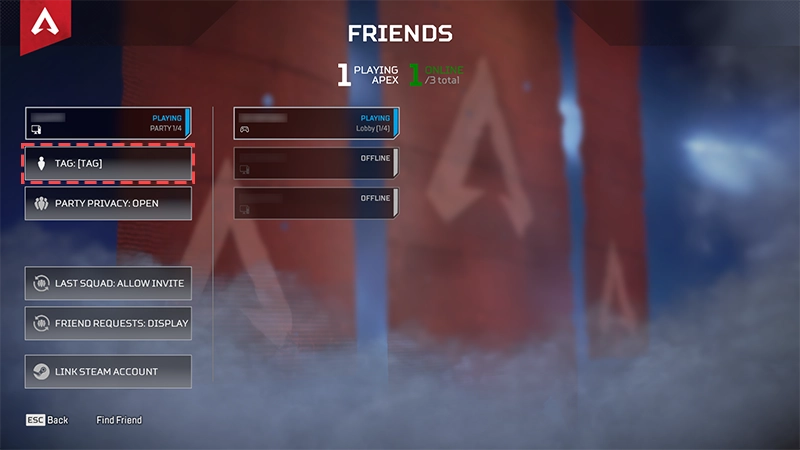
You can change your Tag as often as you like.- 1Go to the Friends section.
- 2Select Tag from the left menu.
- 3Type in your new Tag.
- 4Select Change to confirm your Tag.