Overview
Everything you need to know about how to get and use Speed-Up Tokens in SimCity BuildIt.
What are Shop Speed-Up Tokens?
If you’d like to speed up crafting in your Commercial buildings, you can use Shop Speed-Up Tokens. There are 3 types:- Shop Speed-Up 2x Token (Turtle symbol)
- Shop Speed-Up 4x Token (Llama symbol)
- Shop Speed-Up 12x Token (Cheetah symbol)

How to get Shop Speed-Up Tokens
You can earn Shop Speed-Up Tokens by collecting Token Parts daily from Epic Buildings.Select the Parts above Epic Buildings to collect them. A counter will appear to show how many you’ve collected. You’ll need several Parts of a Token type to make a Shop Speed-Up Token.
- Gold Tier Epic Buildings produce Shop Speed-Up 12x Token Parts,
- Silver Tier Epic Buildings produce Shop Speed-Up 4x Token Parts
How to use Shop Speed-Up Tokens
Once you have a Shop Speed-Up Token, you can use it to speed up the production of items in Commercial buildings.- 1Choose a Commercial building, then select the Shop Speed-Up Token icon at the bottom of the screen. This will give you a menu of the Shop Speed-Up Token types you have available.
- Bronze – speeds up crafting 2x (Turtle symbol)
- Silver – speeds up crafting 4x (Llama symbol)
- Gold – speeds up crafting 12x (Cheetah symbol)
- 2Drag one of them to your production queue to accelerate production.
How to access Shop Speed-Up Tokens
The Department of Epic Projects stores all of your Shop Speed-Up Tokens. Select the Speed-Up Tokens icon to see how many you have available.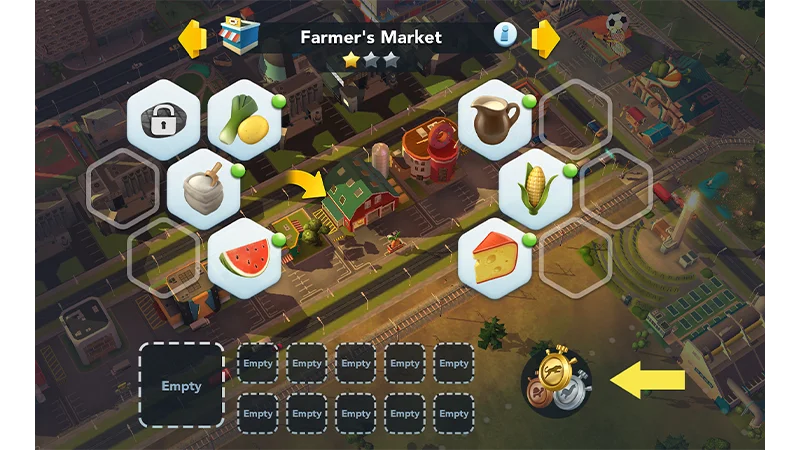
What are Factory Speed-Up Tokens?
Factory Speed-Up Tokens are special boosts in SimCity BuildIt that accelerate item crafting in your Factories. Use them when you’re low on time but need materials fast. There are three different types of Factory Speed-Up Tokens.- Bronze – speeds up crafting 2x (Turtle symbol)
- Silver – speeds up crafting 4x (Llama symbol)
- Gold – speeds up crafting 12x (Cheetah symbol)

How to get Factory Speed-Up Tokens
You can get Factory Speed-Up Tokens by purchasing special offers that contain them.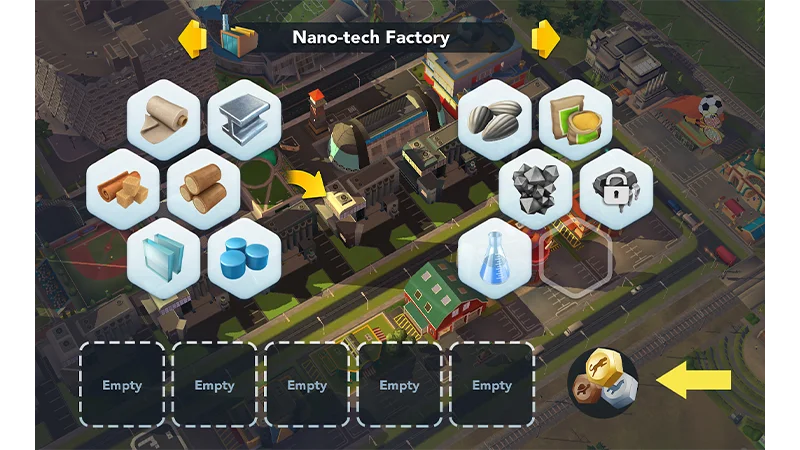
How to use Factory Speed-Up Tokens
Once you have a Factory Speed-Up Token, you can accelerate the production of items in normal and Regional Factory buildings.Factory Speed-Ups can’t be used in the Ad-powered Factory.
- 1Select an eligible Factory building.
- 2Select the Factory Speed-Up Token icon at the bottom of the screen.
- 3A menu of available Factory Speed-Up Token types will appear. Drag one of them to your production queue to accelerate production.