Overview
Ready to teach your pet to run a perfect obstacle course? Learn how to build and level up the Pet Training skill in The Sims 4 Cats & Dogs Expansion Pack. Discover what each level unlocks, how to train your pet, and how to use cheats to fast-track your progress.
About the Pet Training skill
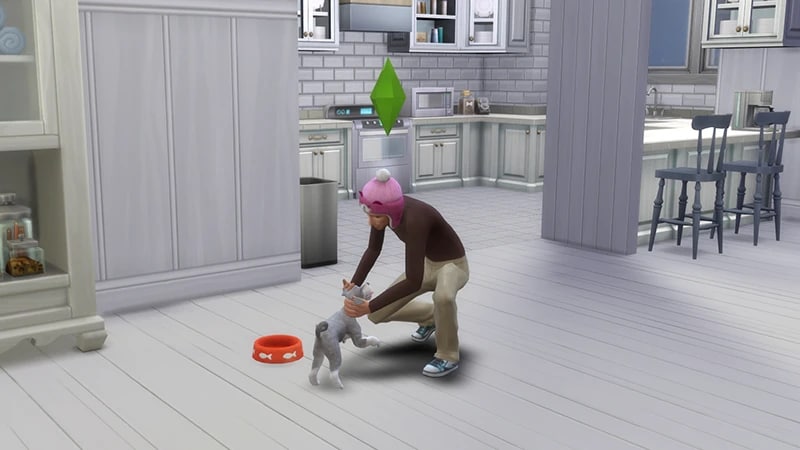
- The Pet Training skill comes with The Sims 4 Cats & Dogs Expansion Pack, and is a 5 level skill.
- Use this skill to train dogs to perform specific commands, and teach cats and dogs to run obstacle courses.
- Elder, Adult, Young Adult, Teen, and Child Sims can all build this skill.
- The Training Ground Lot Trait increases how fast your Sim builds this skill, and how easy it is to train pets.
How to build Pet Training skill
There are multiple ways for your Sim to build the Pet Training skill. Some interactions are only unlocked when your Sim reaches a certain level.- Select your dog, then choose More Choices > Training to begin teaching them commands.
- Once trained, use More Choices > Trained Commands to direct your dog.
- Use everyday interactions like praising or scolding pets to gain skill over time.
Buy Pet Training Items to teach both cats and dogs how to run obstacle courses and build skill. Buy these from Build Mode: These items can be placed together to create a course. Your Sim will have two options: As your pet runs the course, a Scored Pet Obstacle Course Event Panel will appear in the top left of the screen to grade their performance. The higher your Sim’s Pet Training skill, the better your pet will score.
- Obstacle - Weaving Poles
- Obstacle - Ramp
- Obstacle - Platform
- Obstacle - Short Hoop
- Obstacle - Medium Hoop
- Obstacle - Tall Hoop
- Command Pet to Use
- Run Obstacle Course
If you own The Sims 4 Discover University Expansion Pack, your Sim can attend skill-building classes. These are rabbit-holes, so your Sim will leave the Lot for some time and then come back when the class is over. Note: Skill Classes are only available between 9 a.m.– 9 p.m.
- 1In Live Mode, select your Sim’s phone.
- 2Open the Business app (the briefcase icon).
- 3Choose Sit in on Skill Class (§250).
- 4In the pop-up menu, choose Pet Training. Your Sim will leave the Lot and gain the Pet Training skill while at the class.
If you own The Sims 4 Businesses & Hobbies Expansion Pack, your Sim can learn or teach the Pet Training skill using the Sharing is Caring Whiteboard. You’ll find this in Build Mode.
Pet Training skill levels
As your Sim builds the Pet Training skill, they’ll unlock new rewards, abilities, and interactions along the way. A green progress bar will appear above your Sim’s head and gradually fill up as they’re building a skill. You can also check their progress by:- 1Entering Live Mode.
- 2Selecting the Sim Panel (bottom left).
- 3Selecting the Skills tab.
Sims can:
- Train dogs to Sit, Speak, Fetch, Roll Over, and Lie Down
- Show off their Pet to other Sims.
Sims can:
- Train dogs to Heel, Shake, and Play Dead
- The Practice Tricks interaction unlocks.
Send dogs to Explore interaction unlocks.
Sims can:
- Command dogs to Attack
- Show off Pet Tricks interaction unlocks.
Sims can:
- Command dogs to Perform Tricks
- Can teach dogs tricks faster.
Pet Training skill cheats
When using skill cheats, type in the number of the level you want to reach. For example, putting stats.set_skill_level skill_dog 3 into the cheat bar will get your Sim’s Pet Training skill up to level 3.PC and Mac
PlayStation®
Xbox
- 1Press Control + Shift + C to open the cheat dialogue box.
- 2Type testingcheats true and press Enter to turn on cheats.
- 3Type stats.set_skill_level skill_dog [skill level] and press Enter.