Overview
Want your Sim to explore the mysteries of life and death? The Thanatology skill in The Sims 4 Life & Death Expansion Pack lets your Sim study the afterlife, interact with ghosts, and unlock unique powers. Learn how to build this skill, discover its rewards, and even use cheats to master it faster.
About the Thanatology skill
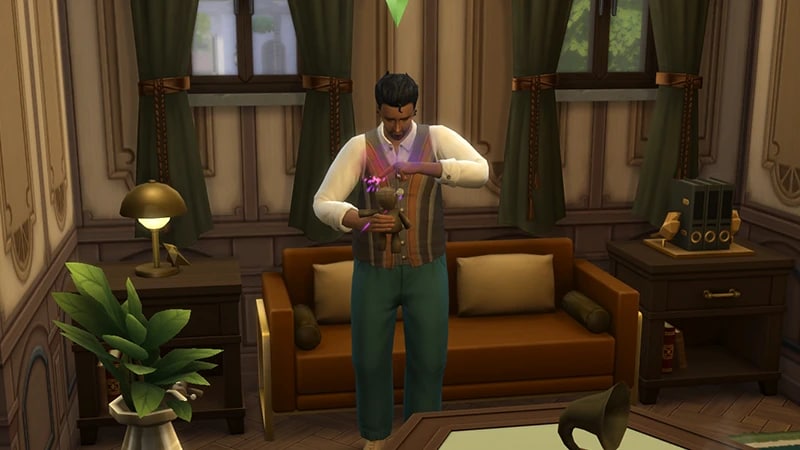
- The Thanatology skill comes with The Sims 4 Life & Death Expansion Pack, and is a 5 level skill.
- Elder, Adult, Young Adult, and Teen Sims can all build this skill.
- Sims need the Thanatology skill to complete the Reaper career and the Undertaker career.
- The Thanatology skill is needed to complete the Ghost Historian Aspiration.
How to build the Thanatology skill
There are multiple ways for your Sim to build the Thanatology skill. Some interactions are only unlocked when your Sim reaches a certain level.Both the Reaper and Undertaker careers require the Thanatology skill. As you progress through either career, your Sim will naturally build this skill.Need some help (or cheats) for these careers? Check out our career guides:
- The Sims 4 Careers: Undertaker
- If you choose the Mortician branch of this career, your Sim will get more career chance cards if they have the Thanatology skill.
Some social interactions are specific to the Thanatology skill, and using them can help you build it:
- Speak a Dead Language (this unlocks at level 3)
- Inquire about Local Hauntings
- Inquire about Ghostly Self (this can only be used with Ghost Sims)
Your Sims can build the Thanatology skill on the computer by researching theories online. Select the computer and choose Read Theories on. From here you can choose between different Thanatology theories:
- The Boomsbluff Mystery House
- The House of the Fallen Trees
- The Mysterious Death of Robert Crumplebottom
- The Unknown Horse
Reading skill books will work towards building skills, but is slower than other methods. Books will only get you as far as level 9 of a skill. To buy skill books:The skill books are:On a bookshelf, Sims can also select Look up Historical Deaths to build skill.
- 1Select a bookshelf and choose Purchase Books.
- 2In the pop-up, select the drop-down at the top-left that reads Show All.
- 3Choose Skill and scroll through to find the book you want to buy. These will be added to your Sim’s bookshelf.
- Thanatology Vol 1: Mortal Mortality
- Thanatology Vol 2: Handbook for the Recently Expired
- Thanatology Vol 3: Piercing the Veil
If you own The Sims 4 Discover University Expansion Pack, your Sim can attend skill-building classes. These are rabbit-holes, so your Sim will leave the Lot for some time and then come back when the class is over. Note: Skill Classes are only available between 9 a.m.– 9 p.m.
- 1In Live Mode, select your Sim’s phone.
- 2Open the Business app (the briefcase icon).
- 3Choose Sit in on Skill Class (§250).
- 4In the pop-up menu, choose Thanatology. Your Sim will leave the Lot and gain the Thanatology skill while at the class.
Thanatology skill levels
As your Sim builds the Thanatology skill, they’ll unlock new rewards, abilities, and interactions along the way. A green progress bar will appear above your Sim’s head and gradually fill up as they’re building a skill. You can also check their progress by:- 1Entering Live Mode.
- 2Selecting the Sim Panel (bottom left).
- 3Selecting the Skills tab.
At this level, your Sim can:
- Buy Thanatology Vol 2: Handbook for the Recently Expired
- Research Thanatology on the computer
At this level, your Sim can:
- Unlock the next Thanatology skill book
- Purchase a Voodoo doll
- Usually, your Sim would need to have a level 3 in the Mischief skill to do this.
Use the computer to buy a Voodoo doll. Select Order > Purchase Voodoo Doll. In the pop-up, choose how many of Madame Zoe’s Voodoo Doll you want to buy. It will automatically appear in your Sim’s Personal Inventory.
At this level, your Sim can:
- Use the Speak a Dead Language interaction
- Unlock more abilities on the Voodoo doll
This level unlocks:
- Discuss Deadly Enigmas social interaction with the Grim Reaper
- Benefits to the Undertaker career - these Sims can handle grief better
This level unlocks:
- The ability to make Soul Soup
- The Toy with Death ability on the Voodoo Doll
Thanatology skill cheats
When using skill cheats, type in the number of the level you want to reach. For example, putting stats.set_skill_level minor_thanatology 3 into the cheat bar will get your Sim’s Thanatology skill up to level 3.PC and Mac
PlayStation®
Xbox
- 1Press Control + Shift + C to open the cheat dialogue box.
- 2Type testingcheats true and press Enter to turn on cheats.
- 3Type stats.set_skill_level minor_thanatology [skill level] and press Enter.