Not sure whether to play Assault, Engineer, Support, or Recon? Learn how classes work in Battlefield 6, including signature traits and weapons, Field Spec, and how open and closed weapons work.
Before you start a match in Battlefield 6, you’ll choose a class to play as.
Assault
Engineer
Support
Recon
Each class has a signature weapon to complement their strengths, unique traits, and a specific role to play in your path to victory.When a signature weapon is equipped, you get bonus perks with that weapon. Signature traits are passive, meaning when you play that class, their signature benefit is always on.For an introduction to each class, check out our video guide.
You’ll pick the class you want to play as when you start a new game. You can customize your loadout here if you want to make changes to your weapons and gadgets.If you want to make any changes, you can change your loadout mid-match, and if you die in a match, you’ll have time to choose a new class for when you come back to the game.
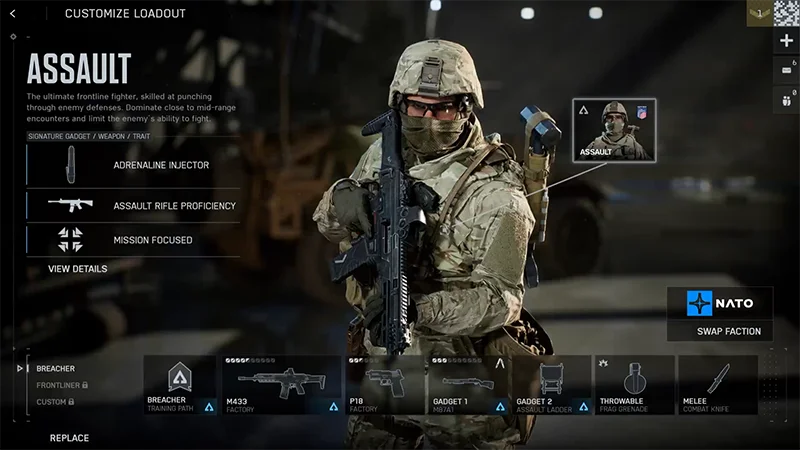
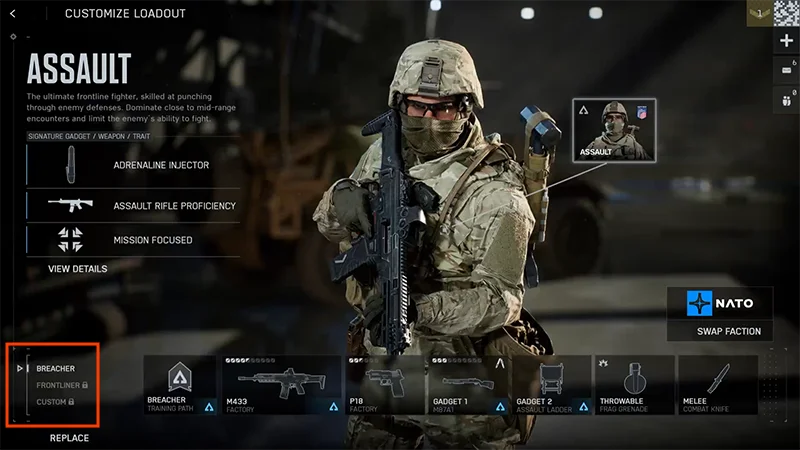
Assault specializes in anti-infantry and offensive warfare. Use Assault to hold back the enemy, lead aggressive pushes, or respond quickly to new hostiles.
Signature gadget: Adrenaline Injector.
Temporarily boosts sprint speed, reduces explosive damage, protects you from debuffs, and helps you hear enemy footsteps.
Signature weapon: Assault Rifle.
Get faster draw and sprint time, plus better sprint recovery.
Signature trait: Mission Focused.
Interacting and capturing objectives are quicker for all nearby squad members.
Adrenaline doesn’t give you any extra health. It’s designed to prepare you for combat, so use it just before you get into your next battle.Learn more about playing Assault.
Engineer
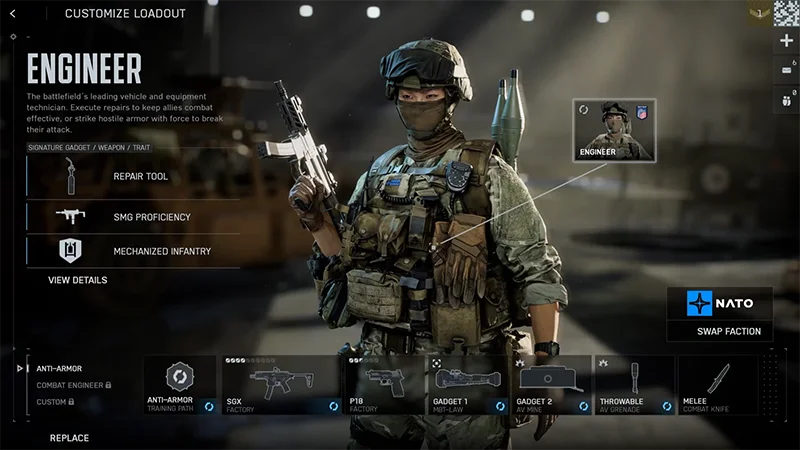
Engineers excel at destroying enemy vehicles and repairing your own. Use them to clear the area of enemy tanks and aircraft.
Signature gadget: Repair Tool.
A blow torch that repairs friendly vehicles and can damage enemy assets.
Engineer is the only class that can repair friendly vehicles.
Signature weapon: Submachine gun.
Get improved hip-fire control.
Signature trait: Mechanized Infantry.
Take less explosive damage when near a friendly vehicle and prevent hostiles from entering the vehicle, as long as all vehicle crew members have exited. Repair vehicle health to keep both effects active.
You’ll use gadgets like mines and rocket launchers to take out enemy tanks and aircraft, and support your squad with tank repairs and resupplies. If you spot an enemy tank, try to target its top—they’re usually weaker there.Learn more about playing Engineer.
Support
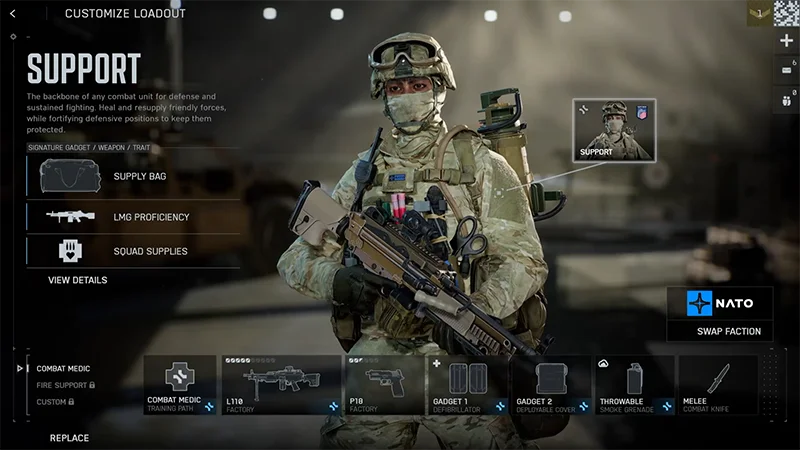
Support provides medical help and supplies to your squad. You’ll find them in the heart of combat, resupplying and protecting your team.
Signature gadget: Supply Bag.
A deployable bag that resupplies nearby infantry with gadgets and weapons and helps players regenerate health more efficiently.
Signature weapon: Light machine gun.
Faster transition to aim-down-sights and no sprint speed penalty.
Signature trait: Field Sustainment.
Distribute health packs to teammates when they directly interact with you.
There are two ways Support can revive players: a standard revive or a revive using the defibrillator gadget. As a Support player, you’ll revive teammates quicker than others thanks to your signature trait.
You can drag downed players elsewhere to revive them if you’re close to danger. Once you start reviving them, you can drag them as you’re reviving them to take them to a safer place.
Dragging while reviving makes the revive slower.
If you cancel a revive and then come back to it, your revive will keep its progress—you won’t have to completely start again.
Using the defibrillator gadget is a faster way to revive other players. You can use it to quickly revive players, including players who might be getting revived by someone else.
If you fully charge your defibrillator, players will revive with full health. If they’re not fully charged, they’ll still revive a player, but with less health.
One charge can revive multiple players.
Using your defib can help in particularly tight areas like chokepoints. Team up with other players so that you can fast revive players once they’re in a safe spot. A fully charged defib can also make a powerful weapon if an enemy’s close enough for you to use it.
Not all players are revivable. If someone’s taken a fatal headshot, you won’t be able to revive them.
Recon
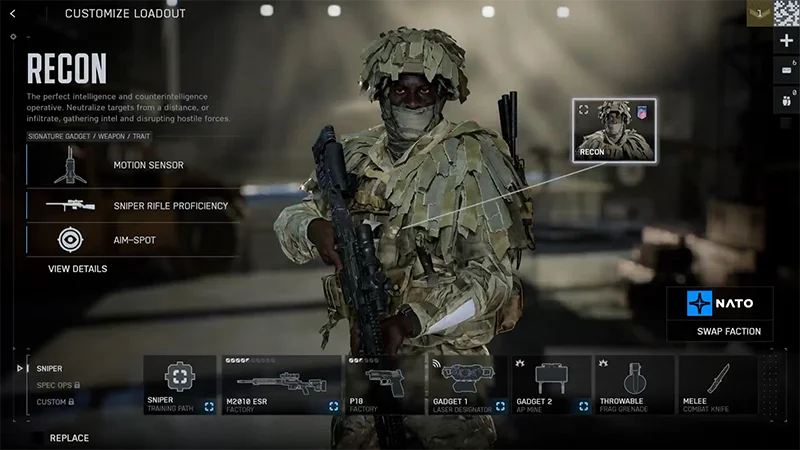
The Recon class focuses on stealth, scouting, and gaining information for your team. They’re built for tactical gameplay and sniping enemies from afar.
Signature gadget: Motion Sensor.
Detect and display the position of nearby enemies, vehicles, and gadgets if they’re on the move.
Signature weapon: Sniper.
Stabilize aim by holding breath and rechamber more quickly between shots.
Signature trait: Auto-spot.
Looking at hostiles while aiming-down-sights marks them as spotted.
To hold your breath while you aim a sniper, hold the left shift key or your controller’s left stick. The corners of your screen will darken and your aim will temporarily be steady.Learn more about playing Recon.
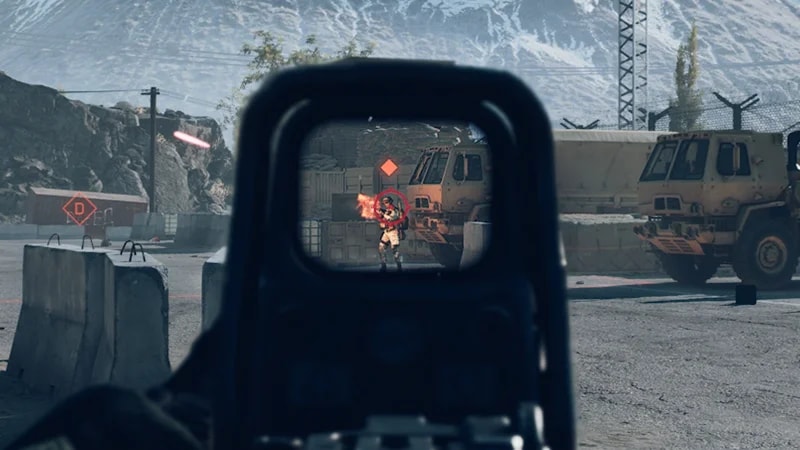
Your signature trait, Auto-Spot, means that if you look at hostiles while aiming-down-sights, they’ll be spotted automatically. When an enemy is spotted, an orange icon appears over their head and their position is revealed to the rest of your team.
What are Field Specs?
As you play as your class, you can unlock specializations called Field Specs that give you more perks. You gain these levels through team progression and score XP. Each class has two different Field Specs to choose from which offer different perks. To see or change your class Field Specs, go to your class in the Loadouts menu. You can see your selected Field Spec in the bottom-left corner.
When do Field Spec abilities become available?
Field Spec abilities range from Level 0 to Level 3.
Level 0 is active automatically. Every other Level is earned through gameplay.
Your Level 3 ability can only be used once. After you use it, your progress is reset to Level 2 and you can re-earn Level 3.
All progress is reset at the start of each round.
Level 1 and 2 give you passive abilities. Once you’ve unlocked Level 3, your HUD (Heads-Up-Display) will show it’s available and how to activate it. Learn more about Field Specs at ea.com.
What are closed vs open weapons?
The weapons your class can use depends on if you’re playing with open or closed weapons.
Closed weapons: Your class can only use class-specific weapons (your signature weapon). You can’t use weapons associated with other classes.
Open weapons: Each class can equip any weapon type. For example, an Engineer could use an assault rifle, or Support could use a sniper.
Most modes use open weapons by default. You can pick the weapon you’ll use in your loadout. Learn more about how to build a loadout in our guide.If you want to play with class-specific weapons, look for game playlists that use closed weapons.For more tips on getting started and playing your class, check out our guides.