Overview
Heading to the battlefield? Find out how to pick a game mode, including which modes to play for the largest maps, playing the objective, or focusing on kills.
Battlefield 6 game modes
When you open Battlefield 6, you’ll come to the Play menu. Here, you’ll see playlists of game modes and pick one to play.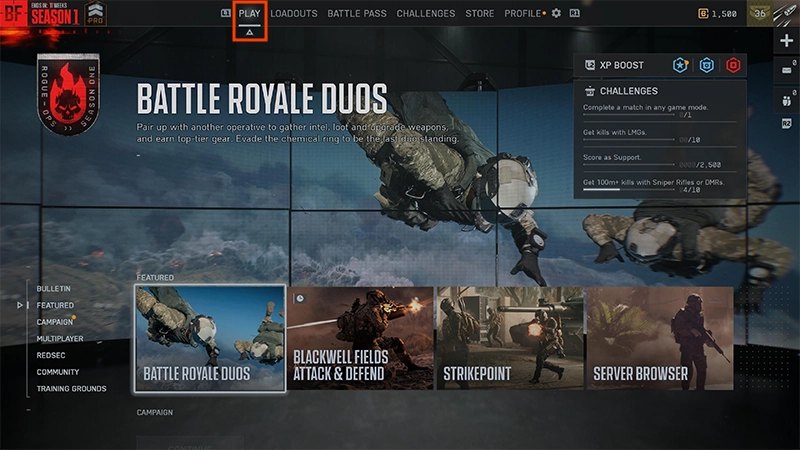
- 1Under the Multiplayer tab, choose Custom Search.
- 2Select a mode.
- 3Choose the maps you want to play on.
- 4Select Play.
More modes will be added to Battlefield 6 through seasons. Check out ea.com for the latest news and updates.You can also modify or create custom modes by using Battlefield Portal.
Campaign is Battlefield 6’s Single Player mode. Pick your difficulty, earn rewards by completing missions, and learn about the lore behind NATO and Pax Armata.Learn more about what to expect from Campaign mode.
If you want to play on Battlefield 6’s largest maps, play Conquest, Breakthrough, or Escalation for an all-out warfare experience. Conquest is a fight between two teams where each team tries to capture and hold objectives to deplete the enemy’s lives. Matches last about 20 minutes. In Breakthrough, you’ll play as an attacker or defender trying to win or defend consecutive sectors on a map. Matches can last 20 to 40 minutes.In Escalation, you play on a map filled with objectives. The first team to gain three points wins. Matches can last 20 to 40 minutes.
If you’re looking for tactical gameplay, we recommend playing Rush, King of the Hill, or Domination. In Rush, you’ll play as attackers or defenders. Depending on your role, your mission is to either blow up or defuse bombs on the map’s M-COMS (military communication systems). Rush offers medium-sized maps for a more strategic experience. In King of the Hill, teams fight over one objective at a time, trying to hold the objective for as long as possible. Domination is a small game mode that’s similar to Conquest. Instead of taking objectives, you’ll battle to hold flags.
For fast-paced matches that focus on kills, try out Squad Deathmatch and Team Deathmatch. Squad Deathmatch features four teams of four players. You’ll battle to kill a certain number of players before the other teams do. Team Deathmatch features two teams battling to kill a certain number of players first. Matches usually last about 10 minutes.