Overview
SimCity BuildIt offers countless ways to earn rewards, including special Challenges and Events. Read this article on how to get started earning points and unlocking rewards, then get back to the game to discover even more opportunities.
How to earn rewards with the Mayor’s Pass
You can earn rewards with the Mayor’s Pass by tapping the Heads Up Display (HUD) icon or going through the Contest HQ.There are three types of Mayor’s Passes.- Free Pass - available to all players.
- Premium Pass - unlocks greater rewards and can be bought with real-world currency at any time during a Season. After you buy it, you can claim all rewards from previous tiers.
- Premium+ - unlocks greater rewards and can be bought with real-world currency at any time during a Season. After you buy it, you can claim all rewards from previous tiers and you’ll receive a temporary storage boost for the duration of the season.

- Exclusive buildings
- Area and inventory expansion items
- Currencies like SimCash and platinum keys
- War chests
- Other prizes
- Complete City Journal tasks
- Purchase points through special in-game sales
How to claim Contest of Mayors rewards
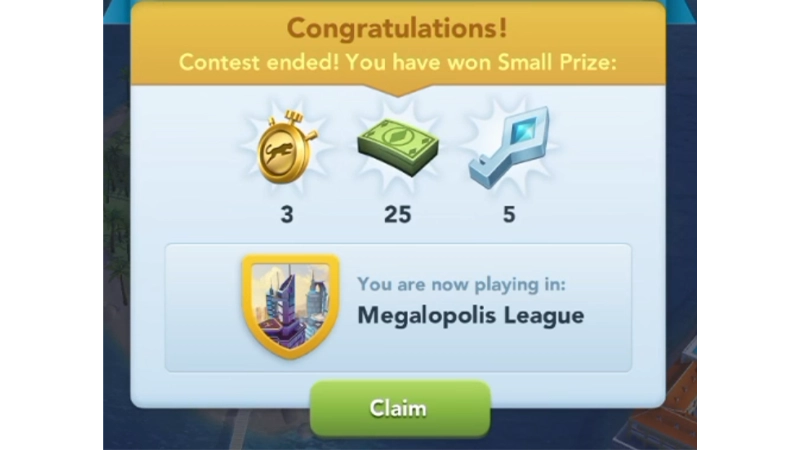
Once the Contest of Mayors cycle ends each week, you can claim your rewards from the Mayor's Tower.If you’ve earned any rewards, an icon will appear over the Mayor’s Tower.- 1Open your city.
- 2Select the Mayor’s Tower.
- 3Select the reward icon and then Claim to claim rewards for the week.
- Small Prize: 3,000 Simoleons / 1x Turtle Shop Speed-Up Token
- Position 70-32
- Medium Prize: 5,000 Simoleons / 2x Turtle Shop Speed-Up Tokens / 1 Golden Key
- Position 31-17
- Big Prize: 10,000 Simoleons / 2x Llama Shop Speed-Up Tokens / 2 Golden Keys
- Position 16-6
- Grand Prize: 15,000 Simoleons / 3 Golden Keys / 2 Cheetah Shop Speed-Up Tokens
- Position 5-1
- Small Prize: 10,000 Simoleons / 2x Turtle Shop Speed-Up Tokens / 2 Golden Keys
- Position 70-16
- Medium Prize: 25,000 Simoleons / 2x Llama Shop Speed-Up Tokens / 3 Golden Keys
- Position 15-9
- Big Prize: 30,000 Simoleons / 3x Llama Shop Speed-Up Tokens / 5 Golden Keys
- Position 8-4
- Grand Prize: 35,000 Simoleons / 4x Cheetah Shop Speed-Up Tokens / 7 Golden Keys
- Position 3-1
- Small Prize: 20,000 Simoleons / 1x Cheetah Shop Speed-Up Token / 2x Golden Keys
- Position 50-11
- Medium Prize: 40,000 Simoleons / 2x Cheetah Shop Speed-Up Tokens / 5x Golden Keys
- Position 10-6
- Big Prize: 50,000 Simoleons / 3x Cheetah Shop Speed-Up Tokens / 8x Golden Keys
- Position 5-3
- Grand Prize: 70,000 Simoleons / 5x Cheetah Shop Speed-Up Tokens / 2x Platinum Keys.
- Position 2 & 1
- Small Prize: 30,000 Simoleons / 2x Cheetah Shop Speed-Up Tokens / 6x Golden Keys
- Position 50-9
- Medium Prize: 60,000 Simoleons / 3x Cheetah Shop Speed-Up Tokens / 1x Platinum Key
- Position 8-4
- Big Prize: 80,000 Simoleons / 5x Cheetah Shop Speed-Up Tokens / 3x Platinum Keys
- Position 3 & 2
- Grand Prize: 100,000 Simoleons / 10x Cheetah Shop Speed-Up Tokens / 5x Platinum Keys
- Position 1
- Small Prize: 5x SimCash / 3x Cheetah Shop Speed-Up Tokens / 1x Platinum Key
- Position 50-9
- Medium Prize: 50x SimCash / 5x Cheetah Shop Speed-Up Tokens / 5x Platinum Keys
- Position 8-4
- Big Prize: 100 SimCash / 7x Cheetah Shop Speed-Up Tokens / 15x Platinum Keys
- Position 3 & 2
- Grand Prize: 200 SimCash / 10x Cheetah Shop Speed-Up Tokens / 20x Platinum Keys
- Position 1
- Small Prize: 25 SimCash / 3x Cheetah Shop Speed-Up Tokens / 5x Platinum Keys
- Position 50-7
- Medium Prize: 500 SimCash / 5x Cheetah Shop Speed-Up Tokens / 50x Platinum Keys
- Position 6-4
- Big Prize: 1,000 SimCash / 7x Cheetah Shop Speed-Up Tokens / 100 Platinum Keys
- Position 3 & 2
- Grand Prize: 2,000 SimCash / 10x Cheetah Shop Speed-Up Tokens / 250 Platinum Keys
- Position 1
How to claim Club Challenge rewards
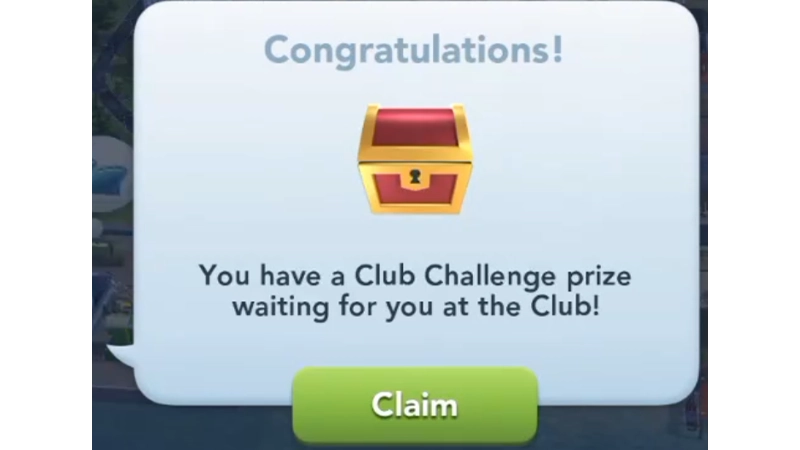
You can claim your Club Challenge rewards immediately after the weekly reset.Rewards are available every week on Wednesday, once the timer resets for the new cycle.- 1Launch the game.
- 2Your Club Challenge rewards will pop up on-screen automatically.
- 3Select Claim to claim your rewards.
How to earn rewards in Event Track
You can earn rewards by joining the Event Track. To join the Event Track, tap the Event icon on the left side of your screen during an ongoing Event. For every Event Track you join, there will be a certain number of Event Points you need to earn to collect your rewards. You can earn these Event Points by completing Contest HQ Assignments during Events that have an Event Track.
- 1Go to the Event Track reward card.
- 2Find the reward you’ve unlocked.
- 3Select the Claim button.
How to earn rewards in Design Challenges
The SimCity BuildIt Design Challenge is a player-versus-player (PvP) mode where Mayors showcase their design skills in Contests. Earn Blueprints by completing and submitting Challenges, meeting Bonus goals, and getting votes from other players. Use Blueprints to collect rewards like Simoleons, keys, and buildings in the Design Challenges Season’s Reward Track. As you climb the Design Leagues, you’ll start each Challenge with more Design Currency, unlock new League-only rewards, and earn more Blueprints.To start earning rewards:- 1Go to your Capital City page, then tap on the Plumbob icon to find Design Challenges.
- 2Select Challenge from the Design Challenge menu, then Start!. Complete the Challenge within the time limit and meet any bonus goals. Submit your entry to get Blueprints.
- 1Select Vote from the Design Challenge menu (at City Level 9, you can vote for three sets every eight hours).
- 2After each voting round, you’ll get a random reward.
How to compete in Design Leagues
To compete in Design Leagues, you need to be at City Level 17. There are four Design Leagues:- Bronze
- Silver
- Gold
- Platinum
How to earn rewards in Monster Trouble
Monster Trouble is a War feature in SimCity BuildIt. It becomes available when you reach a population of 12,000 with City Level 8 or higher, or when you reach City Level 16. The monster appears in your Capital City water and leaves once you chase it away or when the timer runs out.The monster comes in three different star levels, based on your War Rank. Higher-level monsters have more health but also offer better rewards when defeated.How to defeat the Monster
To defeat the monster, launch War Disasters at it by selecting Disasters from your Disaster menu. Disasters like Electric Deity and Doomsday Quack aren’t available to chase the Monster Trouble away, so you may need to get creative with your attacks.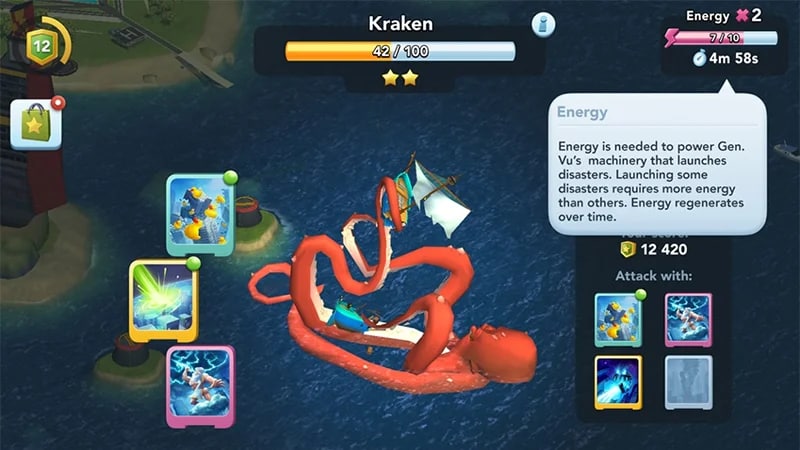
You’ll earn an additional chest of rewards when you chase the Monster away. The chest and score milestone rewards vary and can include War Disaster cards, golden keys, Simoleons, and many other game items.
How to earn rewards in Disasters with Doctor Vu
Launching Disasters can help you win battles in Club Wars or defeat Monsters in Monster Trouble. Launch Disasters to earn Simoleons or Golden Keys to spend on your Specialization buildings and Vu points for upgrading Vu Tower and unlocking even more Disaster types.To begin, tap the building to the right of your Global Trade HQ and meet the shadowy Dr Vu. Follow Dr Vu’s guidance to start construction on Vu Tower. He’ll help you increase your Golden Key haul. To unlock the Vu Tower you need to have 90,000 population and 40,000 Simoleons to build it.Tap Vu Tower again to see your Disaster menu appear.How to launch a Disaster
You’ll need Dr. Vu’s Special Items to launch a Disaster. The Special Items needed to launch the Disaster appear on the left. If you don’t have the required Special Items right now and need more time to gather them, return to your city by tapping the blue X. If time is short, you can also buy the Items with SimCash.To launch the Disaster:- 1Drag the round Disaster icon over the beam of light.
- 2Slide Dr. Vu’s Special Items to the right.
- 3Press the red button on Dr Vu’s terrible control unit to collect your Vu Points and launch a Disaster.
How to earn rewards with Vu’s Pass
You can unlock Vu’s Pass when you reach City Level 8 or higher and a population of 12,000 or more. This is the same as when you unlock the City Monster feature.Access Vu’s Pass from the right-hand menu on the War Map or City Monster sections. From there, make progress through the Pass by earning War Points. You can get Season rewards by earning more War Points.Each Vu Pass Season has three levels, each more difficult than the last. Check the News or Vu Pass section of the app regularly for the latest info on the next Season.- Boosters
- Card boxes
- City skins
- Golden keys
- SimCash
- Simoleons
- War chests
- War item box
- War Simoleons
A Premium Vu Pass has greater rewards. Buy a Premium Vu Pass any time during a Season. After you buy it, you can get all the rewards from previous tiers.Your Premium Pass only applies to the current Season. You’ll need to buy a new Premium Pass each Season.