How to pre-order games on the EA app

1 min read

概述

Here’s what you need to know about pre-ordering games on the EA app.

How do I pre-order games on the EA app?

  1. 1
    Search for the game you want to pre-order on the EA app, then select it. 
  2. 2
    Choose Select Edition. You’ll be taken to a page with more info about the bonus content that comes with each pre-order edition.
  3. 3
    Select the edition you want to buy.
  4. 4
    Follow the payment instructions to complete your purchase.
You’ll be charged immediately after placing your order. Make sure your payment method is up to date on your account. 
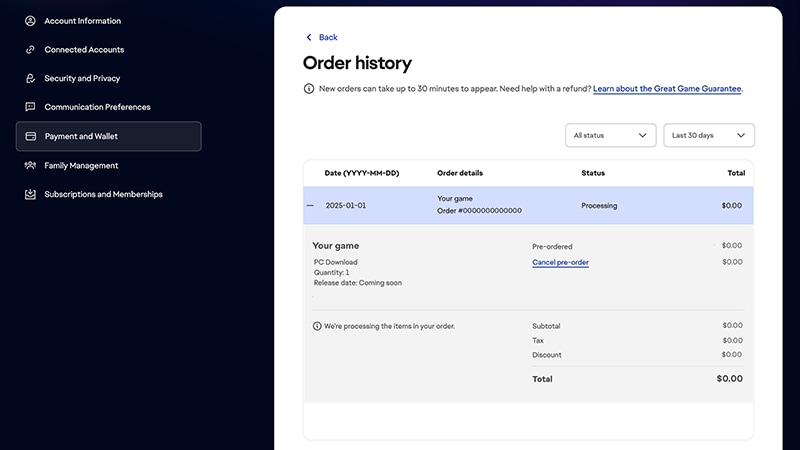
You’ll get an email confirming your pre-order, and another email when the game comes out. You can check the status of your pre-order in your account settings on ea.com.EA app 订单历史记录页面。此页面显示了订单日期、订单详细信息、状态和总费用。
仍然有问题?
请联系我们的客户支持团队获取更多帮助。