Overview
Learn how to update your email address, EA ID, password, and other info in your EA Account settings.
How to update your EA Account info
You can update account details like your email address, name, date of birth, and more, but there could be restrictions based on your country’s laws or the last time you updated specific information.Check out our video on how to update your account info to prepare to play an EA game.
How to edit your EA Account info
To help keep your EA Account secure, we limit how often you can update your email address and EA ID. You can only update your email address and EA ID once every 30 days.You can change your email address back to an old one that was previously associated with your account without any restrictions.
- 1Go to your Account information page.
- 2Select Edit next to:
- Name
- Phone number
- Regional settings
- 3We’ll ask you to verify your identity before you can edit some of your settings. Select Send code and your verification option, then enter the code we send you.
How to update your EA Account password
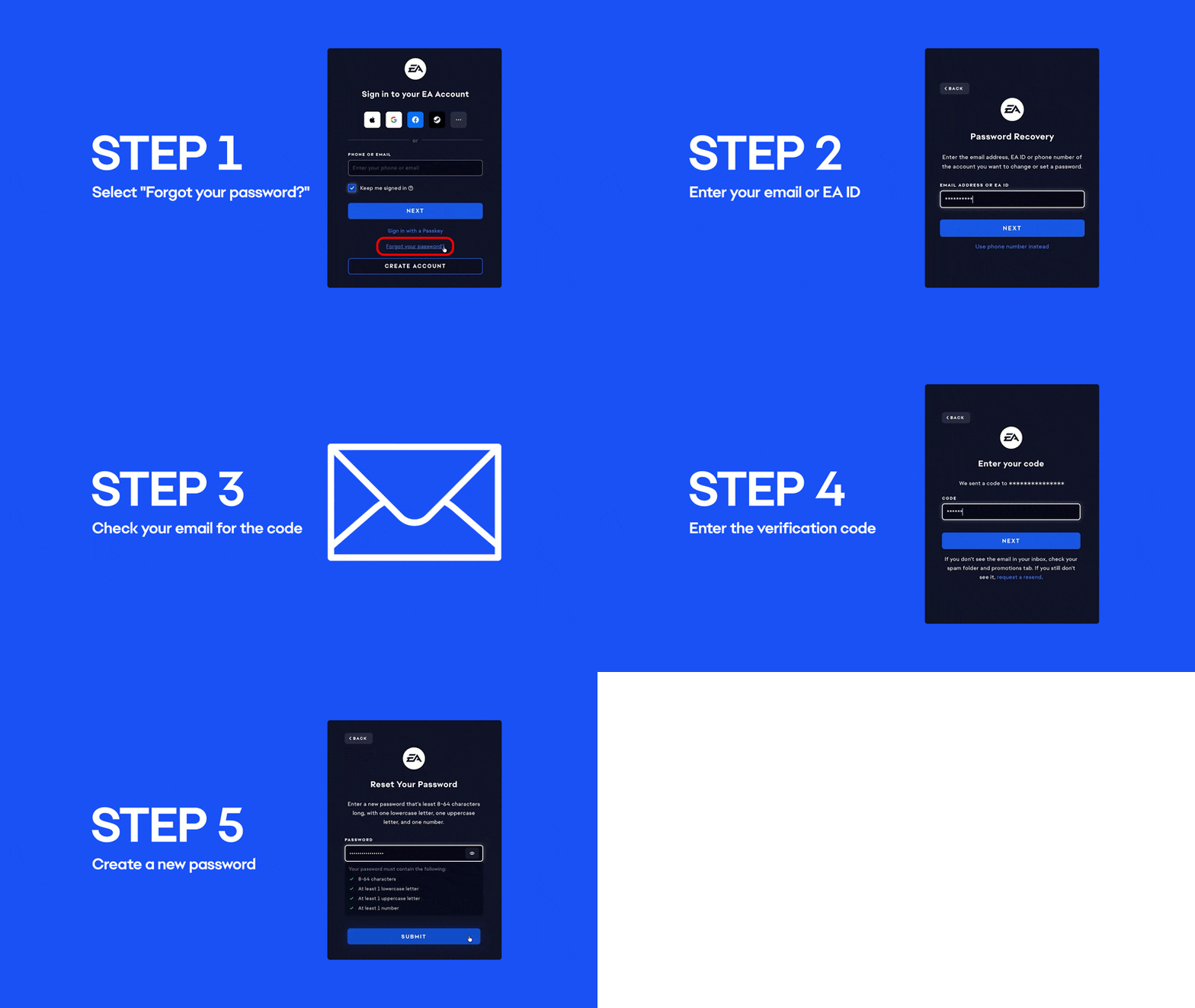
If you need to reset your password to log back in, follow our steps.- 1Go to the EA Help login page.
- 2Select Forgot your password, or create a new one?.
- 3Enter your email or EA ID.
- 4Check your email for a link to create a new password and follow the instructions.
If passkeys are available for your EA Account, consider setting one up and regularly review your account security settings to make sure only trusted devices can access your account. Passkeys offer a more secure way to sign in because they use your device's built-in security features instead of a password. To help keep your EA Account secure, never share your login information, passwords, verification codes, or passkeys with anyone.