Overview
Learn about MVP+ Membership benefits, how to claim your rewards, where to find them, and what to do if your rewards aren't showing up.
What is MVP+ Membership?
MVP+ Membership* is a special offer that gives you rewards and benefits, including EA SPORTS™ College Football 27 Deluxe Edition rewards.Membership rewards include:- seven days of Early Access
- Beta access (June 4 - June 8, 2026)
- 12 Monthly Ultimate Team™ Packs (one delivered at the beginning of each month)
- all mascots unlocked in Mascot Mashup
- 83 OVR BND Cornerstones Player Item (choice of one of four)
- 150 Dynasty Coach Points
- exclusive Dynasty skill tree: Rainmaker
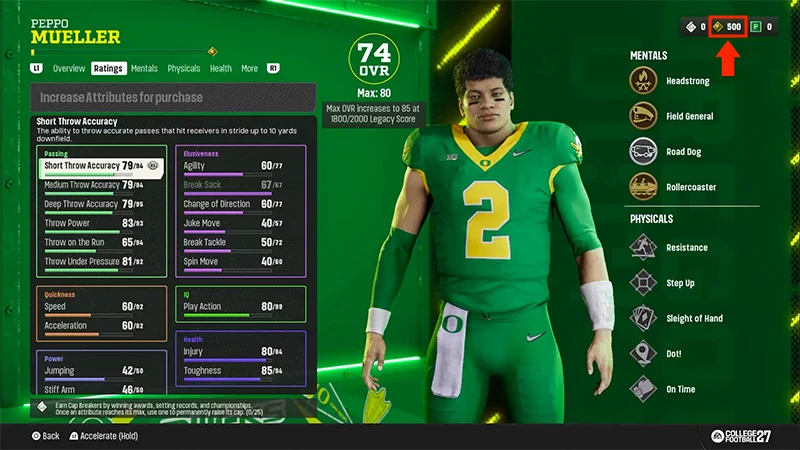
- 500 Road To Glory Skill Points.
- 4,600 College Football Points
- Exclusive Early Access Solo Challenges
- 81 OVR BND Cover Athlete Player Item (choice of one of three)
- one Upgradable Ultimate Team™ Player Item.
How do I claim MVP+ Membership rewards?
MVP+ Rewards are added automatically after you enter the game mode and complete (or skip) the tutorials.Launch the game and check each game mode to get your rewards. When future rewards drop, check each mode that has rewards (Ultimate Team™, Dynasty, etc.) to find them.Ultimate Team™
Road To Glory
Dynasty
Mascot Mashup
To find your MVP+ Membership rewards for your Monthly Ultimate Team™ Pack and your 83 OVR BND Cornerstones player:
- 1Select Ultimate Team™.
- 2Complete or skip the tutorial.
- 3Open Unopened Packs.
- 4Check for your MVP+ Membership rewards.
How to find missing MVP+ Membership rewards
You can see your available rewards in the MVP+ Membership Hub.You must be logged in to your EA Account and connected to the console platform where you signed up for MVP+ Membership. If you can't sign in to the MVP+ Membership Hub, launch College Football 27 on the platform where you purchased your MVP+ Membership, then try signing in again.
- 1Double-check that you're eligible for the rewards.
- To qualify, purchase MVP+ Membership before July 2, 2026, at 5 p.m. UTC (10 a.m. PT).
- 2Allow up to 24 hours for rewards to appear in your account.
- 3Check your rewards inventory and unopened content in Ultimate Team™ and other modes.
MVP+ Membership FAQ
From June 4, 2026, at 5 p.m. UTC (10 a.m. PT) through July 2, 2026, at 5 p.m. UTC (10 a.m. PT). The MVP+ Membership purchase window will then close. See Member Benefits for more information.
You don’t need to claim MVP+ Membership rewards to get them. MVP+ Membership rewards are added automatically to the game mode they're used in. Open the game mode for the reward you're expecting, like Ultimate Team™, Road To Glory, or Dynasty, to find any rewards that have been added to your account. Monthly Ultimate Team™ Packs are also added to your account automatically.
If your Early Access period has started but you can't play yet:If you're still unable to access the game, contact us from the bottom of this page.
- 1Restart your platform.
- 2Confirm you're signed in with the EA Account linked to your MVP+ Membership.
- 3Confirm your MVP+ Membership is active.
- 4Make sure you launch College Football 27 using the account that owns the membership.
- 5If you recently purchased your membership, wait, then try again.
Visit the MVP+ Membership Hub to see membership benefits, eligibility requirements, and exclusive content.