Overview
You can recruit players in Dynasty from Week 0 by going to the Recruiting menu, choosing a prospect, selecting Scholarship Offer, and making a Dynasty Points offer. Learn more about recruiting and retaining players in your roster in this guide.
What’s recruiting in Dynasty Mode?
In Dynasty Mode, you recruit and retain players for your team by allocating Dynasty Points to your name, image, likeness budget (NIL). NIL is split into two parts: recruiting NIL, which lets you compete for prospects and transfers, and roster NIL, which is about retaining players.How do I recruit in Dynasty Mode?
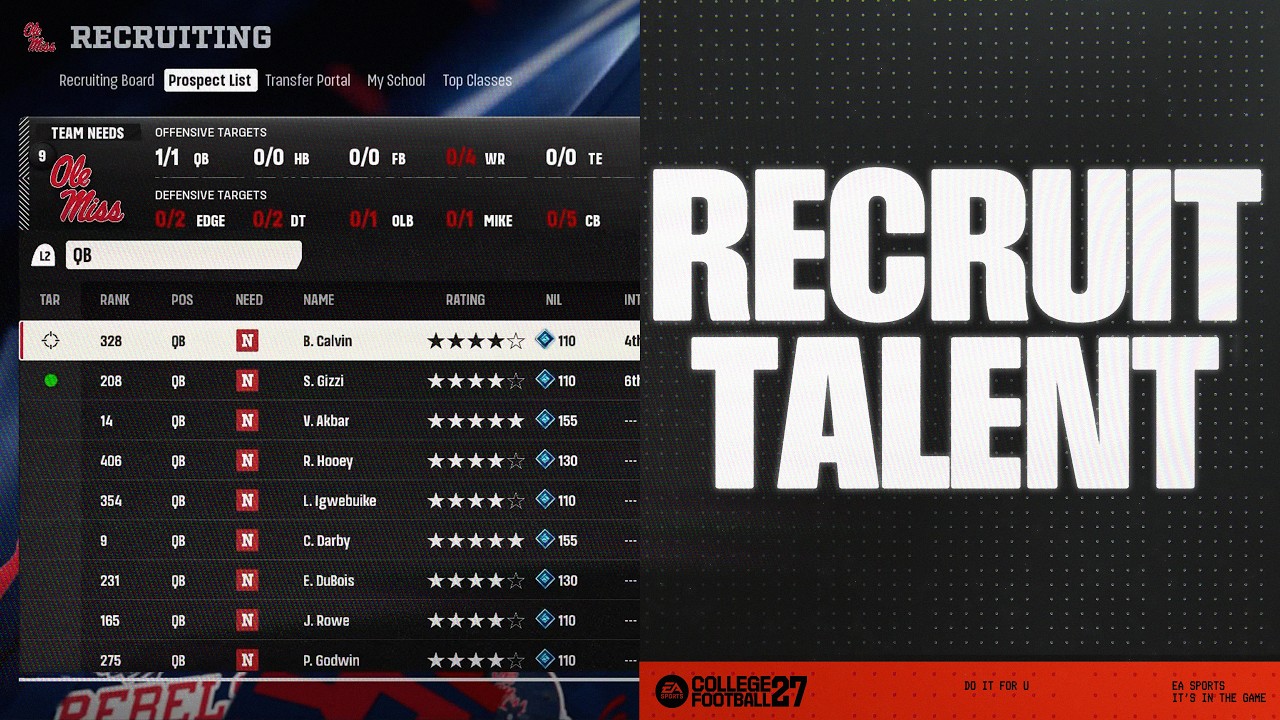
- 1Go to the Recruiting menu.
- 2Select a prospect from the list.
- 3Go to Scholarship Offer and choose the amount of Dynasty Points you want to offer.
How much NIL can I offer?
You can offer up to two times a prospect’s expected NIL. This can be helpful in close recruiting battles, but raises the player’s expected NIL going forward. You can also offer a player less than their expected NIL. This can help you save Dynasty Points if other My School factors can persuade a prospect to join. Balancing recruiting NIL is an important part of managing your Dynasty Point budget. If your offer is too low, you risk losing your prospect. If your offer is too high, you could overpay for the next year.Can I change my offer?
After you make a scholarship offer, you can adjust your NIL offer each week. Any time you make a scholarship offer with NIL attached, that amount is immediately deducted from your available Dynasty Points.If a recruit commits to another school or you remove them from your board, your Dynasty Points will be refunded.Where can I keep track of my NIL?
You can track your offers on the Recruiting Board, which shows how much NIL you’ve offered each prospect. At the end of the recruiting cycle, check the Top Classes screen to review the amount of NIL spent by each school.How do I manage roster NIL?
After you recruit players, you need to keep them on your team. Every player on your team has an expected NIL and a current NIL amount. These are already set when you take over a team—your job is to manage where you spend your budget and keep players satisfied.When can I reallocate NIL?
You can reallocate roster NIL during End of Season Recap, when you can increase or decrease each player’s NIL offer.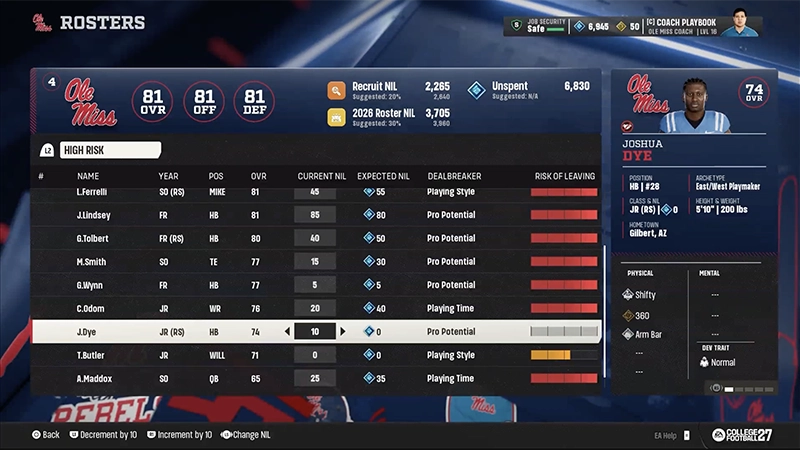
Where can I keep track of roster NIL?
You can see a player’s current NIL from the roster or player screen. You can also go to Team Stats to see each school’s roster NIL spend across position groups.The Team Stats page can give you insights into other schools’ strategies. See who’s spending heavily on quarterbacks and offense, defense, or kickers and punters.