How to get better at EA SPORTS™ UFC® 6 with Practice Mode
1 min read
Overview
Want to work on your combos, react faster, or feel more confident in the Octagon? Practice Mode is the best place to learn the basics, try new mechanics, and get fight-ready before heading online.
Practice Mode lets you refine your striking, grappling, defense, and timing against your AI opponent before jumping into the Octagon.Use Practice Mode to:
practice combos and counters
recognize when you’re leaving yourself open
learn grappling and submissions
test different fighters and playstyles
improve timing and reactions
get comfortable with the controls.
How do I set up a practice match in UFC 6?
To create a Practice Match:
1
Select Learn from the main menu.
2
Choose Practice Mode.
3
Adjust your match settings to test out new strategies and fight styles
4
Start your match
How to build better training sessions
Use the settings in Practice Mode to build training sessions around the areas you want to improve. Experimenting with different settings can help you build better habits, react faster under pressure, and find what works best for your playstyle.
Your AI opponent’s behavior shapes the pace and style of each training session. You can recreate specific combat situations, practice more technical exchanges, or spend time working on grappling, defense, and timing. Some of the behaviors you can experiment with include:
Basic Striking: Practice defense and counters
Skilled Striking: React to faster combinations and pressure
Basic Ground Game or Skilled Ground Game: Get better at grappling and submissions
Free Sparring: Put your skills to the test against opponents who can attack and defend freely
Focus on one skill at a time, experiment with different settings, and keep building confidence as you play.The more comfortable you get with timing, defense, stamina management, and reading your opponent, the more natural fights will start to feel.
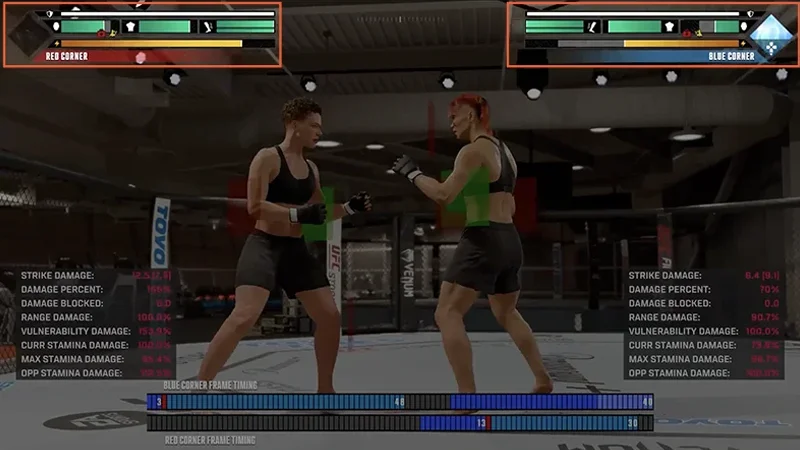
Health and Stamina can help you understand how much damage your fighter has taken, how much energy you have left, and how hard you can keep pushing before you run out of stamina.
Every strike, movement, grapple, and missed attack affects your stamina, while damage to different parts of the body affects recovery and survivability during a fight. Use Health and Stamina to track pacing, pressure, overextending, and how different attacks affect your fighter over time.
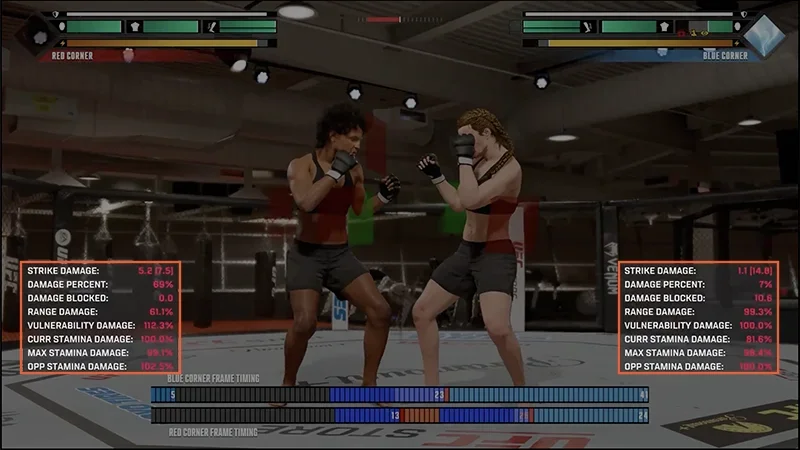
Damage Indicator shows how much damage each strike deals and how different strike conditions affect the result. As you practice, you’ll start to recognize which attacks land cleanly and which combinations hit the hardest.
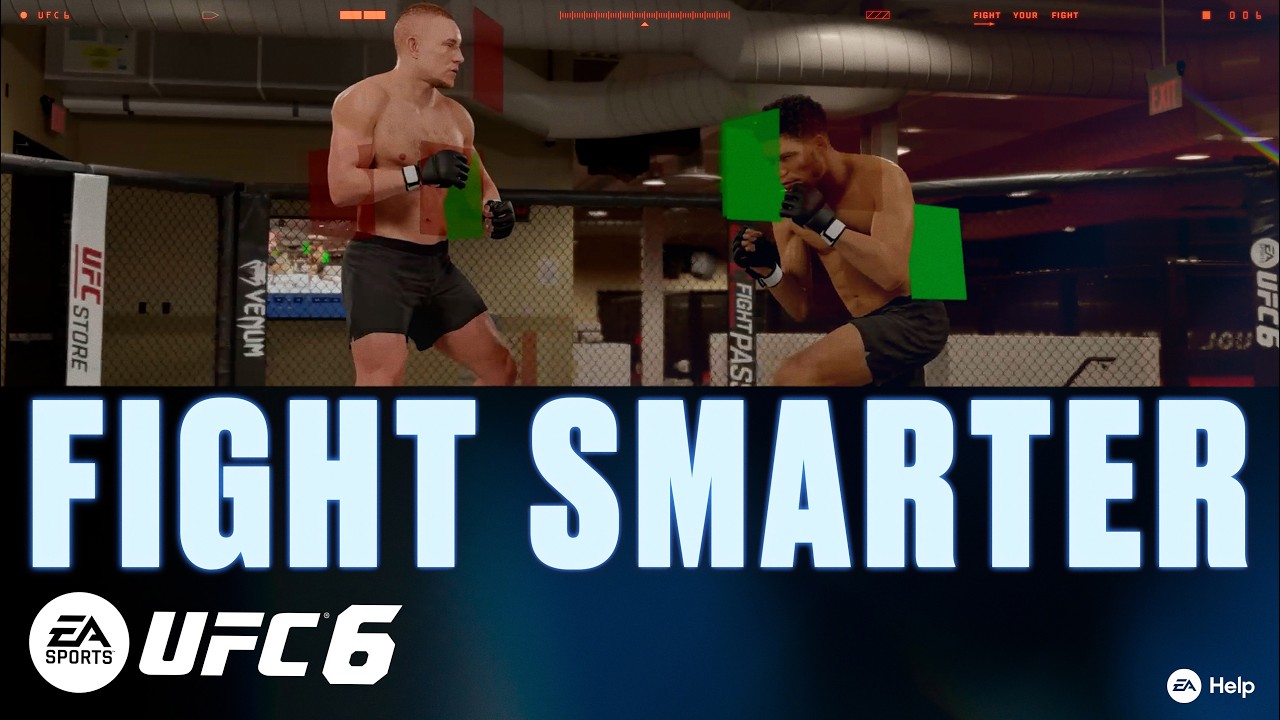
Vulnerability Overlay shows when your fighter is exposed during attacks, movement, and defensive actions, and where the fighter is protected.
Red indicators highlight where your attacks, movement, or positioning leave you vulnerable to counters. The deeper the red, the stronger the vulnerability.
Green indicators highlight where your positioning or defensive movements help reduce incoming damage. The deeper the green, the greater your mitigation is.
You’ll start to notice when your attacks leave you exposed and when it’s better to back off and reset.
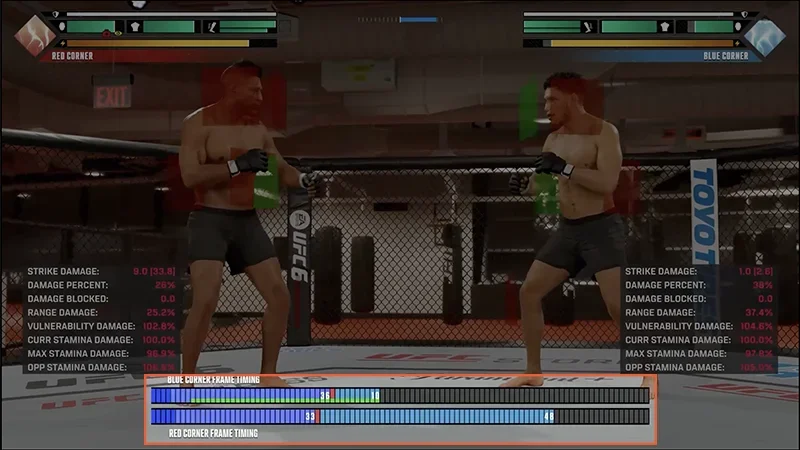
Frame Timing helps you learn the timing, rhythm, and recovery windows behind your attacks and evasive movements. Each color signals what’s happening during that action:
deep blue: the wind-up before an attack connects.
red: the moment your attack lands.
light blue: the time it takes for your fighter to recover after an action.
green: windows where evasive movement is active.
orange: extra delay after an attack is blocked or evaded.
Use the indicators to understand combo timing, land follow-up attacks, and spot when your fighter is vulnerable to counters.
To quickly reset Practice Mode, press L3 and R3 together on PlayStation, or press both sticks on Xbox.
Dive deeper with the Training Manual
Practice Mode helps build muscle memory, while the Training Manual helps you understand what’s happening during fights and why. Learning how pressure, counters, combos, and different mechanics work together can help you make smarter calls in the heat of the fight.You can find breakdowns on Flow State, grappling and submission combos, stamina management, defense and movement, and more through the Training Manual. You can find the Training Manual in UFC 6 in the following ways:
1
From the Main Menu, go to Learn, then select Training Manual.
2
In Practice Mode, open the Pause Screen and select Training Manual.
3
In Fight Now against AI or Hall of Legends, open the Pause Screen, select Game Help, then choose Training Manual.
Still having issues?
Get in touch with our customer support team for more help.