Battlefield 6 naval guide: vehicle types, controls, and tips
2 min read
Overview
There are two naval vehicles available in Battlefield 6: the RCB-90 and the 7.7M NSW RHIB. Check out this guide for naval controls, customization options, and info about Battlefield 6’s dynamic wave system.
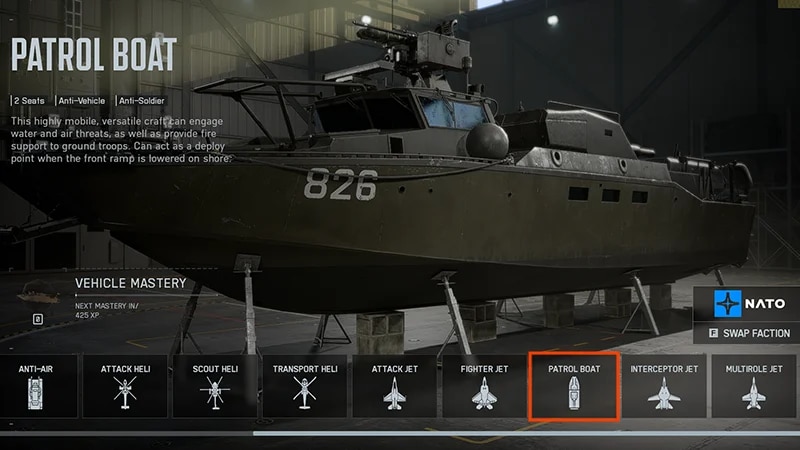
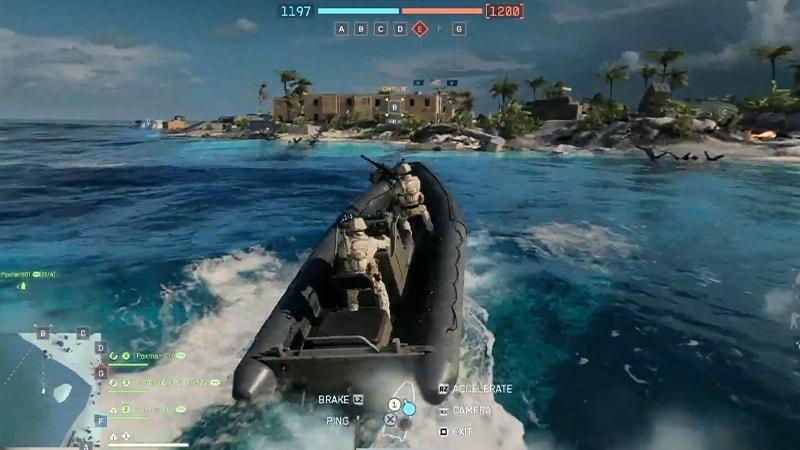
The RCB-90 is a two-seater patrol boat with multiple onboard weapon systems for both the driver and the second-seat occupant to use. The 7.7M NSW RHIB has four seats: a driver, a gunner with access to a machine gun, and two passenger spaces. The gunner seat can also be used as another passenger seat.
Each boat is specialized for a different function: the RCB-90 for stealthy combat, and the RHIB for transportation.
The RCB-90 has higher health and multiple weapons but reduced mobility, especially when turning.
The RHIB offers fast transportation, is small and concealable, and easy to drive, but it only has one weapon and has low health and coverage.
When the battle calls for it, you might need to change your strategy or be open-minded to opportunities. For example, you can flank landlocked enemies with the RHIB, or use the RCB-90 strategically to provide smoke cover to incoming soldiers.Get more tips on how to use Battlefield 6’s naval vehicles.
Naval vehicles aren’t available in all game modes.
The RHIB is available in Multiplayer and Battlefield REDSEC.
The RCB-90 patrol boat is only available in Multiplayer.
If naval vehicles are available on a map, a limited number of each can be deployed by each team.Each vehicle has a respawn timer. If a vehicle remains unavailable after the timer has expired, the vehicle is likely still in use and will only become available again once it’s been neutralized.
No, the Nimitz aircraft carrier isn’t a playable vehicle, but it’s used as a team HQ or point of interest in some game modes.Learn more about Season 4’s Carrier Strike mode, where the Nimitz features as your team’s mobile headquarters.
How do I control naval vehicles?
If you use a controller, you can use the left stick to direct your vehicle. On PC, these are the default controls.
Column 1
Column 2
Accelerate
W
Brake or reverse
S
Turn left
A
Turn right
D
If you’re captaining a vehicle, remember that it can take time to restart a stopped boat. Keep your vehicle moving to avoid becoming an easy target.
Column 1
Column 2
Aim vehicle weapon
Mouse on PC or right stick
Fire vehicle weapon
Space or click your mouse’s left button or RT/R2
Zoom
Click your mouse’s right button or LT/L2
Switch weapon
F or scrollmiddle mouse up or Y/Triangle
Lock your turret
V on PC or D-pad down
Press C on PC or the right stick on your controller to toggle between third and first person views.
Third person is better for navigating the map and seeing what’s around you.
First person is better for engaging in combat.
To change the seat you’re in, press A or X on your controller.
If you’re playing on PC, F1, F2, F3 and so on represent the seat you choose, with F1 being vehicle seat one.
If you’re in a gunner seat, fire your weapon with space or by clicking the mouse’s left button, or use RT/R2 on your controller.
What’s the dynamic wave system?
Battlefield 6 uses a dynamic wave system with two water types: open water and inland waterways. The type of water affects how your vehicle moves, and your aim will move with the movement of the current.
Open water will push your vehicle. This makes it more difficult to navigate and aim, but can also give you some cover—try to block incoming fire with the movement of the waves.
Inland water is calmer, making it easier to guide your boat. However, if you bring your vehicle to the land, it can get stuck.
Try to predict how water will move and affect your boat while you aim. Hold off when your boat’s unsteady, or use the water’s movement to your advantage.
If your boat gets stuck on land near inland water, use your melee weapon to push it back into the water.
Can I customize naval vehicles?
You can customize the RCB-90 Patrol Boat.
Change the equipped mortars to use different shells, like smoke, guided, and high-explosive shells.
Customize driver weapons, like changing your missile type or autocannon caliber, or add torpedoes to your vehicle.