Check out all vehicle types in Battlefield 6, learn about vehicle progression, and get beginner tips and strategies for jets, tanks, and more. Also, learn how to troubleshoot vehicle issues and in-game bugs.
Battlefield 6 vehicles are used for ground combat, aerial combat, and transportation. Here’s what to expect on the ground and overhead.
Anti-air vehicles let you counter and engage with airborne vehicles from the ground. Use them to defend positions and objectives against incoming enemy missiles and aircraft.
Helicopters are your aerial backup. Use them to attack infantry and vehicles from above, deploy your troops in new locations faster, or supply your squad.
Attack helicopters have two seats. Use them to attack infantry and other targets on the ground.
Transport helicopters have five seats, including a gunner seat with access to the helicopter’s miniguns. Transport helicopters are primarily used to relocate soldiers.
Although speed is on their side, helicopters are vulnerable to attacks from tanks, anti-air vehicles, jets, and other aircraft. Bring a gunner with you to add extra firepower.
Jets are ideal for aerial combat. Command the battlefield by destroying enemy aircraft and targeting the ground to support your squad. When you start a match, you need to wait 60 seconds for jets to spawn. Jets mostly spawn on headquarter runways, but on some maps, they spawn in the air and must be accessed from the deploy screen.Jets only have one seat.
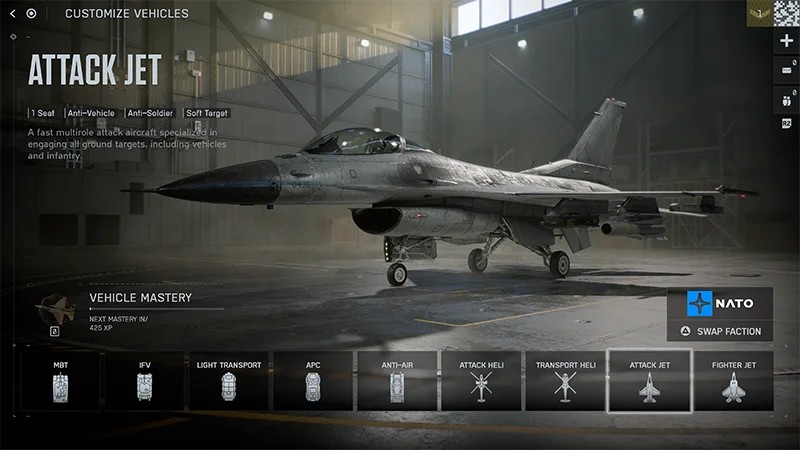
Use attack jets for ground strikes against vehicles, key targets, and infantry.
Use fighter jets to secure the skies and destroy enemy aircraft.
Tanks are powerful armoured vehicles that can bulldoze through the map. Use them to rob enemies of cover by destroying buildings and protect your soldiers from ranged attacks.Tanks spawn at deployment bases or captured objectives.
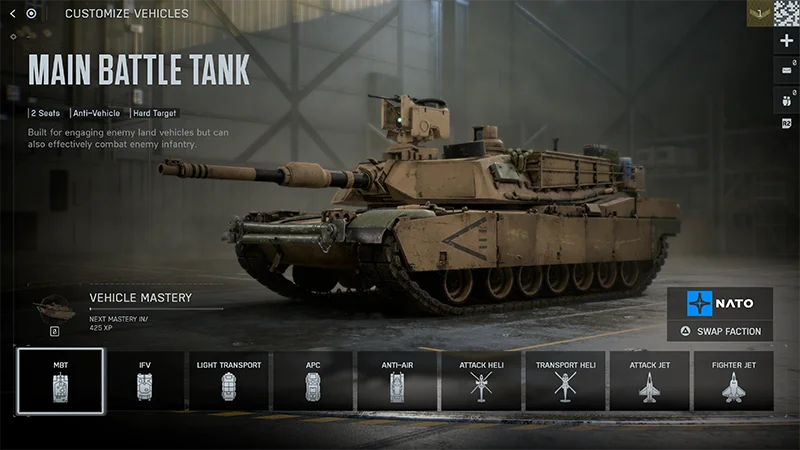
Main battle tanks are heavily armored and powerful vehicles with two seats. Use them to destroy enemy vehicles.
Infantry fighting vehicles are lighter and have six seats. Use them to take out infantry and redeploy soldiers.
Transport vehicles help infantry move rapidly across the map. They’re the lightest type of vehicle and should be used to deploy infantry in new areas or flank enemies.If you’re using transports, remember to keep an eye out for enemies, as you’ll be less protected.
When you get close to a vehicle, Enter it by pressing E on PC or using the square or X button on controllers. Vehicles must be unoccupied or have enough seats available for you to enter them.On certain maps, you can also deploy into vehicles from the map deployment screen.
You can choose to deploy within a vehicle from your team’s HQ zone. Select an available vehicle to enter it.
If another player is actively using a vehicle on the battlefield, you can choose to deploy in it. You’ll be placed in one of the available free seats.
By default, you can Exit vehicles by holding E on PC or using the square or X button on controllers. You’ll exit on the side you’re looking towards. If you’re having trouble exiting a vehicle, go to Settings > Gameplay > Infantry and check your Interact & Reload setting. This setting lets you choose if you interact or reload when you hold, so you can pick the input you prefer. If you can’t exit vehicles at all, you should also check:
If you think you’re experiencing a bug, try and test the specific conditions where the bug occurs. For example, whether your bug only happens on mouse and keyboard, or when you spawn into a vehicle.
You can find controls for Vehicles, Aircraft, Gunner, Transport, and Helicopters in the Settings menu where you can adjust the input sensitivity of your controls.
Select Controller or Mouse & Keyboard to see your current setup and choose between different presets or keybinds for each type.
If you’re playing on controller, you can choose between Default, Alternate, and Lefty settings. If you’re playing on mouse and keyboard, you can choose your own keybinds.
If you make an input change to one vehicle type, we recommend changing it across all of them so your inputs are consistent. You might also prefer using different inputs for different categories, like using mouse and keyboard for soldiers but a controller for vehicles.
You can change key vehicle settings under Settings > Gameplay.What works best for you will depend on your personal preference. If you’re not sure what to change, we recommend starting with these settings as your baseline. Vehicles
Vehicle Aim Sensitivity
30 - 50
Vehicle Mouse Aim Sensitivity
20 - 40
Aircraft Control Sensitivity
100
Helicopter Control Sensitivity
100
Aim Assist
Vehicle Aim Assist Zoom Snap
100
Vehicle Aim Input Curve
If you’ve played a Battlefield game before, pick a game with controls you liked.
Vehicle Aim Assist
100
Vehicle Zoom Aim Input Curve
If you’ve played a Battlefield game before, pick a game with controls you liked.
This guide uses default settings for all vehicles.
Tanks are key to ground combat. Use them to support infantry, destroy buildings, and cut off vital routes.
To get started with a tank, use these inputs to move around.
Use the left stick to direct the tank.
On PC, use W to accelerate, S to brake or reverse, A to turn left, and D to turn right.
To give your tank a speed boost, press Left Shift or the left stick.
To handbrake and stop your vehicle, press Z or B/Circle.
If you can’t enter a tank, there are certain tanks you can grip onto the back of. You can also move soldiers or supplies by putting them on top of the tank. Remember to use an Engineer to repair your tank between engagements so it isn’t destroyed.
There are two positions you can play in a tank: the driver or the gunner. As the driver, you’ll guide the tank and use its weaponry to attack. To aim your vehicle’s weapon use your controller’s right stick or the arrow keys on PC.
Fire your weapon with space or clicking the mouse’s left button, or use RB/R2 on your controller.
Zoom by clicking the right button on your mouse or LT/L2 on your controller.
Switch your weapon with F or scroll middle mouse up or Y/Triangle.
Lock your turret by pressing V or D-pad down.
When you’re driving, you can switch between first and third person views.
Third person is better for navigating the map and seeing what’s around you.
First person is better for engaging in combat.
Press C on PC or the right stick on your controller to toggle between views.
If you’re the gunner, you’ll use a mounted weapon to kill enemy soldiers.
To change the seat you’re in, press A on PC or X on your controller.
If you’re playing on PC, F1, F2, F3 and so on represent the seat you choose, with F1 being vehicle seat one.
Fire your weapon with space or clicking the mouse’s left button, or use RB/R2 on your controller.
How to use aircraft in Battlefield 6
Learn helicopter and jet controls and the key tactics you need for attacking and defending with aircraft.
There are a few basic movements to learn when you use a helicopter or jet in Battlefield 6.
Throttle will raise or lower your aircraft.
Throttle up by pressing W on PC or moving your left stick up.
Throttle down by pressing S or moving your left stick down.
Flying is a balance of managing your aircraft’s nose position and your throttle. Pitching your aircraft’s nose up or down changes your direction.
Pitch your aircraft’s nose down to go forwards.
Down arrow key on PC or right stick up on controller.
Pitch your aircraft’s nose up to go backwards.
Up arrow key on PC or right stick down on controller.
To take off in a jet, you need to get up to speed. Using your afterburners (shift or left stick) can help you accelerate.
When your nose is pitched down, you’ll lose some height. You can counteract this by throttling. To move your helicopter or jet, you’ll also need to use yaw, which moves your aircraft’s nose to the left or the right.
Yaw left by pressing A on PCor turning your left stick left.
Yaw right by pressing D on PC or turning your left stick right.
You can also roll in aircraft, which tilts your helicopter left or right.
Use the left and right arrows on PC to roll left or right.
Use the right stick to roll left or right on controllers.
The faster you fly, the harder it gets to control your aircraft. Try to stay level and keep an eye on your speed.
The default controls for firing your aircraft are space or right mouse on PC or RT/R2 on controllers.You can switch your aircraft’s weapon with F or scroll middle mouse up on PC or Y/Triangle on controllers. Some helicopters also have a gunner seat, which use the same controls as a tank’s gunner seat.
To change the seat you’re in, press A or X on your controller.
If you’re playing on PC, F1, F2, F3 and so on represent the seat you choose, with F1 being vehicle seat one.
Fire your weapon with space or clicking the mouse’s left button, or use RB/R2 on your controller.
If you’re new to air combat, here are a few tactics to know.
Dogfighting is a term for engaging other aircraft in combat. Make shooting down other aircraft your priority.
If you’re in a jet, try to stay on top of helicopter’s, as they can cause a lot of damage.
Strafing runs are a method of flying close to the ground at high-speed to attack ground targets. Try to maximise your time firing at the enemy without risking your aircraft.
Use missiles for locking on to and destroying ground targets. You can fire one missile at a time, so try to create the most damage you can by targeting tanks, buildings, and areas where your squad needs support.
If someone locks onto your aircraft, you’ll be notified on-screen.
Locking will appear first.
Locked will appear when you’ve been locked onto.
Incoming will appear when a projectile is coming towards your aircraft.
When a weapon is locking onto you, you can try and make it harder for missiles to lock on.
Flying very low to the ground makes it harder to lock on, as you can get under the radar. However, this makes you vulnerable to other types of attack or crashing.
You can use afterburners for a speed boost.
Press shift on PC or the left stick on controller to use your afterburners.
Avoid flying in straight lines, or try using the map’s terrain to block incoming projectiles.
When a weapon has locked onto you, you’ll also get the option to perform a Countermeasure. Use your flares when missiles are incoming so you don’t fire them too soon.If you do take damage, make it a priority to repair your vehicle so you can keep using it.
Vehicle progression in Battlefield 6
You can gain XP for vehicles in Battlefield 6. As you earn XP for a specific vehicle, you’ll unlock more content for it, like skins, camouflages, and weapons. You can earn XP for a specific vehicle by using it and performing specific actions in-game, like using your vehicle and its equipment, completing objectives with a vehicle, and kills and assists.You can also activate Hardware Boosters to earn more experience for weapons and vehicles.
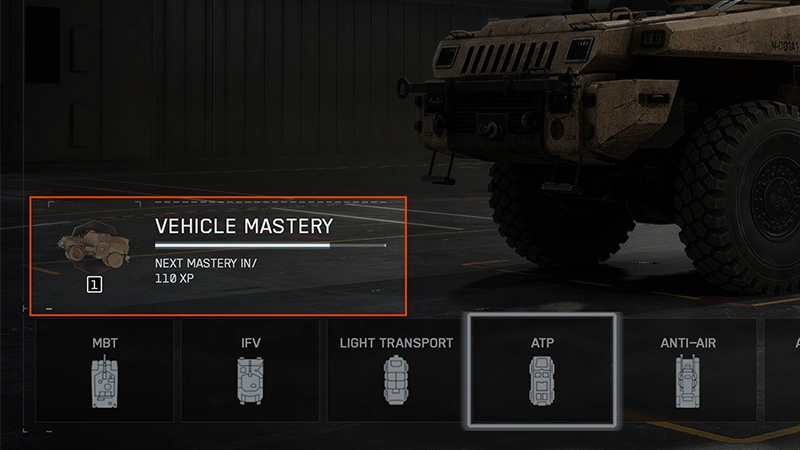
You can see a vehicle’s progression under Loadouts > Vehicles. Select the vehicle type you want to look at, then select a specific vehicle to see its Vehicle Mastery.
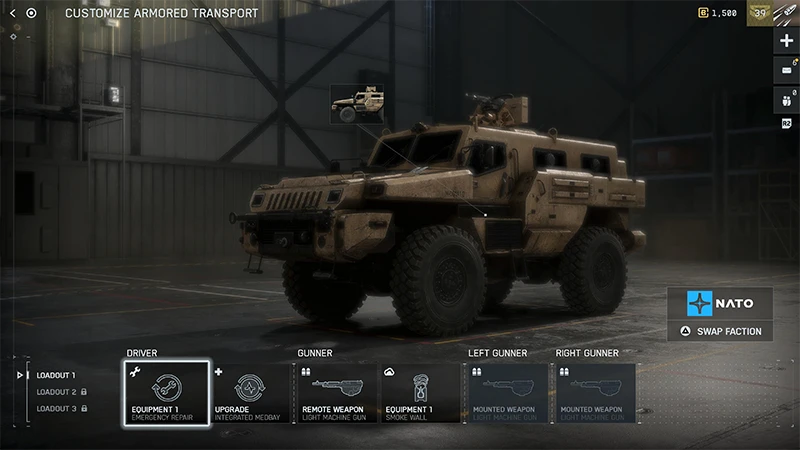
To see what you’ve unlocked for each vehicle and change what’s equipped, go to Loadouts > Vehicles. Select the vehicle type you want to look at, then select a specific vehicle to make changes.
Select weapon and equipment types, like Primary or Equipment 1, to see what’s available and choose what you want to equip.
Select the image of the vehicle to see your Cosmetic Customization and change what’s equipped.
If something is greyed out and has a lock icon over it, you’ve not unlocked that item yet. A message will tell you what you need to do to unlock it.
If you can’t use vehicles
Some Portal servers may include rules that disable some or all vehicles or change how they’re used in-game. Before you join a Portal server, select Experience Info to learn more about the server’s specific rules.
Get help with vehicle bugs
If you think you’re experiencing an in-game bug related to vehicles, you can get help on EA Forums. Before you post, make sure to search for your issue in the forums—there might already be a solution or active thread.Learn how to report a bug on EA Forums.