Overview
If you can’t find the Link Accounts option in EA SPORTS FC Mobile settings, it’s likely because your account is marked as underage. To update your date of birth, contact the EA Help live support team.
Why am I missing the option to link accounts?
If you open Settings (cogwheel icon) from the FC Mobile main menu and you don’t see Link Accounts under Account Management, you’re using an underage account.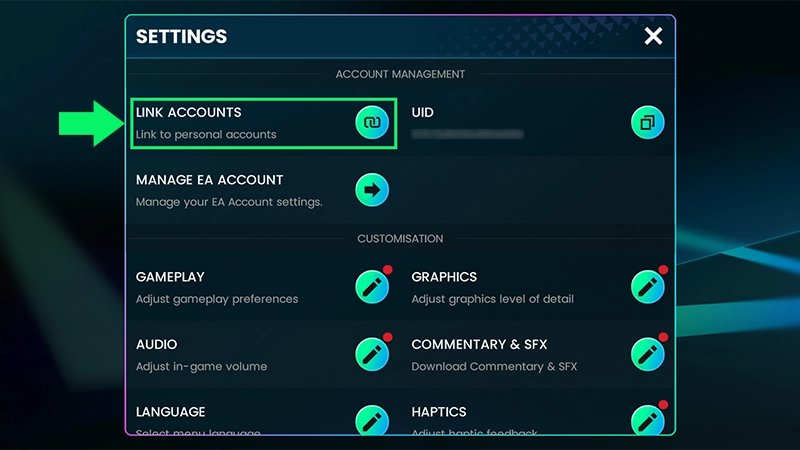
How do I update my account so it’s not underage?
If you're above the minimum age and think your account is marked as underage by mistake, get in touch with us.The best way to get help is in-game.If you can't access the game and still need help, learn how to get help and find your in-game ID.
- 1Go to the Settings menu.
- 2Select Player Support.
- 3Follow the prompts to get help, read articles, or submit a support request.