Overview
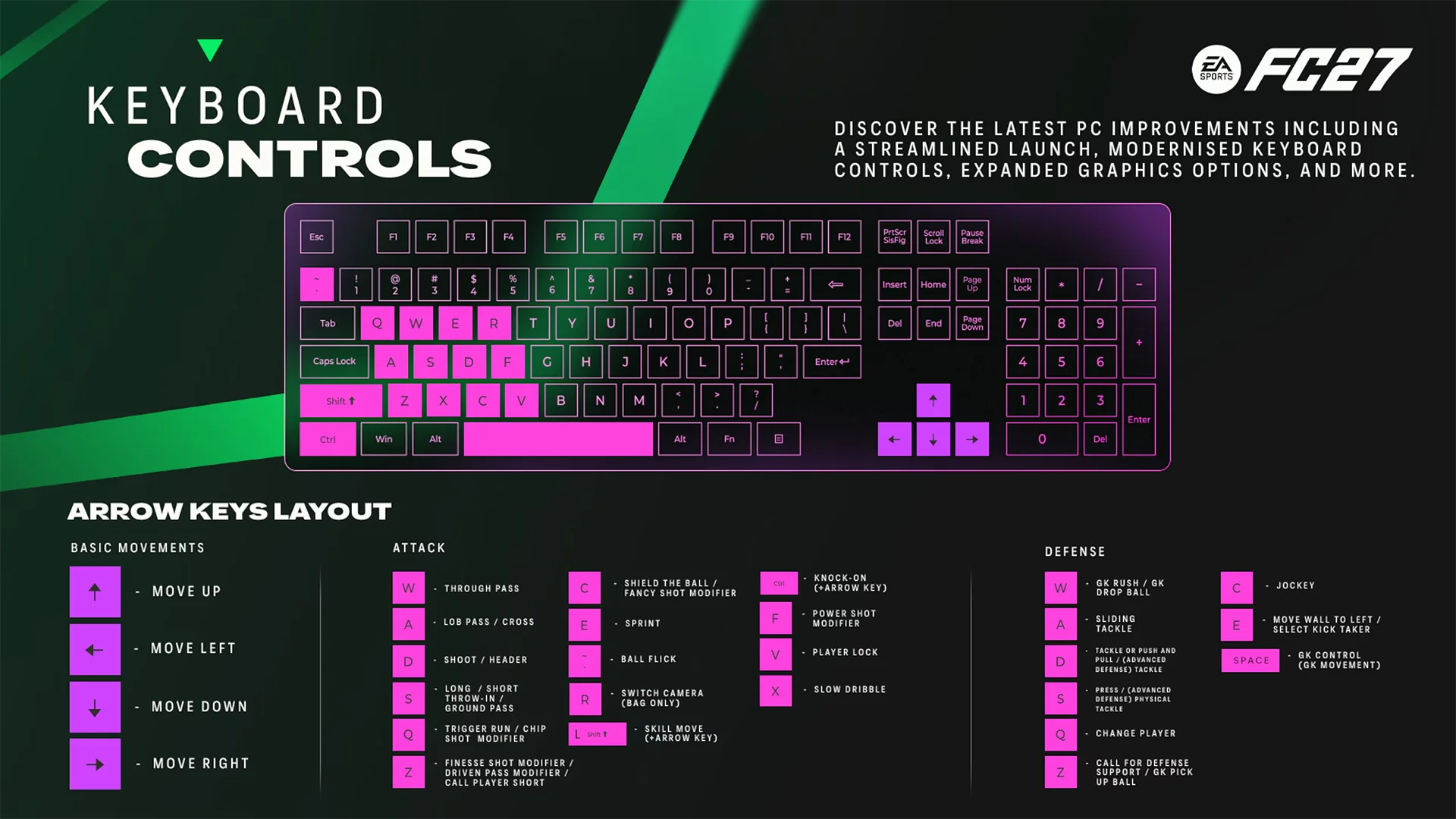
EA SPORTS FC™ 27 has redesigned keyboard controls on PC, including new WASD and Arrows layouts, and gameplay hotkeys. Learn how the keyboard layouts work, which hotkeys you can use, and what happens when you play with a mouse and keyboard.
What changed for keyboard controls in FC 27?
FC 27 introduces redesigned keyboard controls on PC.There are two new keyboard layouts:- WASD (Default)
- Arrows
What keyboard layout should I use?
WASD (Default) uses the W, A, S, and D keys for player movement.Arrows uses the arrow keys for player movement.Both layouts include keyboard controls for attacking, defending, skill moves, tactics, set pieces, and other gameplay actions.
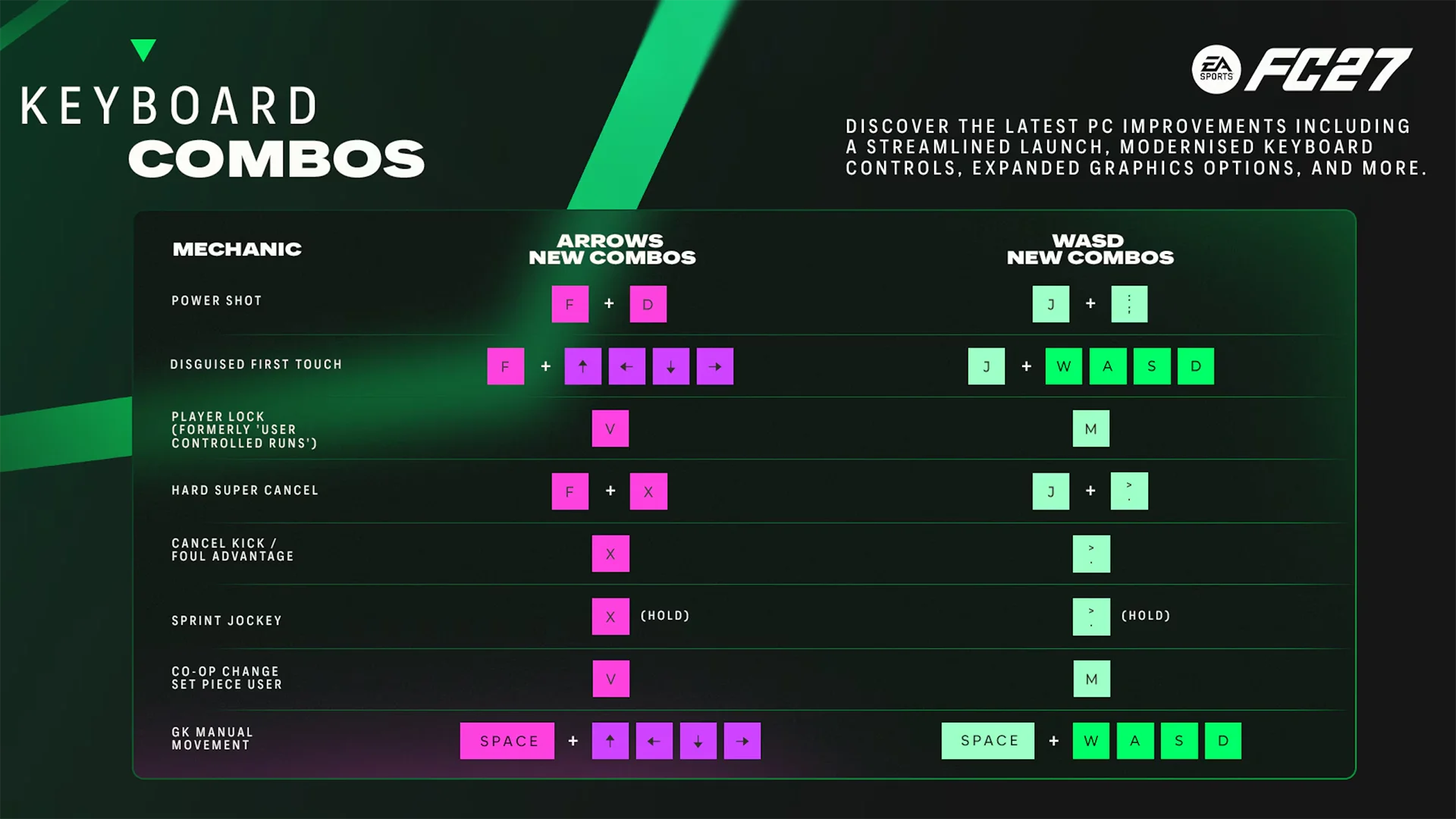
What are the keyboard combos in FC 27?
Frequently asked questions
Yes. Mouse controls haven't changed in FC 27.When you play with a mouse and keyboard, you'll use the WASD (Default) or Arrows keyboard layout alongside the existing mouse controls. This applies even when keyboard and mouse mechanics overlap.
Yes. FC 27 has keyboard shortcuts for tactics during matches.You can use:
- 1–5 for Dynamic Tactics
- F1–F4 for Quick Tactics
- F5–F8 for Tactical Suggestions
- F9 for Tactical Focus
- F5–F8 for Set-Piece Tactics when you're attacking or defending a set piece.
In EA SPORTS FC™ Ultimate Team™ Division Rivals, FC 27 uses the last-used input device saved to your profile to determine your input device. You can check the selected device on the Kit Select screen.
In offline or single-player modes, like Kickoff or Squad Battles, you can change between input devices through the pause menu by going to Settings → Select Sides.In online or multiplayer modes, except Division Rivals, you’ll use the same input device you used to start your current FC 27 session.