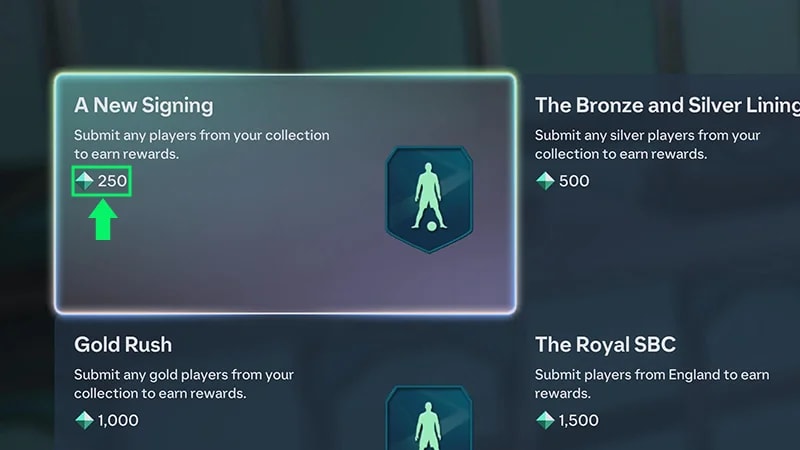
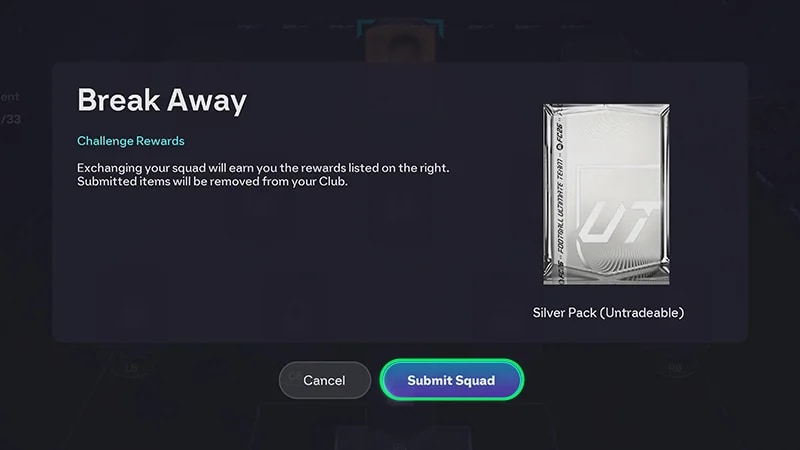
Learn how Squad Building Challenges (SBCs) work in EA SPORTS FC™ Ultimate Team™, including how to complete Puzzle SBCs and Simplified SBCs. In EA SPORTS FC™ 27, some SBCs use Item Score instead of requiring you to build a Squad.
Simplified SBCs let you complete a Challenge by submitting eligible Player Items based on their Item Score.Each SBC has an Item Score requirement. Add eligible Player Items to make progress toward that requirement, then complete the Challenge to get the available reward.Unlike Puzzle SBCs, you don’t need to arrange 11 Player Items into a Squad that meets certain requirements.Heads up: Any Player Item you submit is permanently removed from your Club. SBC submissions are final, and EA Advisors can’t restore submitted Player Items.
Item Score represents how much an eligible Player Item contributes toward a Simplified SBC.Each SBC has a required Item Score. The Player Items you add contribute toward that total.Check the Challenge's progress to see how much Item Score you still need.
What happens if I submit too much Item Score?
Check your Item Score before submitting Player Items.If your selected Player Items greatly exceed the required Item Score, you’ll get a warning before completing the submission. Submitting Player Items is final, so review the warning and your selected Items before continuing.
Submitted Player Items are permanently removed from your Club. Review your selection carefully before submitting.
Add eligible Player Items until you've met the required Item Score.
1
Go to SBCs and choose a Simplified SBC.
2
Choose the eligible Player Items you want to add.
3
Check how much each Player Item contributes toward the required Item Score.
4
Review the Player Items you've selected.
5
Submit your Player Items to make progress toward or complete the Challenge.
You can submit Player Items over multiple sessions. Your progress toward the required Item Score is saved, so you don't need to complete the Challenge in one go.You can also submit duplicate eligible Player Items to the same SBC.
You get the main Challenge reward when you fully complete its requirements.Submitting Player Items toward an SBC doesn't give you the main reward if you haven't reached the required Item Score.For example, if you've completed 75% of the requirement, your Player Items have been submitted and your progress is saved, but the Challenge isn't complete yet.Keep adding eligible Player Items until you meet the full requirement to earn the Challenge reward.
Yes. You can make progress toward an SBC over multiple submissions.When you submit eligible Player Items:
the Player Items are permanently removed from your Club
their Item Score is added to your Challenge progress
your progress is saved if you leave the Challenge
you can return later to continue working toward the required Item Score.
You don't get submitted Player Items back if you decide not to finish the Challenge.
If an SBC expires after you've made partial progress, you might get a reduced untradeable reward based on the progress you made before the Challenge expired. The Player Items you've already submitted aren't returned to your Club.SBCs let you submit Player Items before completing the full requirement.With a partial completion:
submitted Player Items are removed immediately from your Club
your progress increases toward the required Item Score
if the Challenge expires before you complete it, you’ll get an untradeable reward
the Item Score you submitted determines the partial completion reward you get.
Column 1
Column 2
Item Score Range
Reward
1 - 500
Bronze Pack
501 - 1,000
Large Bronze Pack
1,001 - 3,500
Silver Pack
3,501 - 10,000
Gold Pack
10,001 - 25,000
Small Gold Player Pack
25,001 - 50,000
Large Gold Player Pack
50,001 - 100,000
Jumbo Gold Player Pack
100,001 - 200,000
Giant Gold Player Pack
200,001 - 300,000
2x Giant Gold Player Pack
300,001 - 400,000
2x Giant Gold Player Pack and a Jumbo Gold Player Pack
400,001 - 1,000,000
2x Giant Gold Player Pack and 2x Jumbo Gold Player Pack
1,000,001 - 2,000,000
4x Giant Gold Player Pack and 4x Jumbo Gold Player Pack
2,000,001 - 4,000,000
8x Giant Gold Player Pack and 8x Jumbo Gold Player Pack
4,000,001 - 8,000,000
16x Giant Gold Player Pack and 16x Jumbo Gold Player Pack
8,000,001 - 15,000,000
30x Giant Gold Player Pack and 30x Jumbo Gold Player Pack
No. FC 27 also has puzzle SBCs, which use the traditional squad-based format.For a puzzle SBC, you build a Squad that meets specific Challenge requirements. These can include:
Squad Rating
Chemistry
Player Quality
Leagues
Nations
Clubs.
When your Squad meets all the requirements, submit it to complete the Challenge and get the available reward.
Before submitting Player Items:
check the available reward.
check when the Challenge expires.
review every Player Item you're exchanging.
check your progress toward the required Item Score for a Simplified SBC.
make sure you want to permanently exchange the selected Player Items.
Heads up: Check how much Item Score you still need before choosing high-value Player Items. This can help you avoid submitting more Item Score than the Challenge requires.
No. SBC submissions are final.Player Items you submit are permanently removed from your Club, including Player Items submitted as partial progress toward an SBC.Our advisors can't restore Player Items you've submitted to an SBC.
How do SBCs work in EA SPORTS FC™ 26?
Each SBC asks you to build and submit a Squad that meets specific requirements.Requirements can include:
Squad Rating
Chemistry
Player Quality
Leagues
Nations
Clubs.
Some SBCs have a single Challenge, while others have multiple Challenges with individual rewards and a group reward for completing the full set.Some SBCs are repeatable, so you can complete them more than once.
Before building your Squad, check:
the Challenge requirements
the available rewards
when the Challenge expires
your Club and SBC Storage for Player Items you can use
the EA SPORTS FC™ Ultimate Team™ Transfer Market before obtaining Player Items.
Start with Player Items already in your Club or SBC Storage before getting more.
Build a Squad that meets all of the Challenge requirements before submitting it.
1
Go to Ultimate Team™ from the main menu.
2
Go to SBCs and choose the Challenge you want to complete.
3
Build a Squad that meets the Challenge requirements.
4
Review your Squad and the Player Items you're exchanging.
5
Complete the Challenge to submit your Squad and get the available reward.
You can use Player Items from your Club or SBC Storage, or get Player Items from the Transfer Market.
SBC submissions are final. Player Items you submit are permanently removed from your Club, and EA Advisors can't restore them.
SBCs can have different requirements and rewards. Depending on what's available, you might find:
player SBCs that reward Player Items
upgrade SBCs that exchange Player Items for rewards such as Packs
puzzle-based SBCs with specific Squad requirements
repeatable SBCs that can be completed multiple times.
Some SBCs contain multiple Challenges. Complete all required Challenges to earn the group reward.
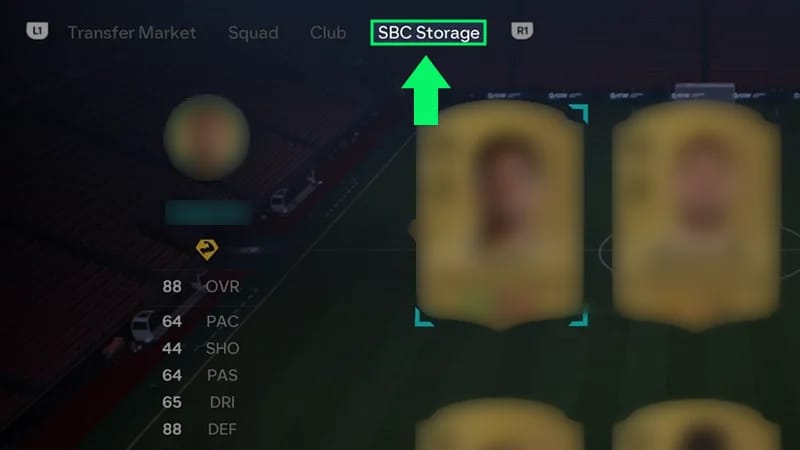
SBC Storage gives you a place to keep duplicate untradeable Player Items that you may want to use in an SBC.When you're building a Squad, go into an SBC and open the SBC Storage tab to find stored Player Items.If you don't see the SBC Storage tab, you don't have any Player Items stored there.
Keep these tips in mind before submitting a Squad:
check your Club and SBC Storage before getting Player Items.
review every Player Item you're submitting.
check the Challenge expiration before you start.
try different combinations of Player Items to meet the requirements.
compare the Player Items you're exchanging with the reward you're earning.
Some SBCs are only available for a limited time.Complete and submit the required Squad before the Challenge expires. When an SBC expires, you can no longer submit a Squad to complete it.
No. Player Items submitted to an SBC are permanently removed from your Club in exchange for the Challenge reward.Review your Squad before completing the Challenge. EA Advisors can't restore Player Items you've submitted to an SBC.
Still having issues?
Get in touch with our customer support team for more help.