Overview
Learn how to use controls in EA SPORTS™ UFC® 4 to strike, clinch, and perform takedowns or submissions to unlock your full potential in the Octagon.
Want to get tips from other players or chat with the UFC® community? Visit the UFC® boards on EA Forums.
How to touch gloves

- PlayStation 4: hold L2
- Xbox One: hold LT
How to strike
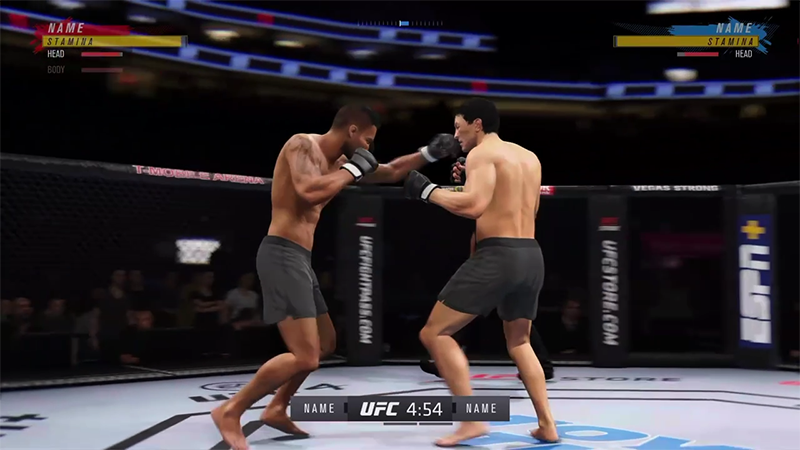
Lead jabBack CrossLead Leg KickBack Leg Kick
- PlayStation 4: Square
- Xbox One: X
- PlayStation 4: Triangle
- Xbox One: Y
- PlayStation 4: X
- Xbox One: A
- PlayStation 4: Circle
- Xbox One: B
Lead uppercutBack uppercut
- PlayStation 4: Square + X
- Xbox One: X + A
- PlayStation 4: Triangle + Circle
- Xbox One: Y + B
There are two main moves used to defend against striking.High BlockLow Block or Leg Catch
- PlayStation 4: R2
- Xbox One: RT
- PlayStation 4: L2 + R2
- Xbox One: LT + RT
How to clinch
Clinching is when both fighters grab hold of one another while standing. It’s useful for catching your opponent off-guard and transitioning into other moves.- PlayStation 4: R1 + Square
- Xbox One: RB + X
To escape a clinch on both consoles, flick the left analog stick on your controller to the left.
How to perform takedowns
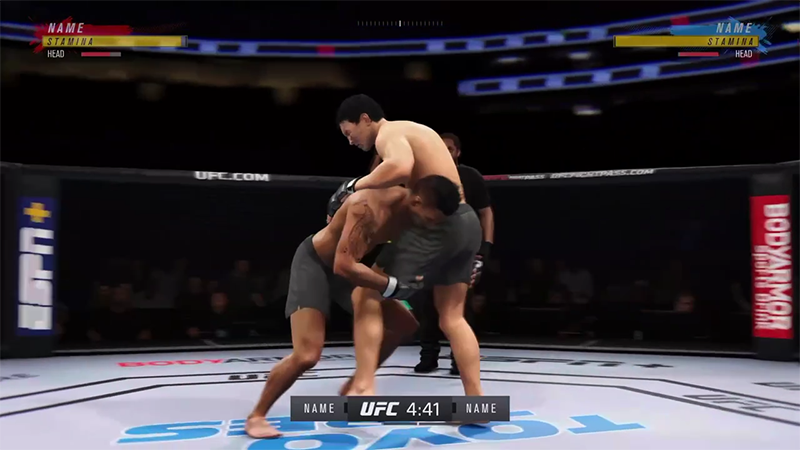
- PlayStation 4: hold L2 + Square
- Xbox One: hold LT + X
- PlayStation 4: hold L2 + Triangle
- Xbox One: hold LT + Y
If your opponent is attempting to take you down, use the below controls to defend against it.Defending against a takedown usually results in both fighters ending up in a clinch.
- PlayStaton 4: L2 + R2
- Xbox One: LT + RT
How to perform submissions
You can use submissions to make your opponent tap out or even put them to sleep, resulting in immediate victory.If you're using a submission, you have to control the red bar (your bar) and hover it over the blue bar (your opponent’s) to submit them. The longer your bar covers theirs, the more your Submission Meter fills up.Keep in mind that the controls here are pressure-sensitive, so press lightly.Use the below controls to perform a joint submission.
- PlayStation 4: L2 + R2
- Xbox One: LT + RT
Use the left analog stick on both consoles to perform a choke submission.
Use the same controls for either submission to move away from the red bar, which is now your opponent’s bar.
Whether you’re in a submission or attempting one yourself, you can strike with any of the four color buttons on your controller as they appear on-screen.Striking during a submission will further boost your bar and help you either escape or complete the submission.
- PlayStation 4: Triangle, O, X, Square
- Xbox One: Y, B, A, X