Overview
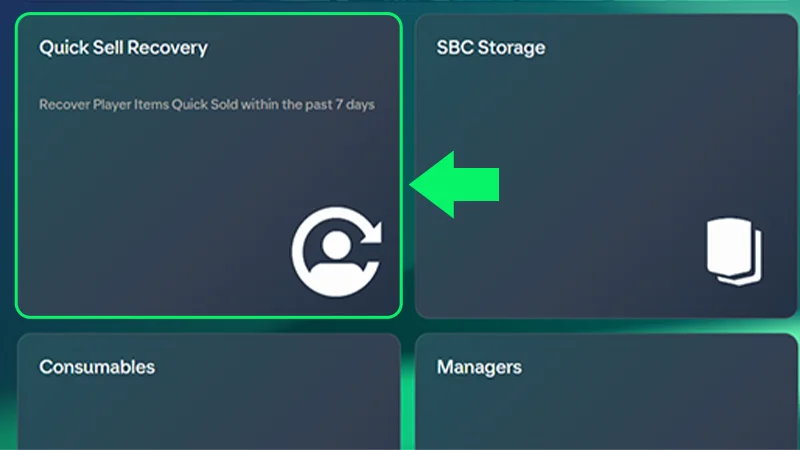
If you Quick Sold or discarded a Player Item in FC Ultimate Team™ and want to get it back, you can use Quick Sell Recovery in the EA SPORTS FC™ Web and Companion Apps. You have up to seven days after the Quick Sell to get it back.
How do I recover a Quick Sold Item?
- Only Player Items are recoverable. No other Items can be recovered once they’re Quick Sold.
- We can’t restore your Ultimate Team™ if you delete it.
- You can’t undo Quick Sells for Loan Player Items.
- You can only use Quick Sell Recovery for the current version of FC.
- 1Log in to the EA SPORTS FC™ Web or Companion App.
- 2Select Club.
- 3Select Quick Sell Recovery.
- 4Use the calendar icon to find the day you Quick Sold the Item you want to get back.
- 5Select the Player Item you want to recover.
- 6Select Recover.
Quick sell recovery limits
To undo a Quick Sell, you’ll need to have at least the same amount of Coins amount on your account that you got from the initial Quick Sell. That means if you got 500 Coins from Quick Selling a Player, you’ll need to have 500 Coins in your Club to be deducted once you get the Player back.
- You can undo five Quick Sells per 31-day period. Check the Web or Companion Apps to see how many Quick Sell recoveries you have left or how long until they reset.
- If you don’t use your five recoveries within 31 days, they don’t roll over to the next 31-day period.
- We can’t reset the timer or add more recoveries. Once all your resets are used, our advisors can’t restore a Quick Sold player.