Panoramica
EA SPORTS FC™ 27 ha riprogettato i comandi da tastiera per PC, incluse le nuove configurazioni WASD e frecce, e i tasti di scelta rapida. Scopri come funzionano le configurazioni per tastiera, quali tasti di scelta rapida puoi usare e cosa succede quando giochi con mouse e tastiera.
Cos'è cambiato nei comandi da tastiera in FC 27?
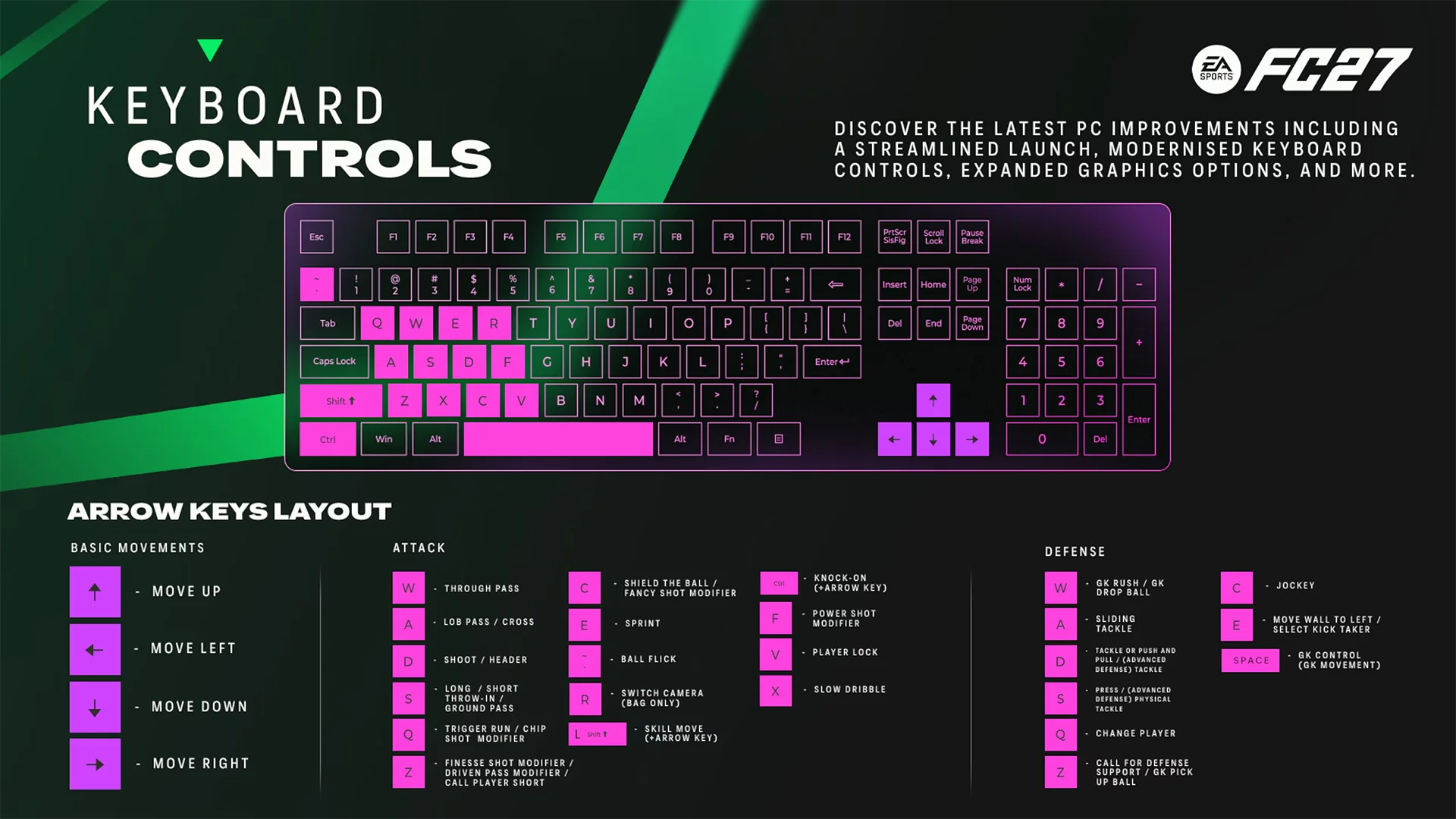
FC 27 introduce comandi da tastiera riprogettati su PC.Sono disponibili due nuove configurazioni per la tastiera:- WASD (predefinita)
- Frecce
Quale configurazione della tastiera dovrei usare?
WASD (predefinita) usa i tasti W, A, S e D per muovere il giocatore.Frecce usa i tasti freccia per muovere il giocatore.Entrambe le configurazioni includono comandi da tastiera per attacco, difesa, mosse abilità, tattiche, calci piazzati e altre azioni di gioco.
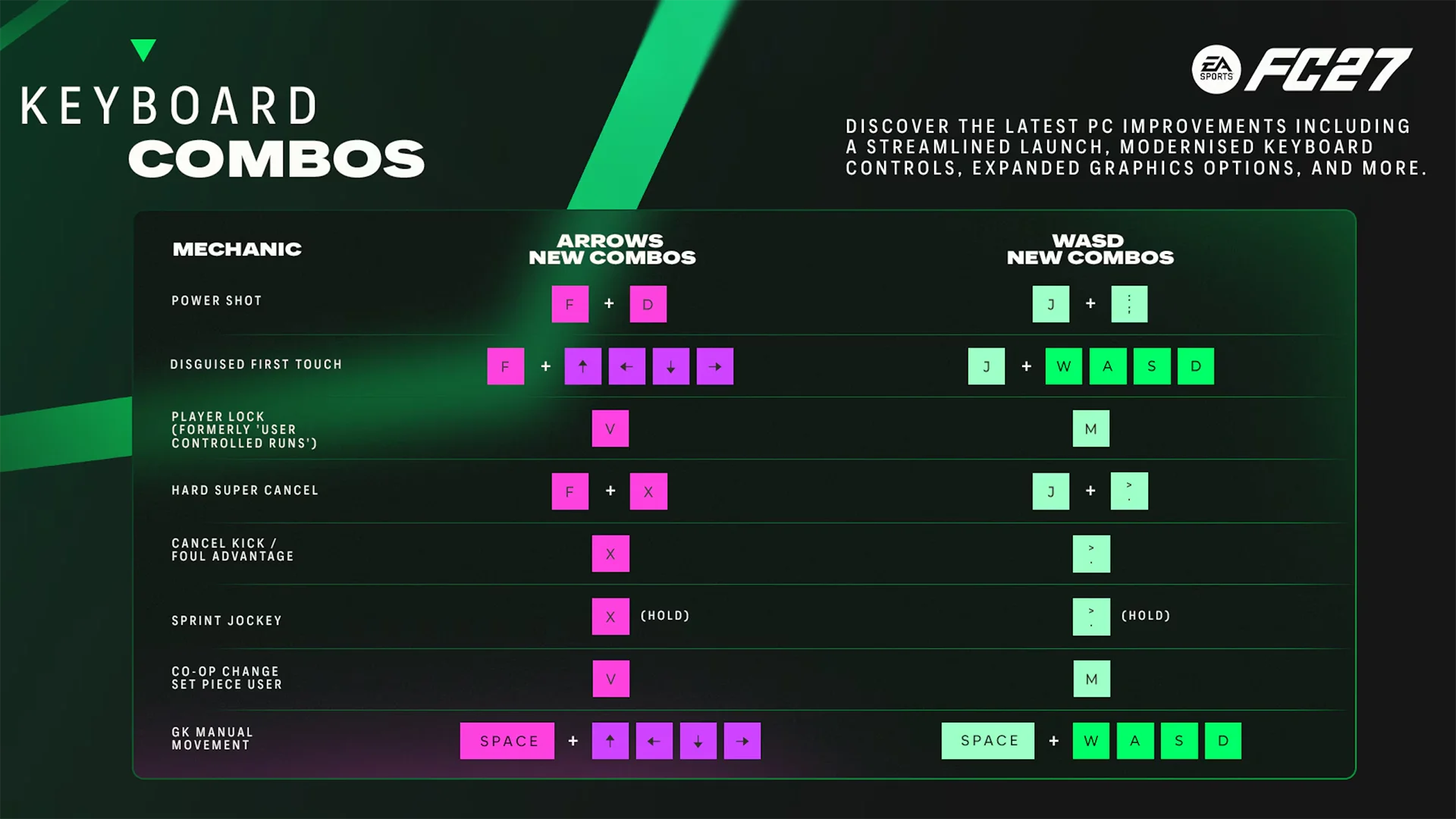
Cosa sono le combinazioni da tastiera in FC 27?
Domande frequenti
Sì. I comandi stile mouse non sono cambiati in FC 27.Quando giochi con mouse e tastiera, userai la configurazione WASD (predefinita) o Frecce insieme ai comandi mouse esistenti. Questo vale anche quando le meccaniche di tastiera e mouse si sovrappongono.
Sì. FC 27 dispone di scorciatoie da tastiera per le tattiche durante le partite.Puoi usare:
- 1–5 per le tattiche dinamiche
- F1–F4 per le tattiche veloci
- F5–F8 per i suggerimenti tattici
- F9 per il focus tattico
- F5–F8 per le tattiche su palla inattiva quando attacchi o difendi un calcio piazzato.
In EA SPORTS FC™ Ultimate Team™ Division Rivals, FC 27 usa l'ultimo dispositivo di input salvato nel tuo profilo per determinare la periferica di controllo. Puoi controllare il dispositivo selezionato nella schermata Selezione divisa.
Nelle modalità offline o in singolo, come Calcio d'inizio o Squad Battles, puoi cambiare il dispositivo di input dal menu di pausa andando su Impostazioni → Seleziona lato.Nelle modalità online o multigiocatore, ad eccezione delle Division Rivals, userai lo stesso dispositivo di input utilizzato per avviare la tua sessione attuale di FC 27.