Overview
Follow these steps to get help in-game or find your User ID. We’ll need your ID to help you if you’re ever locked out of your game.
Get help in-game
If you’re playing EA SPORTS FC™ Mobile and need help, the fastest way to get it is by contacting us in-game.- 1Select the Settings (cogwheel) icon on the home screen.
- 2Select the arrow icon next to Customer Service and follow the instructions to get in touch with us.
- Check if we have an answer or support for your issue on @EAHelp.
- Think you lost game progress? See if you can restore your progress.
Find your User ID
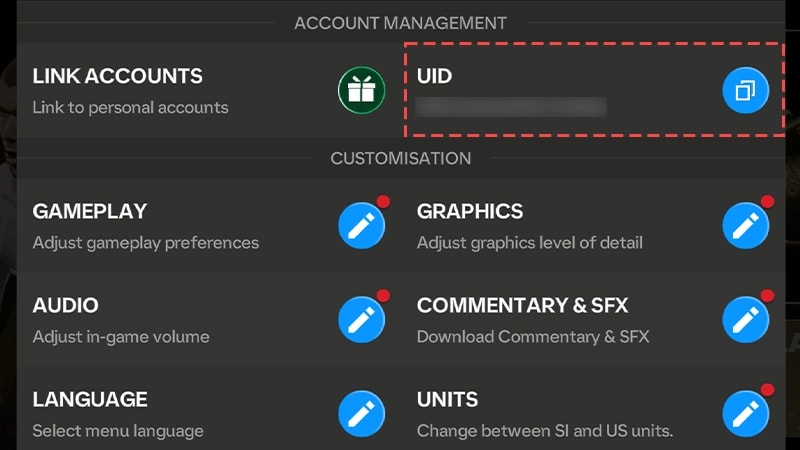
Make sure to save your UID (a screenshot is an easy way to do this). You’ll need it if you’re ever locked out of the game and need to contact us.
- 1Select the Settings (cogwheel) icon on the home screen.
- 2Your User ID is in the top-right corner, after UID. Screenshot or write it down before contacting us so you have it ready.