概觀
To comply with Brazil’s Digital ECA Law, some features in certain EA mobile games may be removed or restricted based on age. Adult players in Brazil can complete an age check through their EA Account to access eligible features.
What’s changing in EA mobile games in Brazil
Some players in Brazil may notice changes to features in certain EA mobile games.Some features may be removed or restricted, including:- random content features (like Mystery Boxes or Crates)
- social features (like chat)--depending on your age
To learn more about how we support safe and positive play across our games, read about our approach to player well-being and online safety.
How age checks work
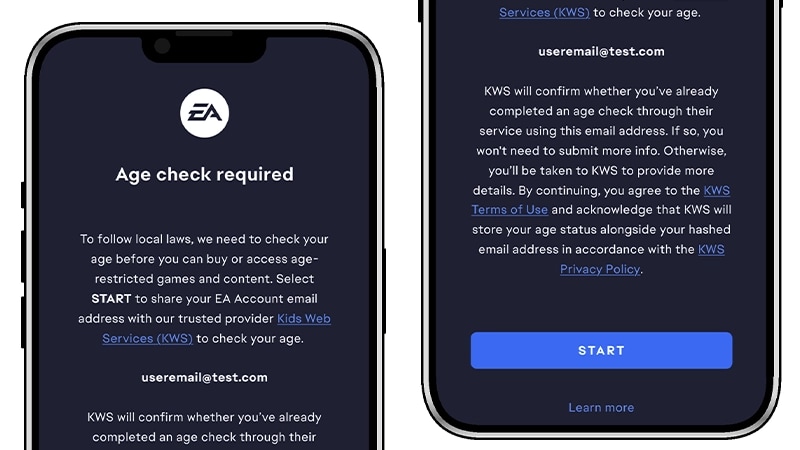
If you’re an adult player in Brazil, you can complete an age check using the EA Account linked to your mobile game.Completing an age check may restore access to eligible features that are otherwise restricted based on age.Learn more about how to confirm your age with EA.How to complete an age check on Mobile
- 1Open your EA mobile game.
- 2Follow the prompts to log in to your EA Account or create one if needed.
- 3Carefully read the age check information, then select Start.
- 4Once you’ve successfully confirmed your age, select Continue.
Mobile platform account requirements
Some mobile platforms have their own age and account requirements. Depending on the game and platform, you may also need to confirm your age through your mobile platform account.Apple
Google Play
For Apple account age requirements and family settings, check Apple Support.